- The “Triage” Reality: Adjusters often handle a high volume of files simultaneously; silence usually means your file is not currently “burning” (urgent) or “easy” (ready to close), so it gets deprioritized.
- The “Loop” Solution: Stop asking “any update?”; start asking for a specific Next Action, a specific Owner, and a specific Date.
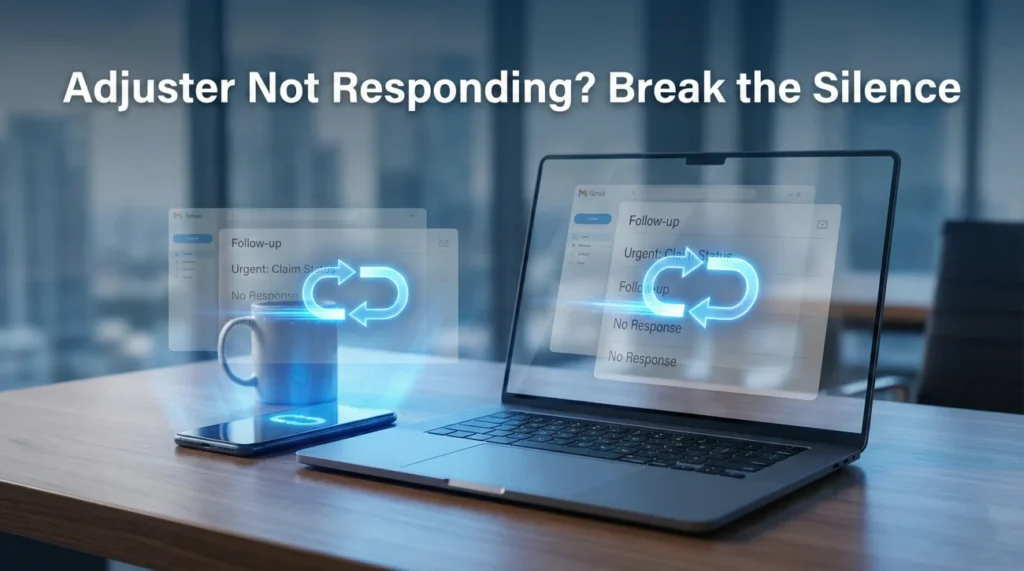
- Channel Switching: If email is ignored, call. If calls are ignored, email. The “Combo Method” (call immediately followed by an email) creates a harder-to-ignore paper trail.
- The “Help Me Help You” Frame: Instead of demanding attention, ask what missing information is blocking them from moving the file forward.
The Silence Is Not Personal, It’s Operational
There is a specific feeling of helplessness that comes when an insurance adjuster stops responding. You send an email on Tuesday: nothing. You leave a voicemail on Friday: nothing. You call again the following Wednesday, and the mailbox is full.
In my experience with claims operations, this “ghosting” phenomenon is rarely an act of malice. The adjuster is likely not sitting at their desk deleting your emails and laughing. The reality is often much more chaotic. They are likely buried under a caseload that exceeds their capacity to manage effectively.
However, understanding why they are ignoring you doesn’t fix your roof or pay your contractor. While we can have empathy for their workload, you still need a result. You cannot afford to be a passive passenger on a file that has fallen off the radar.
To get a response, you have to change how you communicate. You have to stop being “just another email” and start being the “easy file” that they want to touch. This guide covers the “Loop” technique – a communication framework designed to break through the noise, force a specific next step, and get your claim moving again without resorting to anger or threats.
Why They Ignore You: The “Triage” Dashboard
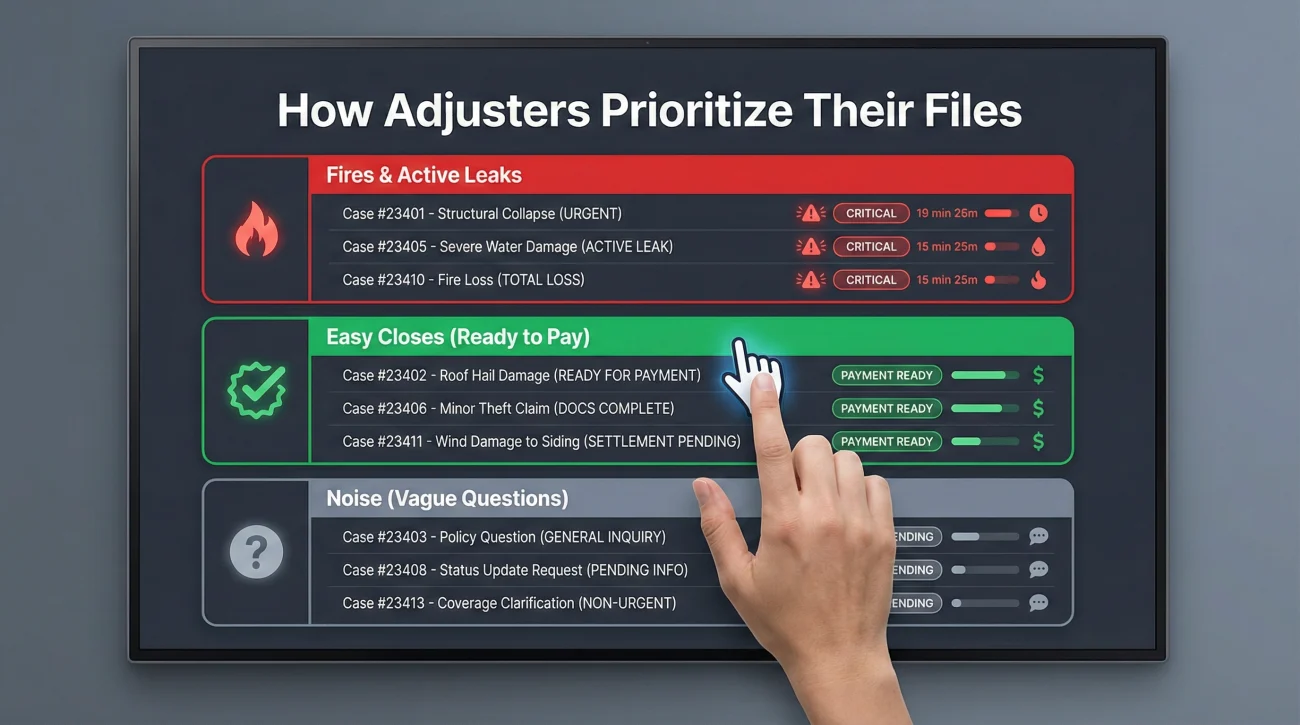
To get a reply, you first need to understand the environment the adjuster is working in. Most desk adjusters start their day with a “dashboard” of tasks that might number in the dozens or even hundreds during peak periods. They cannot do them all. So, they triage. They make split-second decisions about which files to open and which to skip.
Generally, adjusters prioritize files in this order:
- The Fires: Someone has no place to live, a pipe is actively spraying water, or a lawyer has just filed a suit. These get immediate attention.
- The Easy Closes: A file that just needs one signature to be paid and closed. Adjusters are metrics-driven; closing a file helps their numbers.
- The Noise: This is where most ignored files sit. By “Noise,” I just mean a file that takes extra thinking because the next step is unclear or the info is scattered. The homeowner is asking vague questions, the documents are scattered, or the next step is unclear. It requires “thinking time” to figure out what to do, so the adjuster skips it to answer an easier email.
If you are not getting a response, you have likely fallen into “The Noise” bucket. Your goal is not to scream louder (which keeps you in the Noise bucket); your goal is to move yourself into the “Easy Close” bucket by making the next step painfully clear and easy for them to execute.
The “Loop” Technique: A Framework for Replies
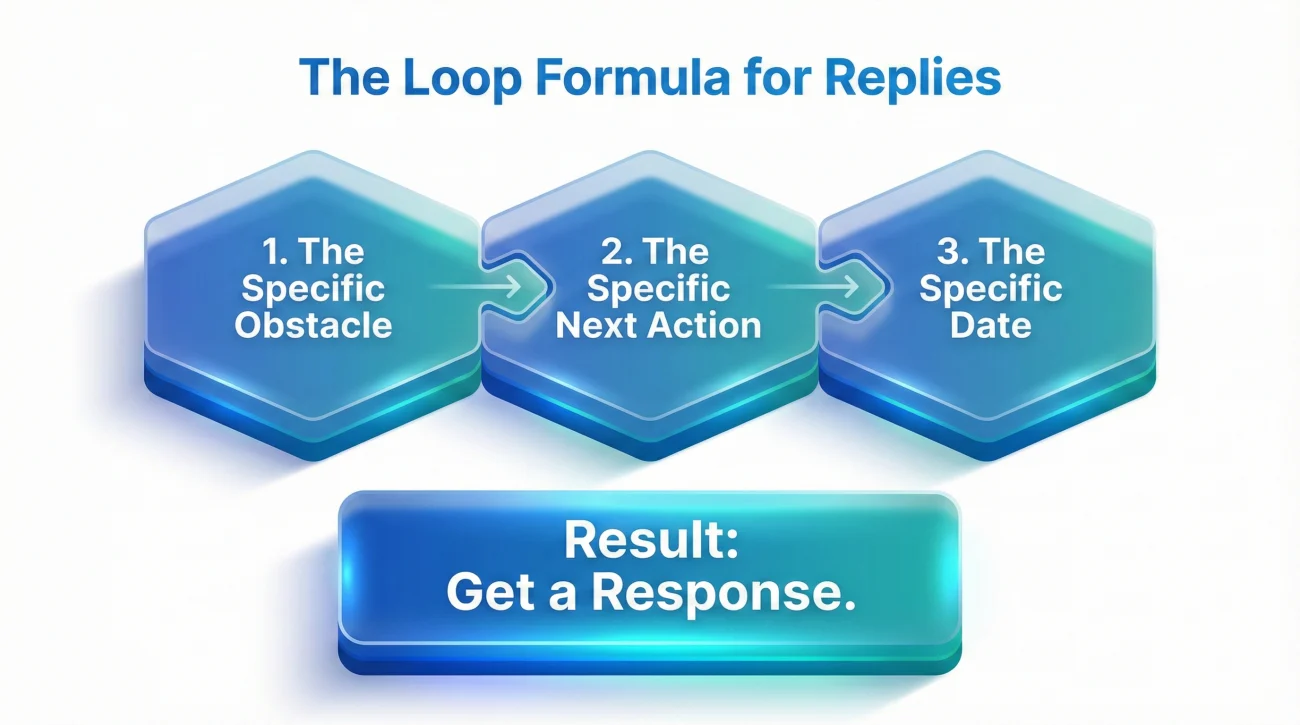
The “Loop” is a communication method used in operations to prevent tasks from drifting into the void. It replaces open-ended hope (“Hope to hear from you soon!”) with closed-ended accountability.
A successful Loop requires three distinct components in every communication:
The Loop Formula:
[The Specific Obstacle] + [The Specific Next Action] + [The Specific Date]
1. The Specific Obstacle
Instead of asking “What is the status?”, identify exactly what is missing. Is it the engineer’s report? Is it the manager’s approval? Is it the ALE check? Naming the obstacle forces them to look at that specific part of the file.
2. The Specific Next Action
Do not let them say “We are reviewing.” That is not an action; that is a state of being. Ask for the verb. “Are you writing the estimate?” “Are you submitting it to the manager?” “Are you calling the engineer?”
3. The Specific Date
This is the anchor. Without a date, “soon” can mean tomorrow or next month. You must ask for a target date. If they refuse to give one, you set a “reasonable expectation date” yourself (e.g., “I will look for this by Friday”).
“Hi, just checking in on my claim. Haven’t heard anything in a while. Please call me back.” (Vague, no urgency, easy to skip).
“Hi, we are waiting on the engineer’s report (Obstacle). Have you received it from the vendor yet (Action)? If not, when do you expect to have it so we can move to the estimate phase – by this Friday? (Date).” (Specific, easy to answer yes/no).
Channel Switching: Phone vs. Email
Another reason for silence is channel fatigue. Some adjusters live in their email; others ignore email and only answer the phone. If you have sent three emails with no reply, sending a fourth email is operationally useless. You must switch channels.
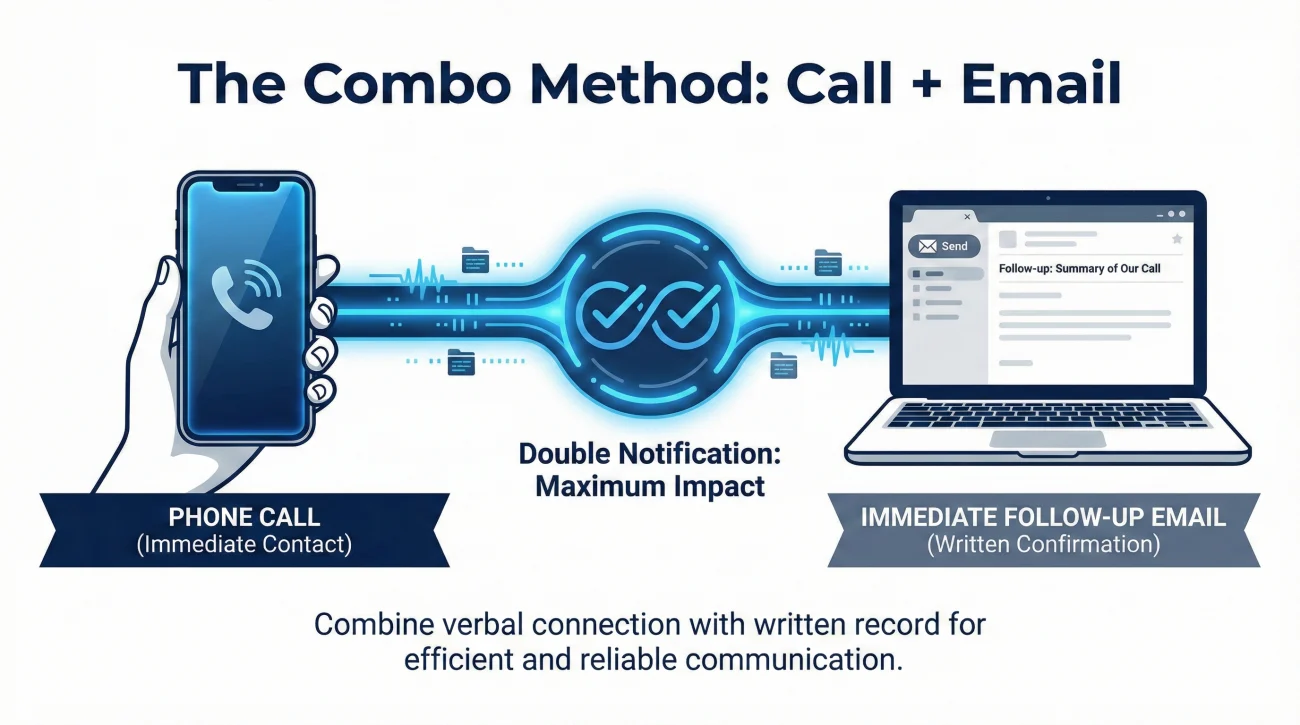
The “Combo” Method
The most effective way to break silence is the Combo Method: a phone call immediately followed by an email.
- Step 1: The Call. Call the adjuster. If they answer, great – apply the Loop. If (more likely) you get voicemail, leave a brief message: “Hi, this is [Name] regarding Claim #[Number]. I sent you an email just now regarding the [Specific Obstacle]. Please check it.”
- Step 2: The Email. Immediately send the email with the subject line: “Claim #[Number] – Following up on voicemail – [Topic]”.
This works because it triggers two different notifications. It also creates a paper trail that says “I called AND emailed,” which creates a clear paper trail if the file ever needs a supervisor touch. It signals that you are diligent and watching the timeline.
💡 Pro Tip: If you leave a voicemail, be painstakingly slow when saying your phone number. Say it at the beginning and the end. Adjusters often listen to voicemails while typing; if they miss the number and have to replay the message, they may move on if they can’t capture the number quickly.
Field Note: The “Friday Afternoon Dump”
In claims operations, Friday afternoon is a “dead zone” for new requests but a “hot zone” for closing easy tasks. Adjusters want to clear their desks before the weekend.
I have observed that complex emails sent at 4:00 PM on a Friday are often ignored until at least the following Tuesday. They get buried under the weekend influx.
However, short, easy “yes/no” emails sent on Friday morning often get a reply because the adjuster wants to check a box. If you need a complex answer (like explaining coverage), send it Tuesday morning. If you need a quick status check (like “Did the check mail?”), Friday morning is often surprisingly effective.
Scripts That Get Replies
The words you use matter. Avoid emotional language (“I’m disappointed,” “You are ignoring me”). Use operational language. Here are three scripts for different stages of silence.
Script 1: The “Did I Miss Something?” Nudge
This script is excellent for the first follow-up. It is non-aggressive and suggests that you might be the one holding things up. This triggers the adjuster’s “customer service” instinct to correct you.
Subject: Claim #[Number] – Pending Items?
“Hi [Adjuster Name],
I haven’t heard back regarding the estimate we discussed last week. I want to make sure I didn’t miss a request from you.
Is there any document or photo you are still waiting for from my side to complete this?
If not, and you have everything you need, can you please confirm the new ETA for the estimate?”
Script 2: The “Timeline Reset” (After 1-2 weeks of silence)
Use this when a deadline has passed. It is firmer but still polite.
Subject: Claim #[Number] – Timeline Update Needed
“Hi [Adjuster Name],
It has been [Number] days since our last contact. The original target for the [Report/Check] was [Date], which has now passed.
I understand workloads are high, but I need to update my contractor/family.
1. What is the specific hold-up? (Is it internal review or external vendor?)
2. When do you realistically expect this to be resolved?
Please let me know by Wednesday so I can plan accordingly.”
Script 3: The “Soft Escalation” (After 3+ weeks)
This allows the adjuster to save face while signaling you are ready to go over their head.
Subject: Claim #[Number] – Assistance Needed”Hi [Adjuster Name],
I am concerned that this file has stalled. I have sent emails on [Date] and [Date] with no response.
If this delay is due to an authority limit or a backlog issue, please let me know if I should loop in a supervisor to help get the necessary approval. I am happy to hop on a call with them if it helps unblock your desk.
Please advise on the next step by close of business tomorrow.”
Scenario: The Voicemail Black Hole
Let’s look at how two different homeowners handle the same situation.
The Situation:
The desk adjuster is overwhelmed. They have a high volume caseload. They haven’t looked at the Homeowner A file or the Homeowner B file in two weeks. Both need a simple repair estimate written.
Homeowner A: Leaves a voicemail every day at 9:00 AM.
“Hi, it’s [Name], calling again. Call me back. I need to know what’s going on. Call me back.”
👉 The desk adjuster hears “Call me back” but doesn’t know why. They assume it’s a long, angry conversation. They skip it to answer an easy email. Homeowner A stays in the “Noise” bucket.
Homeowner B: Leaves one specific voicemail on Tuesday.
“Hi, this is [Name], Claim #123. I’m calling specifically about the kitchen estimate. I have the contractor ready to start. Do you need the photos sent again, or is the estimate ready for review? I will send an email with the photos attached just in case. Please reply to that email with a ‘yes/no’ on whether you need more info.”
👉 The desk adjuster hears a specific problem (“kitchen estimate”) and an easy solution (“check email for photos”). They open the email, see the photos are there, write the estimate (30 minutes), and close the task. Homeowner B moves to the “Easy Close” bucket.
When to Stop Looping and Start Escalating
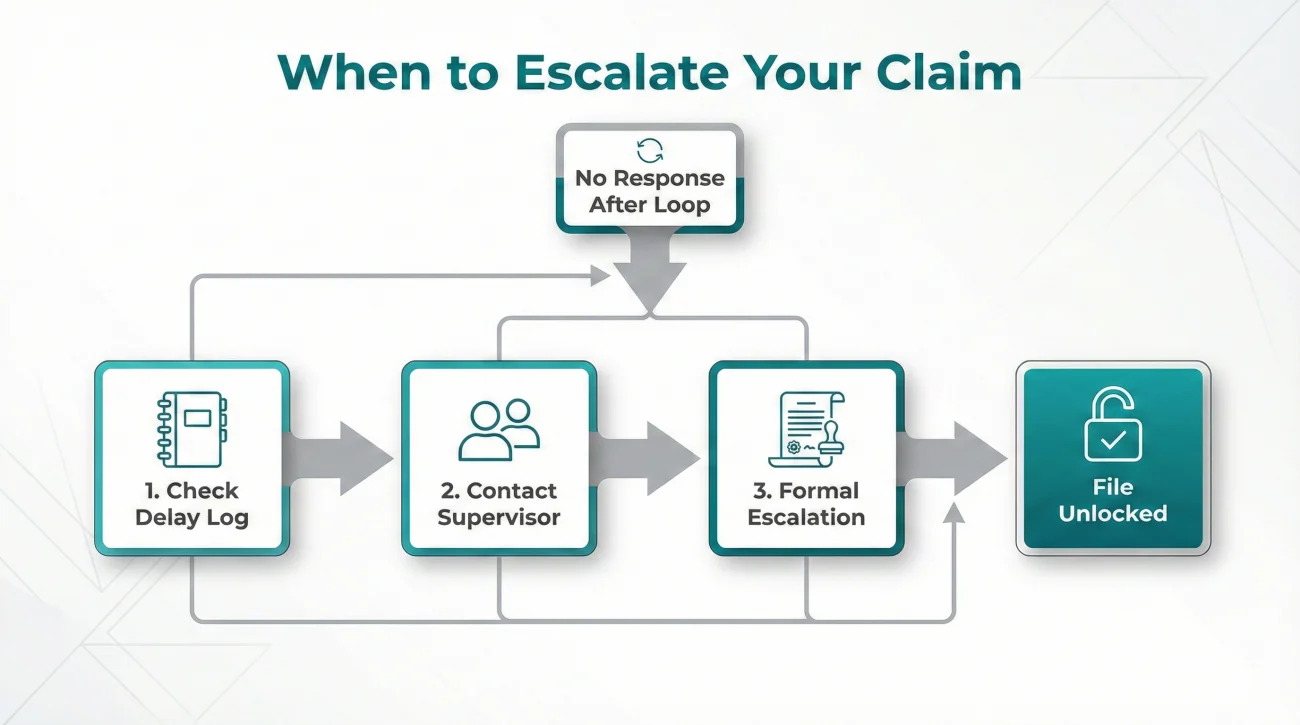
The Loop technique works for administrative disorganization. It does not work for total abandonment. If you have applied the Loop, switched channels, and sent the “Soft Escalation” script with zero response for a significant period (e.g., 30 days depending on state rules), you may need to escalate formally.
Before you do, check your “Delay Log” (as detailed in the Unstuck System guide). Ensure you have documented exactly when you called and emailed. When you eventually reach a supervisor, you will not say “Your adjuster is ignoring me.” You will say “I attempted contact on dates A, B, and C with no reply, which has delayed the repair process by D weeks.”
Escalation should be a calm, factual presentation of the communication breakdown, not an emotional venting session.
Final Thoughts
Being ignored by your insurance company is incredibly frustrating, but reacting with anger usually slows down the process. By treating the adjuster like an overwhelmed project manager rather than an adversary, and by spoon-feeding them the specific next steps via the “Loop” technique, you greatly increase your chances of getting a reply. Be specific, be persistent, and keep the ball in their court.
❓ FAQ
📧 How long should I wait for an email reply from an adjuster?
In a non-emergency situation, 3 to 5 business days is often reasonable. If it’s an emergency (active leak), 24 hours is reasonable. Many people follow up again around day 7 if it’s non-emergency.
📞 Why does my adjuster never answer the phone?
Field adjusters are often driving or inspecting roofs during the day. Desk adjusters are often on the phone with other policyholders. It is rarely personal; it is usually volume-related.
🗣️ Can I text my insurance adjuster?
Only if they explicitly opted in or texted you first. Many carrier systems cannot receive texts. Always ask, “Is there a number where I can text you photos?” before trying.
🔄 What if the adjuster’s voicemail is full?
This is a red flag for an overloaded adjuster. Call the main customer service line (the 1-800 number) and ask the representative to “add a note to the file” asking the adjuster to call you.
👥 Can I request a new adjuster?
You can, but it is not always the best move. A new adjuster has to learn the file from scratch, which causes more delays. It is often better to ask a supervisor to help the current adjuster first.
📝 Should I cc a lawyer on my emails to get a reply?
Generally, no. Cc’ing a lawyer often forces the adjuster to send the file to their legal department for review, which stops all communication and delays the claim further.
📅 Does the insurance company have a time limit to respond?
Yes, most states have “Unfair Claims Settlement Practices” laws that dictate response times, though the specific number of days varies by state. Check your state’s Department of Insurance website for the specific standard.
📤 What if I sent documents but they say they didn’t get them?
This is common. Large files (like photos) often get blocked by firewalls. Ask: “Is there a file size limit? Should I upload them to the portal instead of emailing?”
📵 The adjuster said “I’ll call you right back” and didn’t. What now?
Wait 24 hours, then email: “We got disconnected yesterday before we confirmed the next step. Can you reply here with the update?” Keep it in writing.
🛑 Is it bad to call the adjuster multiple times a day?
Yes. It frames you as a “high-maintenance” file and trains them to screen your calls. One clear message is better than five vague ones.
⚠️ Disclaimer: PropertyClaimChecklist.com provides practical guidance, process checklists, and example follow-ups to help you organize a property claim and move it forward. It is not policy language, claim documentation, legal content, or a substitute for your insurer's instructions. Always rely on your carrier's requirements and your actual policy terms for what must be submitted and how decisions are made.