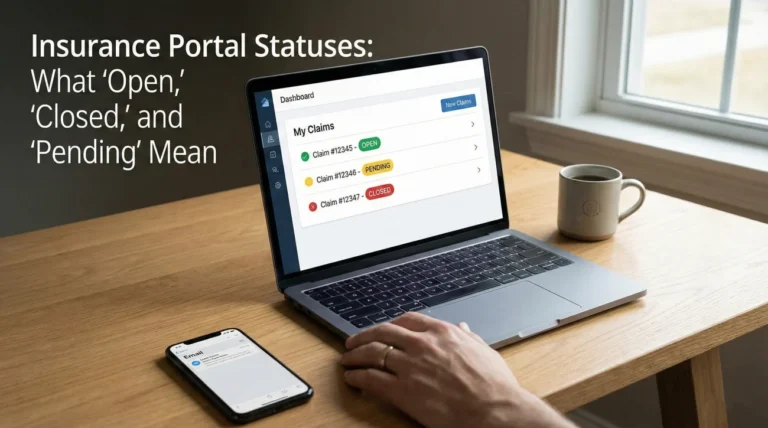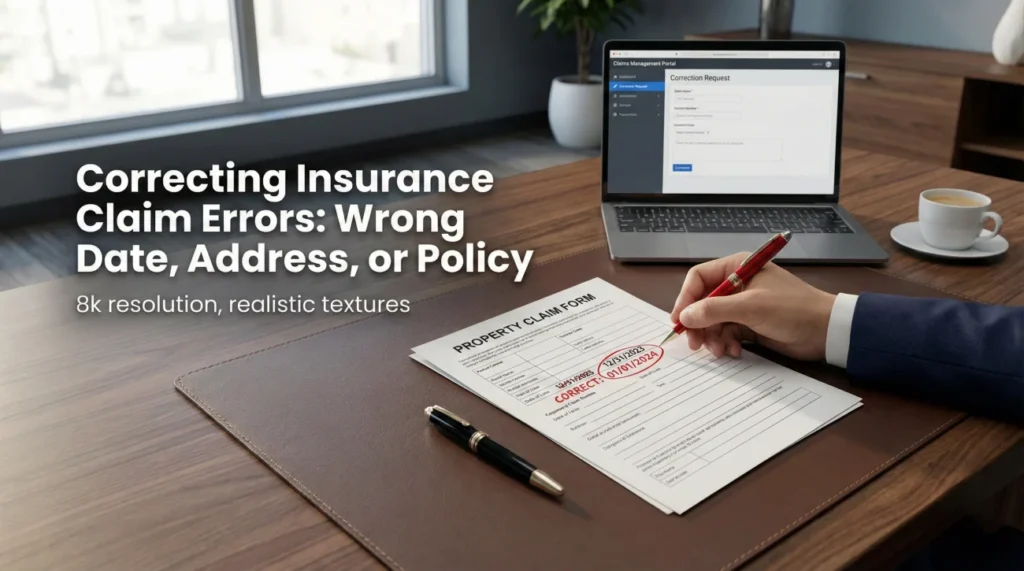
- Data entry errors happen frequently during the initial claim intake call. Do not panic; treat it as an administrative task, not an immediate denial.
- The three most critical errors to fix immediately are the Date of Loss, the Property Address, and the Policy Number.
- Never rely on a phone call alone to fix a mistake. Always follow up a verbal correction with a written confirmation for your file.
- Do not cancel your claim and start a new one just because the facts are wrong. This creates duplicate files and massive confusion.
- Track your correction requests in your day-one file until you see the updated information reflected in the official portal or paperwork.
The Reality of Intake Errors: Why Your Claim Details Are Wrong
You just got off the phone after reporting your property damage, and the confirmation email arrives. You open it, and your heart sinks. The date of the storm is listed as Tuesday instead of Thursday. Or worse, the address has the wrong street suffix, or your name is spelled incorrectly. When you are already dealing with property damage, seeing wrong facts on official documents can feel incredibly stressful.
In my time working in claims operations, I have seen this happen thousands of times. I want to reassure you right now: a clerical error on day one is incredibly common. It usually does not mean someone is trying to trick you, and it rarely means your file is doomed. Most of the time, it is simply a data entry error.
When you call to report a loss, the representative on the other end of the line is often typing frantically while you speak. They are navigating multiple screens, listening to your story, and trying to fit your natural conversation into rigid drop-down menus. In that fast-paced environment, “the fifteenth” easily becomes “the fifth.” A unit number gets dropped. A timeline gets compressed.
Key Point: Do not assume the insurer will automatically catch and fix an obvious mistake. It is your responsibility to spot the error and proactively correct wrong claim information to keep the process moving smoothly.
The secret to handling this is to remove emotion from the equation. Do not view the error as an attack. View it as an administrative mismatch that requires a clean, documented correction workflow. In this guide, I will walk you through exactly how I organize corrections so that the system is updated without causing unnecessary delays.
How Uncorrected Errors Derail the Claim Process
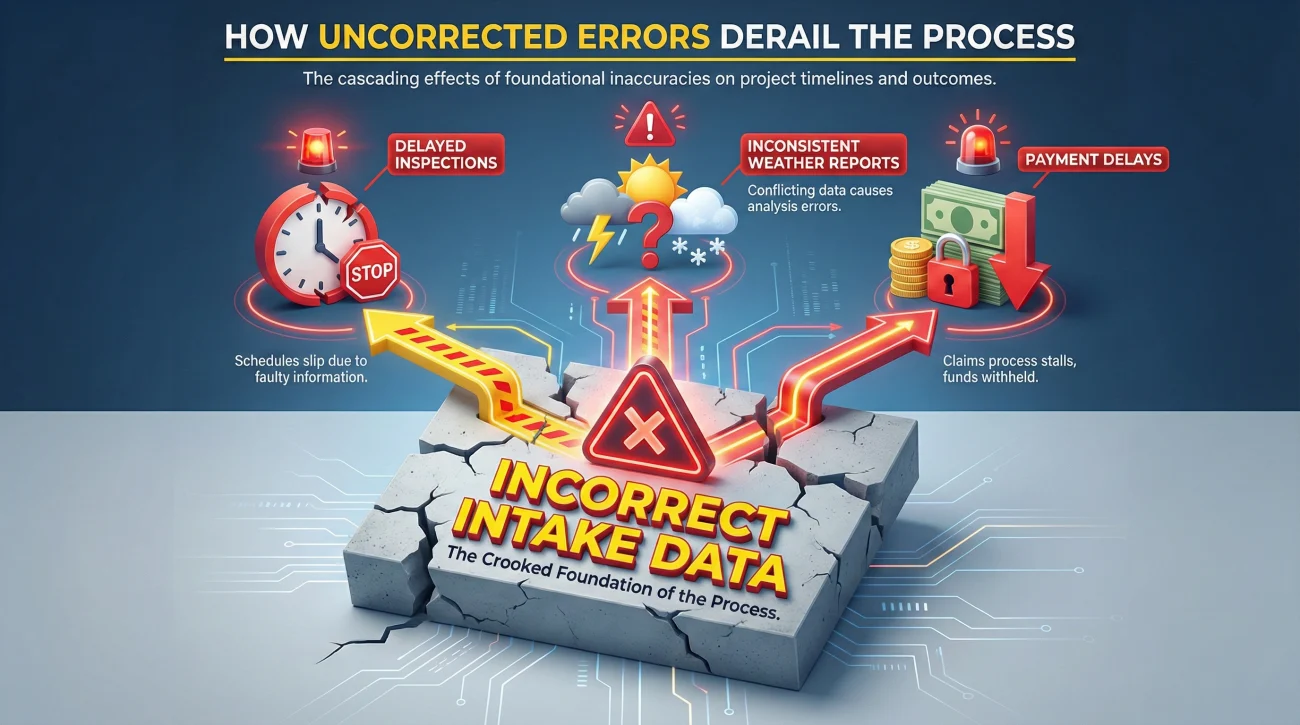
While intake errors are common, leaving them uncorrected is dangerous. A small typo might seem harmless to you, but insurance claims run on highly automated systems. If the data in the system is wrong, the automated processes will trigger the wrong next steps.
I always tell people that the intake system is the foundation of the entire file. If the foundation is crooked, every step that follows will be slightly off. Here is a field note from my operational experience: I often see claims get delayed by weeks simply because a unit number was missing. The field adjuster drives to the apartment complex, cannot figure out which unit has the damage, closes their assignment as “unreachable,” and moves on to the next job. The homeowner sits waiting, completely unaware that an address typo stalled the whole process.
The Danger of a Wrong Date of Loss
The Date of Loss (DOL) is the single most critical piece of data on your file. Insurance companies use this specific date to verify a few massive operational checkpoints. First, they check if your policy was actually active on that exact day. Second, if you are claiming weather damage, they will pull historical meteorological data for that specific date and zip code.
If your roof was damaged by hail on May 15th, but the system says May 5th, the desk adjuster will look at the weather report for May 5th. If it was sunny on May 5th, the system will flag the file for inconsistencies. You know it hailed, but the system only knows what the data says for the recorded date. This is why correcting the date immediately is non-negotiable.
The Danger of a Wrong Property Address
Address errors usually fall into two categories: the wrong property entirely (often happening if you own multiple insured properties), or a missing detail like a suite, unit, or building number. Beyond causing the field adjuster to get lost, a wrong address causes a major documentation headache. If the adjuster writes an estimate, that estimate will print with the wrong address. If a check is issued, it may be mailed to the wrong location or printed with an address that your mortgage company will not endorse.
The 4-Step Correction Workflow
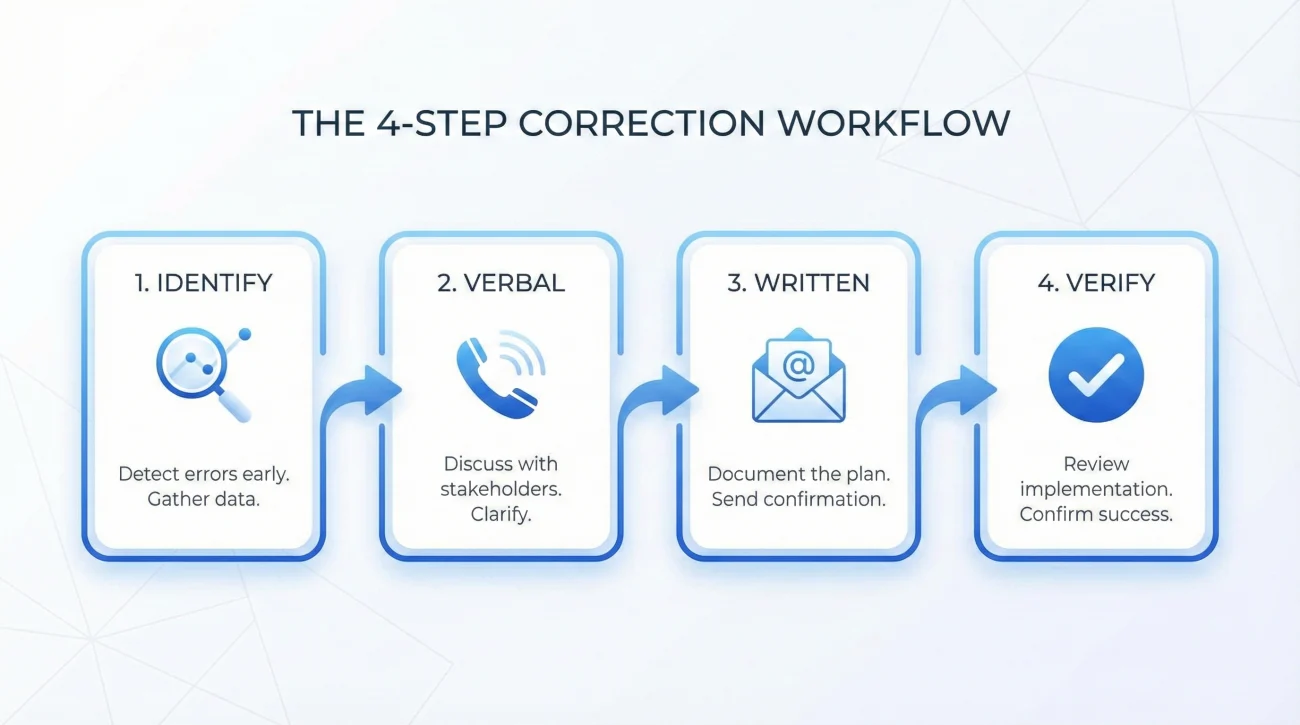
When you spot an error, your instinct might be to call immediately, complain, and hang up once the person on the phone says “I fixed it.” In operations, we know that a verbal “I fixed it” is the least reliable confirmation in the world. You need a structured approach.
Here is the exact workflow I recommend to ensure the system actually updates.
- ✅ Step 1: Identify the exact discrepancy. Compare what the document says to your personal records. Be precise.
- ✅ Step 2: Make the verbal correction. Call the main claims line to explain the error and ask them to update the system notes.
- ✅ Step 3: Create the written paper trail. Send an email or portal message confirming the conversation and the corrected fact.
- ✅ Step 4: Verify the system update. Check the portal 48 hours later or request a new copy of the intake document.
Handling the Verbal Correction
When you call to correct the information, keep the conversation entirely factual. Do not explain your frustration, and do not offer long stories about how the first representative made the mistake. The current representative does not need the backstory; they only need the data.
I find that the most effective way to handle this call is to state the purpose immediately. Have your claim number ready. Say something like: “I am calling to correct an administrative error on my file setup. The Date of Loss is currently listed as the 4th, but the actual date of the event was the 14th. Can you please update the system and add a note to the file?”
While you are on the phone, write down the date, the time, and the name of the representative who confirmed the change. You will need this for the next step.
Common Mistakes When Fixing Claim Facts
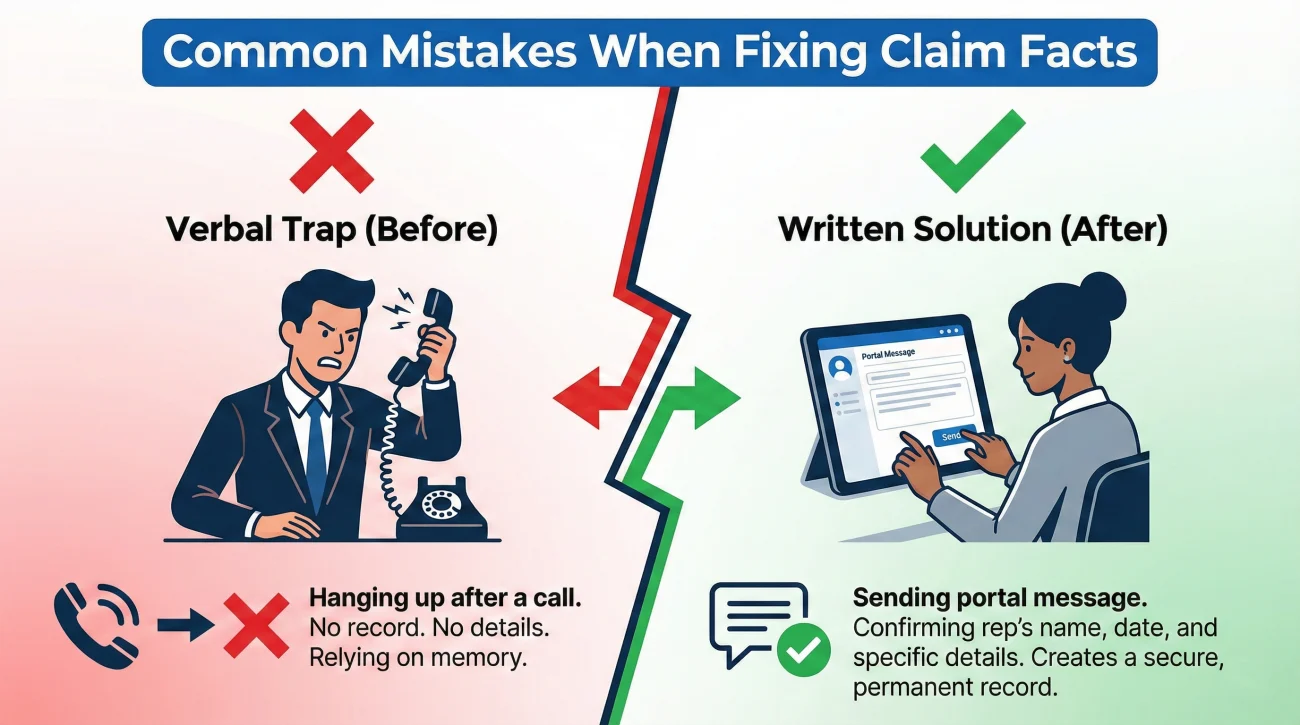
Because finding an error is jarring, people often react in ways that inadvertently create more administrative chaos. Let’s look at the most common traps and how to avoid them.
Another massive mistake I see is when someone tries to cancel the claim entirely. I have seen homeowners panic because the address was wrong, so they call and say “Cancel that claim, I want to start a new one.” Please, never do this. Withdrawing a claim and opening a duplicate creates a permanent, messy footprint in the insurance database. It triggers fraud alerts and duplicate-file warnings. Always amend the existing file; never duplicate it.
Finally, avoid over-explaining. If the time of the event was recorded as 2:00 PM instead of 4:00 PM, but the damage is the same, do not write a three-page letter about your afternoon schedule. Keep the correction short, clinical, and focused strictly on the required data field.
Copy-Paste Scripts for Correcting Information
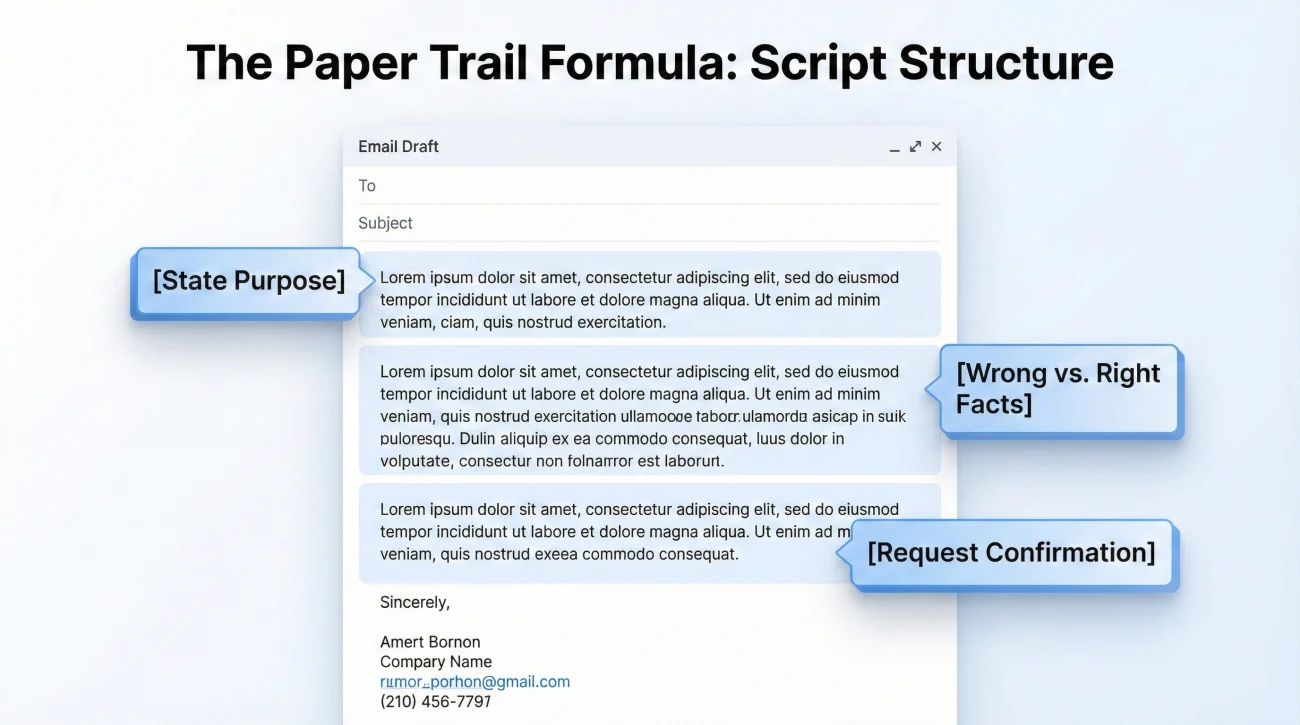
Communication hygiene is critical here. You want your correction to be so clear that anyone opening your file can instantly see what needs to be changed. I always recommend using bullet points and keeping the formatting stark.
Here is a script you can use via email or the claims portal immediately after you finish your phone call. This establishes your written proof.
Hello,
I am writing to formally correct an administrative error on the initial setup of my claim.
During my call today at [Time] with [Representative Name], we discussed that the First Notice of Loss document contains incorrect information.
Please update the official file to reflect the following correct information:
– Incorrect Date of Loss listed: [Wrong Date]
– Correct Date of Loss to be updated: [Right Date]
Please confirm in writing once the system has been updated so I can keep my records accurate.
Thank you,
[Your Name]
Claim #[Your Claim Number]
Notice the structure: [State the purpose] + [List the wrong fact vs right fact] + [Ask for written confirmation]. This leaves zero room for misinterpretation.
If the error is regarding the property address or unit number, use this variation:
Hello,
I am reviewing the initial claim documents and noticed that the property address on file is incomplete/incorrect.
To ensure the field adjuster can locate the property without delays, please update the system immediately.
– Current incorrect address on file: [Wrong Address]
– Correct property address: [Right Address]
Please ensure this is updated before the field inspection is scheduled, and reply to confirm when this is complete.
Thank you,
[Your Name]
Mini-Scenario: Fixing a Date Error Without Losing Momentum
To see how this looks in practice, let’s look at a realistic operational scenario. Imagine a homeowner, let’s call him David. David’s kitchen flooded from a burst pipe on Sunday the 10th. He called to report the claim on Tuesday the 12th. When he gets his claim packet, the Date of Loss is listed as Tuesday the 12th.
This is a classic “report date vs loss date” mix-up by the call center. If David ignores this, the adjuster might ask why the damage looks two days older than the file says, or coverage could be confusingly reviewed based on Tuesday’s policy status instead of Sunday’s.
Here is what good process looks like:
- ✅ David does not panic. He recognizes it as a clerical error.
- ✅ He calls the main line, gives his claim number, and says, “The intake rep accidentally put my reporting date as the loss date. The actual loss happened on Sunday the 10th.”
- ✅ The phone rep says, “Okay, I updated the notes.”
- ✅ David hangs up and immediately opens his portal. He sends a short message: “Per my call today, please ensure the Date of Loss is officially updated from the 12th to the 10th across all systems.”
- ✅ He takes a screenshot of his portal message and saves it in his digital “Intake Notes” folder.
A week later, the desk adjuster tries to reference the 12th. David simply points to his portal message and says, “I corrected that administrative error on day one, please refer to my message from Tuesday.” The adjuster sees the note, corrects their own paperwork, and the claim moves forward without a massive dispute.
Organizing the Proof of Your Correction
When you correct wrong claim information, you are generating evidence. In the claims world, if it is not documented, it did not happen. Therefore, tracking your correction is just as important as making it.
⚠️ Warning: Do not rely on your memory. In a month, you will not remember exactly who you spoke to or what day you asked for the address to be fixed.
In your claim file, you should have a dedicated communication log. Every time you send one of the scripts above, log it. Make a note that says “Date: [X], Requested correction of Date of Loss via portal.” Then, set a reminder for yourself for 48 hours later. If you log back into the portal and the date is still wrong, you know it is time to escalate to a supervisor, using your previous written request as leverage.
This disciplined approach to organizing your file is exactly what I teach when it comes to managing the administrative burden of a claim. You are not just fixing a typo; you are building a resilient, documented file.
Final Thoughts on File Accuracy
Finding wrong information on your brand new claim file is annoying, but it is a highly solvable operational hurdle. The key is to act quickly, act calmly, and always force a paper trail. By treating a wrong date, a misspelled name, or an incorrect address as a simple data mismatch, you keep your emotions low and your efficiency high.
Once your claim setup is clean and accurate, you are ready to start gathering the actual evidence of your damage. A clean file makes submitting your photos, receipts, and estimates significantly easier. If you want to learn more about how to structure all that incoming evidence so nothing gets lost in the shuffle, I highly recommend reviewing our complete Proof of Loss playbook. It will show you how to build a system that keeps your facts straight from day one until the file is closed.
❓ FAQ
🤔 How do I correct wrong claim information?
Call the main claims line to explain the exact administrative error, then immediately follow up with an email or portal message confirming the correct details in writing. Never rely on a phone call alone.
📅 Will a wrong date of loss ruin my claim?
It can cause major delays if the wrong date falls outside your policy period or does not match weather reports. However, if you proactively correct it with a clear written trail immediately, it is usually just a simple administrative fix.
🏠 The adjuster has the wrong address, what do I do?
Contact the desk adjuster or main claims line immediately in writing. An incorrect address can prevent the field inspection from happening and result in your file being temporarily closed for being “unreachable.”
✍️ Can I change my claim details after filing?
Yes, especially in the first few days when the file is just being set up. It is very common to need to clarify or correct the initial facts captured by the intake representative.
🤷♂️ Why did the insurance company put the wrong date?
In most cases, it is a simple data entry error. Call center representatives type quickly while listening, and they often accidentally enter the day you called instead of the day the damage actually happened.
🚨 Is it insurance fraud if the date on the file is accidentally wrong?
No. Fraud involves intentional deception. If the intake representative made a typo, it is just a clerical error. Protect yourself by sending a written message immediately to correct the record.
⏱️ How long does it take to update claim info?
A desk adjuster or representative can usually update system notes immediately. However, it may take 24 to 48 hours for those changes to reflect in your online customer portal or on newly generated documents.
💻 The claim rep said they fixed it, but the portal is still wrong?
Send a follow-up message through the portal stating: “I was told on [Date] that this was updated, but the system still shows incorrect data. Please verify the correction has been saved.” Save a copy of this message.
❌ Should I cancel my claim and start over if the info is wrong?
No, absolutely never do this. Withdrawing a claim and opening a new one creates duplicate files, which causes massive confusion and can trigger unnecessary administrative flags. Always amend the existing file.
🔤 What if my name is spelled wrong on the claim?
You must fix it early. While it seems minor, a misspelled name will eventually end up on a settlement check, which your bank or mortgage company may refuse to cash or endorse until it is corrected.
⚠️ Disclaimer: PropertyClaimChecklist.com provides practical guidance, process checklists, and example follow-ups to help you organize a property claim and move it forward. It is not policy language, claim documentation, legal content, or a substitute for your insurer's instructions. Always rely on your carrier's requirements and your actual policy terms for what must be submitted and how decisions are made.