- The Reality: I review dozens of files a day. If I have to hunt for your invoice or guess what a photo shows, I usually put the file aside for “later.”
- The Fix: Build a “Supplement Packet” that connects the dots for me. It should answer “What, Why, and How Much” in under 60 seconds.
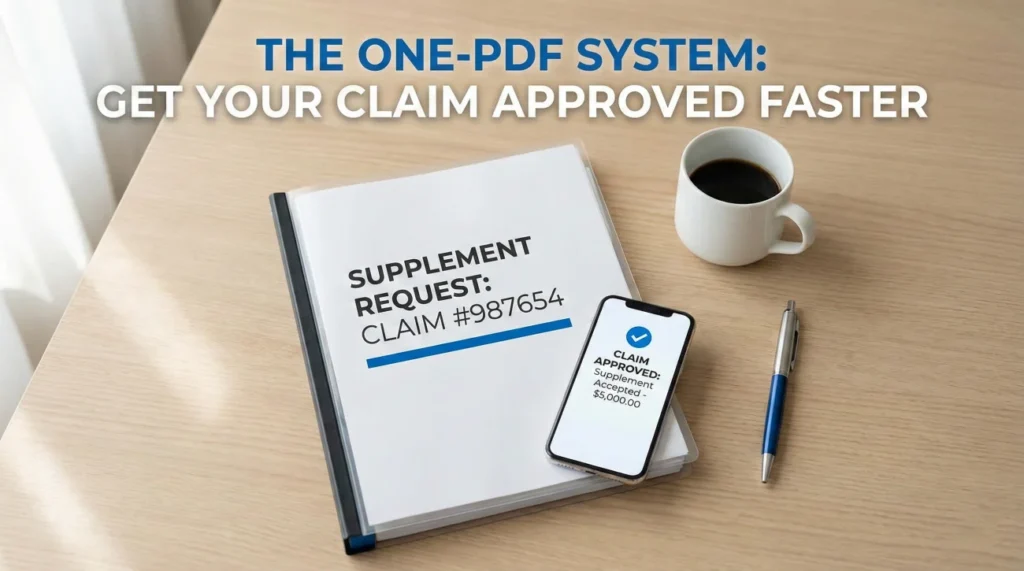
- The Goal: A single PDF that makes it easier for me to click “Approve” than to write a rejection letter.
The 15-Minute Review Reality
In my years working in claims operations, I have sat on the receiving end of thousands of supplement requests. I want to be honest about why most of them get ignored.
It is rarely because the damage isn’t real. It is usually because the email is a mess.
Picture a desk adjuster at 4:00 PM on a Friday. I might have 15 minutes to clear a file before the weekend. If I open an email and see 20 unlabelled photo attachments and a vague note saying “We need more money,” I am not going to play detective. I am going to close the file and move to the next one.
But when I receive a clean, structured packet that tells me exactly what to pay and why? That feels like a relief. I can approve those in minutes because the homeowner did the heavy lifting for me.
The “One-Click” Rule: Why Consolidation Wins Approvals
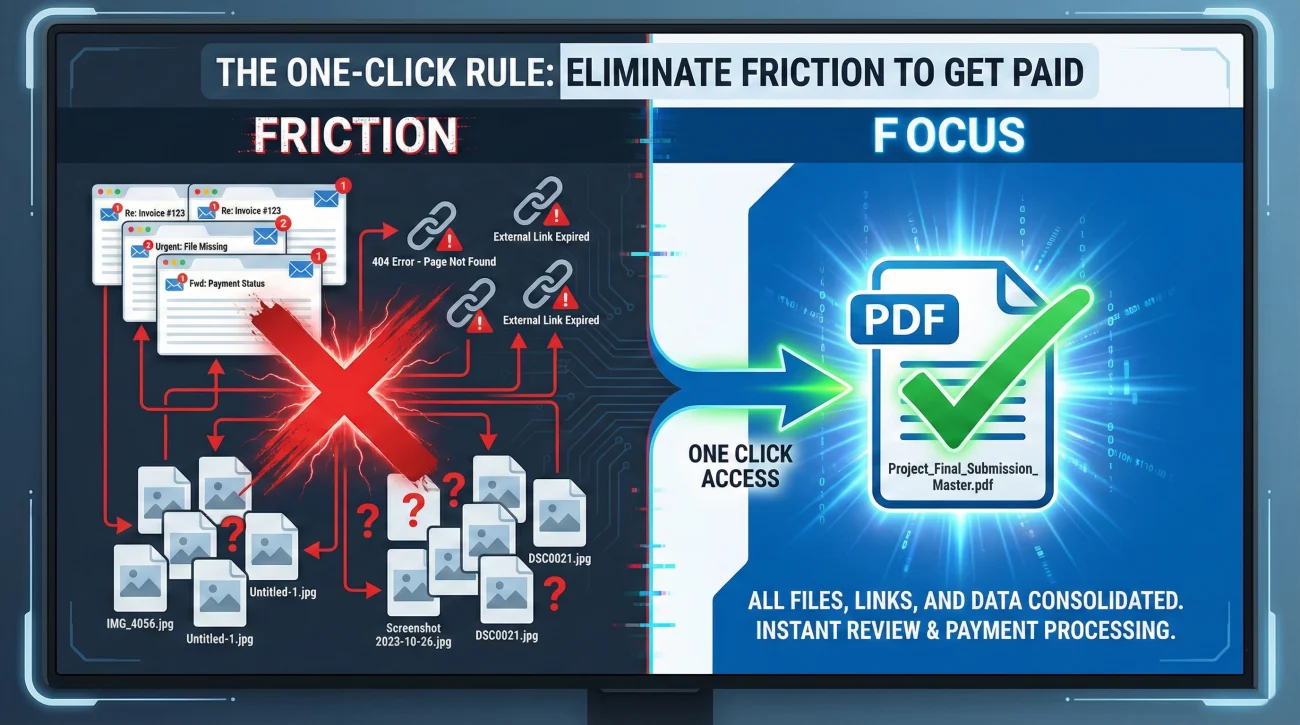
Before we put the pages together, I need you to understand how we read these files. We operate on speed and efficiency. We love “One-Click” approvals.
In operational terms, “friction” is anything that forces me to click away from your file. If I have to open four different emails to find the photo that matches the invoice, or log into a separate portal to see a video, that is friction. Friction leads to delays.
Key Point: Don’t give me an excuse to say “I saw the invoice but lost the photos.” Consolidate everything into one single PDF file whenever possible.
Component 1: The Cover Sheet (The Map That Guides the Review)
The biggest mistake I see is diving straight into the math without context. Every packet needs a cover sheet. Think of this as the “Executive Summary” for a tired adjuster who just opened your file and forgot the details.
This page anchors me. It tells me exactly what I am looking at so I don’t have to guess. It frames the conversation immediately as a “Supplement Request” rather than a complaint letter.
SUPPLEMENT REQUEST SUMMARY
Claim Number: [Number]
Property Address: [Address]
Date Submitted: [Date]
What We Are Asking For:
This supplement addresses 3 specific items found during the repair:
1. Omitted insulation in the living room ceiling.
2. Code-required drip edge for the roof replacement.
3. Additional debris removal volume.
Total Items Added: [Number of Items]
Attached Support: Photo log, Local Code citation, Contractor’s breakdown.
When I open a file and see this, my anxiety drops. I know the request is reasonable and defined. I am much more likely to review it right then and there because I know exactly how much mental energy it will require.
Component 2: The Photo Log (Turning Raw Images Into Usable Evidence)
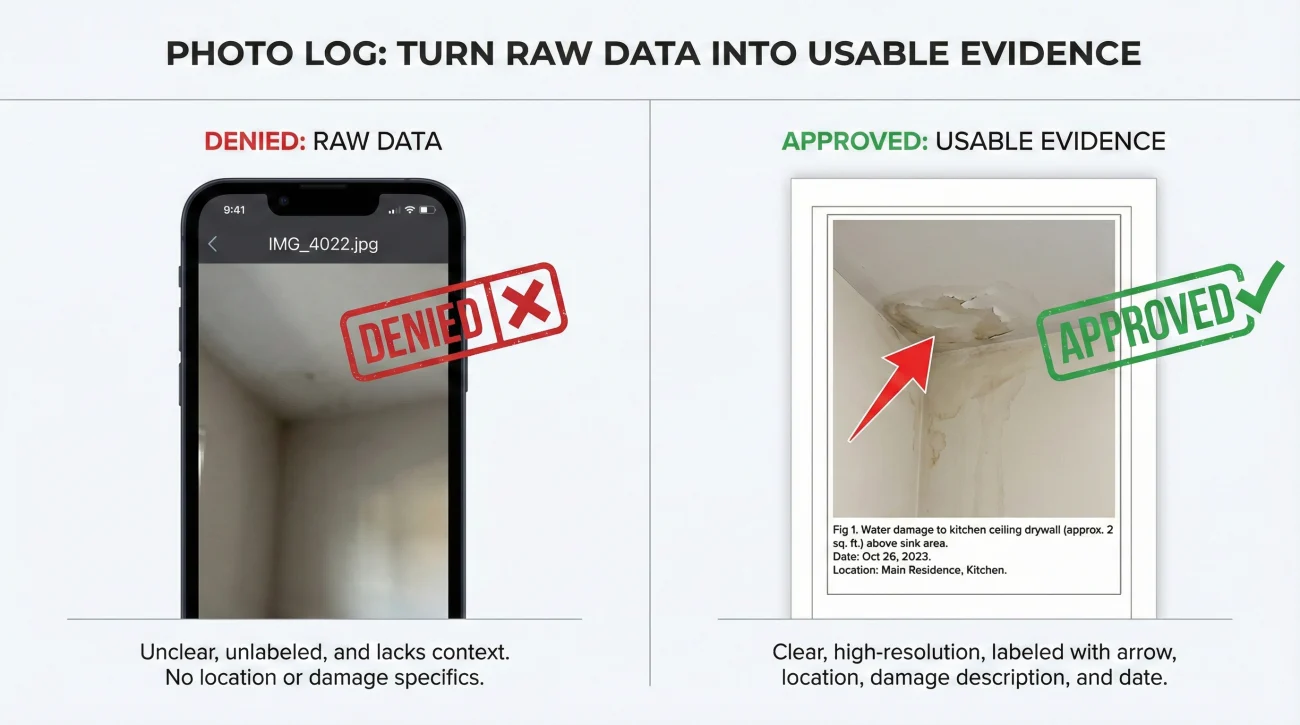
Please, do not just attach raw JPEGs to an email. In claims ops, we call raw photos “useless data.” A close-up photo of a nail hole means nothing to me if I don’t know which room it’s in or which wall I’m looking at.
You need to build a Photo Log. This is just a fancy way of saying: “Put the photo in a document and write a caption next to it.” You can do this easily in Word or Google Docs, then save it as a PDF page.
A blurry close-up of wood rot sent as “IMG_4022.jpg” with no subject line. I have no idea if this is the bathroom or the garage, so I ignore it.
A photo in a document labeled: “Living Room North Wall – Rotted Framing discovered after drywall removal. Requires 12ft stud replacement.”
I also recommend using the markup tools on your phone. Draw a big red arrow pointing to the damage. It feels childish, but it directs my eye exactly where you want it. Don’t let me miss the point because I’m skimming too fast.
Component 3: The Line-Item Breakdown (Matching Their Estimate Format)
This is where the math happens. If you are working with a contractor, they will usually provide this in a software format like Xactimate. If you are doing it yourself, do not write a paragraph of text.
I need to see a list that looks like my estimate. This allows me to compare “Apples to Apples.” If you send me a lump sum number like “Repair Walls: $5,000,” I have to reject it because I can’t justify that to my software.
What I look for in a breakdown:
- ✅ Item Description: Use standard terms (e.g., “Remove and Replace 1/2 inch Drywall”).
- ✅ Quantity: Be specific (e.g., “150 SF”).
- ✅ Reason Note: Explain the ‘Why’ (e.g., “Wall opened to access plumbing repair”).
Also, structure matters. If you mix “Roof Vents” with “Basement Drywall,” you are making my job harder. Group your requests by room or trade. This same structure is also the cleanest way to respond when an estimate comes back short and you need to document what was omitted: low estimate documentation response, because it shows you understand the structure of the claim.
Component 4: “Air Cover” Documents (Third-Party Validation)
Sometimes, your word isn’t enough. If you are asking me for something technical or expensive, I need “air cover” to justify the approval to my manager. I cannot just take your word that “the code requires this.”
Include these only if they apply to your specific request. These are the documents that stop arguments before they start:
| Request Type | What I Need to See |
|---|---|
| Code Upgrades | A PDF copy of the specific local city ordinance. Highlight the specific sentence that applies. Don’t make me read the whole code book. |
| Material Matching | An ITEL report or manufacturer’s spec sheet proving the old material is discontinued. |
| Specialty Trade | A dedicated invoice from the specialist (e.g., HVAC tech, structural engineer) on their letterhead. |
Field Note: The “Link Rot” Failure (Why Dropbox Links Fail)
I see this operational failure constantly. A homeowner takes 50 high-resolution photos, uploads them to a Dropbox or Google Drive folder, and sends me the link. They think they are being helpful by keeping the email size small.
❌ Note: Many insurance carrier networks block external file-sharing sites like Dropbox or WeTransfer for security reasons. Even if they don’t, I often click the link only to find it has expired.
If I click your link and get an “Access Denied” error, I am probably not going to email you back immediately. I’m going to move to the next claim. Always send the packet as a direct PDF attachment. If the file is too large, use a PDF compressor tool to shrink it, or split it into Part 1 and Part 2. But keep the files inside the email.
The Assembly Protocol: Merging into a Master PDF
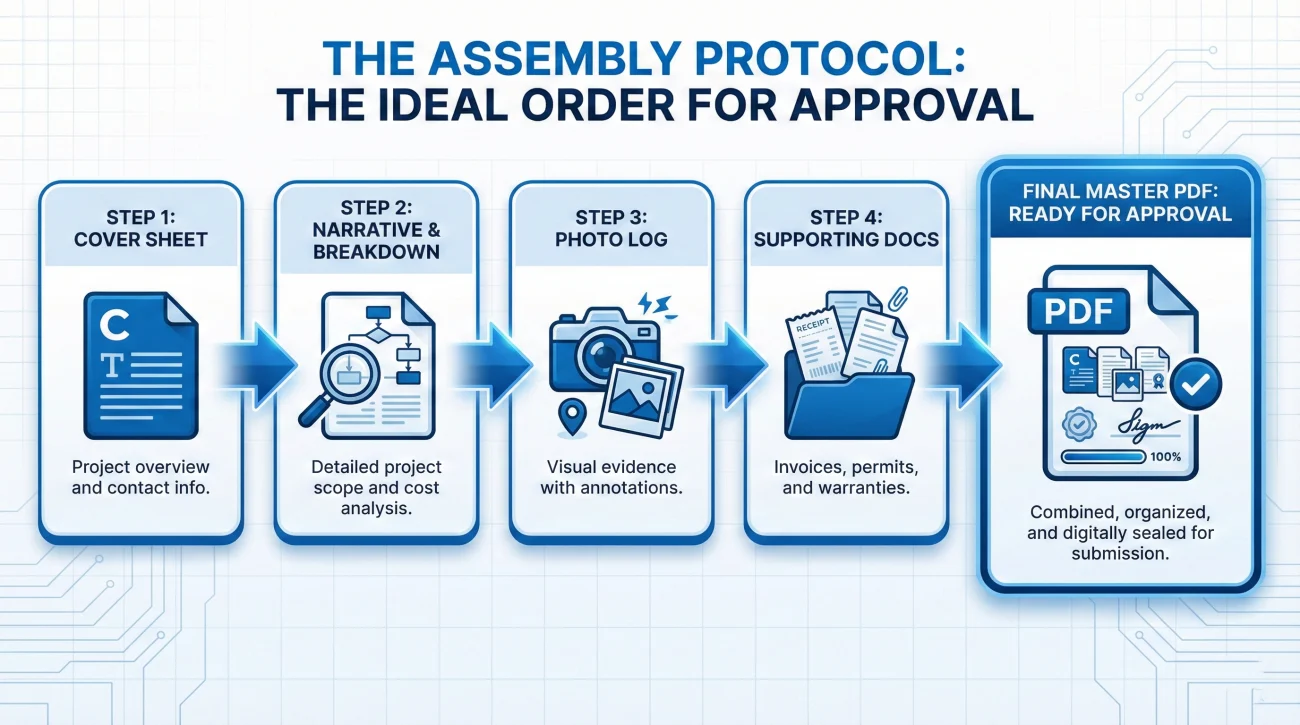
You have your components. Now, combine them. Use a free online PDF merger tool to stitch them into one master document. This is the order that makes the most sense to my brain:
- Cover Sheet (Tell me what you want)
- Narrative/Breakdown (Show me the numbers)
- Photo Log (Prove it with pictures)
- Supporting Docs (Back it up with data)
A Real Example: From Denied to Paid
To show you why this matters, I’ll share a quick example of a bathroom leak file I reviewed. The homeowner first sent a raw plumber’s invoice for $2,500 and 10 dark photos of pipes. I denied it because “Plumbing repair is not covered.”
They resubmitted using this packet structure: A cover sheet explaining “Supplement for Access to Mold (Not Plumbing),” a photo log showing the mold behind the vanity, and a breakdown listed as “Detach Vanity” instead of “Plumbing.” Result: I approved it immediately. The packet clarified the intent, which the raw invoice failed to do.
Common Formatting Mistakes That Trigger Rejections
Even with good data, bad formatting can kill your chances. Please avoid these layout errors that frustrate reviewers more than you realize.
1. The “Narrative Wall of Text”
I don’t read diaries; I read data. Do not write a 3-page letter complaining about the stress of the claim. Keep the narrative to bullet points on the cover sheet.
2. Mixing Scope with Threats
Keep the supplement packet focused on physical damage. Do not include arguments about “bad faith” in this packet. If I see legal threats mixed in with repair costs, I might have to forward the whole thing to Legal, which will delay your check by weeks.
Final: The Approval Shift
Building a professional supplement packet takes a little extra time upfront, maybe an hour. But in my experience, that hour saves you weeks of back-and-forth emails.
When you hand me a clean, organized, self-explanatory packet, you are doing 90% of my work for me. You are making it easy for me to justify paying you. And in this process, “easy” is how you get paid.
❓ FAQ
📄 Should I include the original estimate in the packet?
No. I already have my original estimate. Including the old one just creates clutter. I only need to see the new items or the changes you are requesting.
📸 How many photos are too many?
A packet with 100 photos is overwhelming and I will likely skim it. 2 clear photos (wide + close-up) for each missing item are much better than 20 repetitive shots.
🖋️ Do I need to sign the supplement packet?
Usually, no. It is a request for review, not a formal contract. However, ensure your claim number and contact info are clearly listed on the cover page.
💻 Can I just send a link to a Google Drive folder?
I strongly advise against this. Corporate firewalls often block these links. Attach the PDF directly to the email to ensure it actually lands on my desk.
🏗️ Should I include the contractor’s full contract?
Only the itemized bid portion. The legal terms and conditions between you and your builder are generally private and not relevant to my scope review.
🏷️ What if I don’t know the specific Xactimate codes?
That is okay. Describe the work in plain English (e.g., “Remove wet insulation”). I know the codes; I just need to understand the physical task you are describing.
📦 What if my file size is too big for email?
Compress the PDF first. If it is still too big, split it into “Packet Part 1 – Docs” and “Packet Part 2 – Photos” and send them in the same email thread.
🧾 Do I need receipts for work not done yet?
No. A supplement is often a request for future funds. You provide a bid or estimate. Receipts are only needed for “incurred costs” (work already finished).
⚠️ What if the adjuster denies the packet?
Ask for a specific explanation in writing. Often, a denial is just a request for more information. Read my note, add the missing proof, and submit it again.
⏳ How long should the packet be?
Keep it as short as possible while proving your point. A 5-10 page packet is usually ideal. Anything over 20 pages is likely filled with unnecessary fluff.
⚠️ Disclaimer: PropertyClaimChecklist.com provides practical guidance, process checklists, and example follow-ups to help you organize a property claim and move it forward. It is not policy language, claim documentation, legal content, or a substitute for your insurer's instructions. Always rely on your carrier's requirements and your actual policy terms for what must be submitted and how decisions are made.