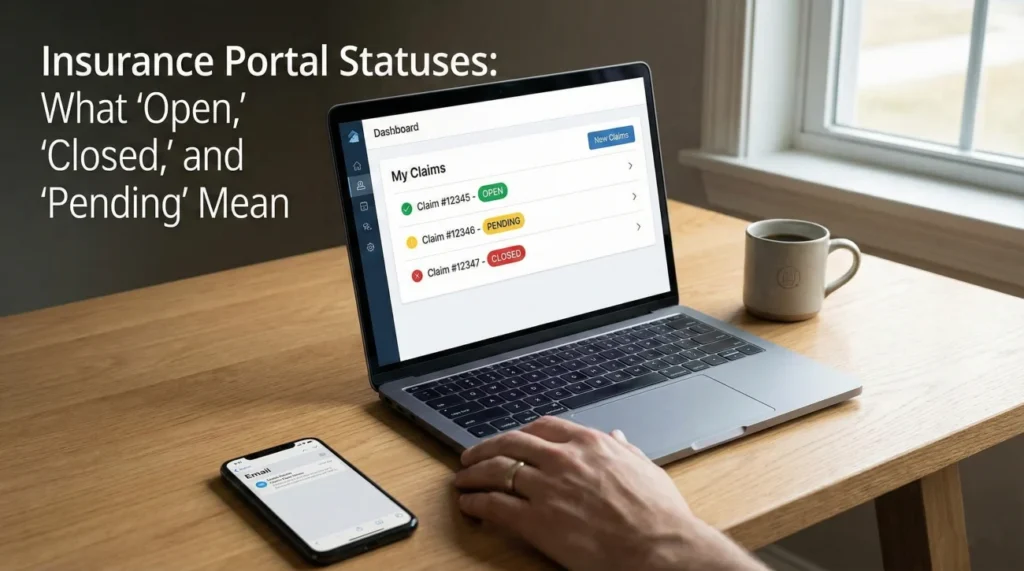
- Online portal statuses are trailing indicators built for internal company metrics, not real-time customer updates.
- A “Closed” status does not automatically mean your claim was denied, it often simply means an initial phase was completed or an initial payment was triggered.
- Instead of refreshing the portal, use specific, neutral questions to find out exactly who owns the next action step and what date it is due.
- Your actual source of truth is a written reply from your adjuster, not the dashboard status.
The Reality of the Portal Dashboard
I have spent years working in claims operations, and if there is one common thread I see among homeowners, it is the stress caused by the online claim portal. You file a claim, you set up your online account, and then you start refreshing the dashboard every day. You watch a little progress bar sit perfectly still, or you see a vague word like “Pending” that stays there for three weeks. It is incredibly frustrating when you are trying to manage your property repairs and the system gives you nothing actionable.
Here is the truth about those dashboards: they are not designed to give you a real-time tracking experience like a pizza delivery app. Claim portals are essentially windows into massive, clunky, legacy software systems used by the insurer. The statuses you see are triggered by administrative milestones, not necessarily by the actual desk work being done on your file. When a status updates, it usually means an adjuster clicked a specific macro or moved a file to a different virtual bucket.
In my experience, relying solely on the portal to understand where your claim stands is a recipe for anxiety. A file can often sit in an “Open” status for weeks with little to no visible work being done on it. Conversely, a file might suddenly say “Closed” right when you are in the middle of preparing a contractor estimate. Understanding how to interpret these labels operationally changes the game. It allows you to stop worrying about the screen and start asking the right questions to keep the process moving.
Decoding the “Open” or “Active” Status
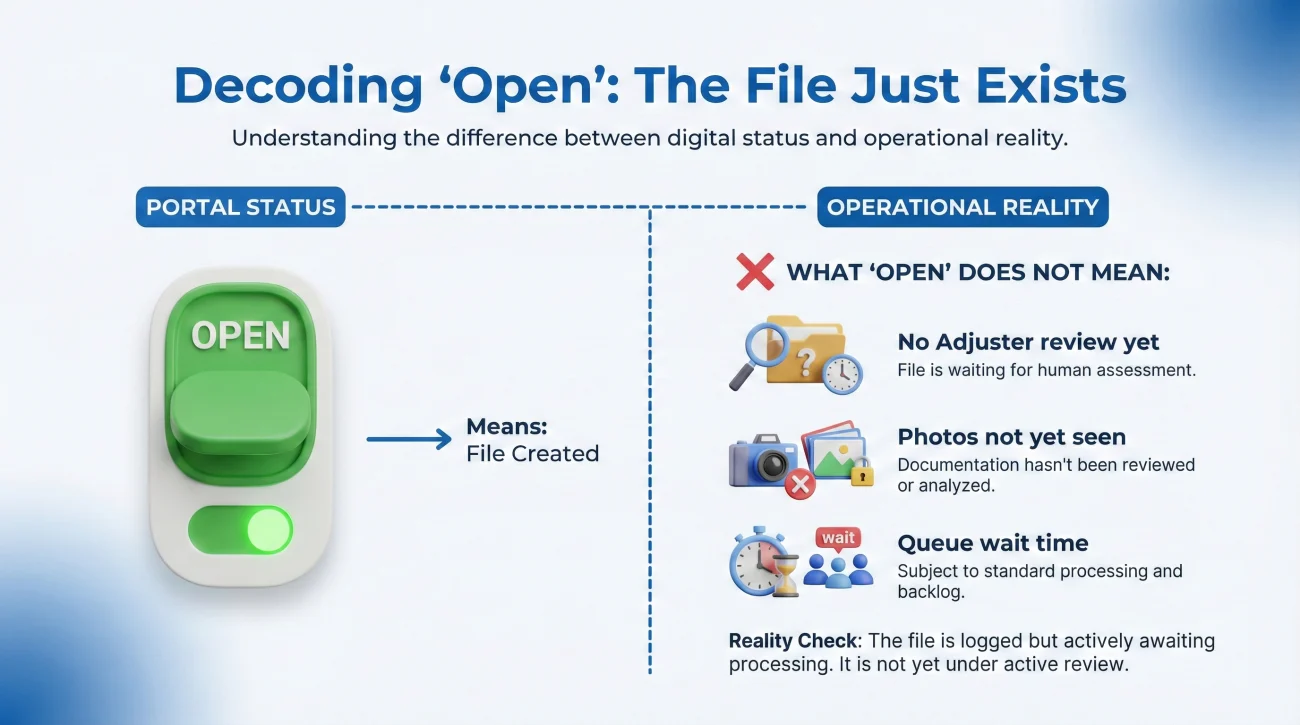
When you first file a loss, your portal will almost immediately show the claim as “Open” or “Active.” On the surface, this feels like progress. You have a claim number, the system acknowledges your issue, and the file is alive. However, from an operational standpoint, “Open” is the broadest and least helpful status available.
All “Open” means is that the file exists in the main database and has not been moved to an archive server. It does not tell you if an adjuster has actually looked at the photos you uploaded. It does not confirm if the field inspector has filed their report. It simply means the file is breathing.
The Illusion of Progress
I often see people fall into a passive waiting mode when they see the “Open” status. They assume that because the file is active, someone is actively working on it. This is a critical documentation mistake. An open file can easily sit in a queue untouched if the assigned adjuster is overwhelmed or if the file got caught in a handoff glitch between the call center and the regional desk team.
Assuming “Open” means the adjuster is actively reviewing your file today.
Knowing “Open” just means the file exists, and actively asking who owns the next specific step.
To truly understand an active file, you have to look past the portal. You need to identify the exact phase of the claim. Are you in the inspection phase? The estimating phase? The review phase? The portal will just say “Open,” so you must establish the real phase through your written communications.
The Black Hole of “Pending” and “Under Review”
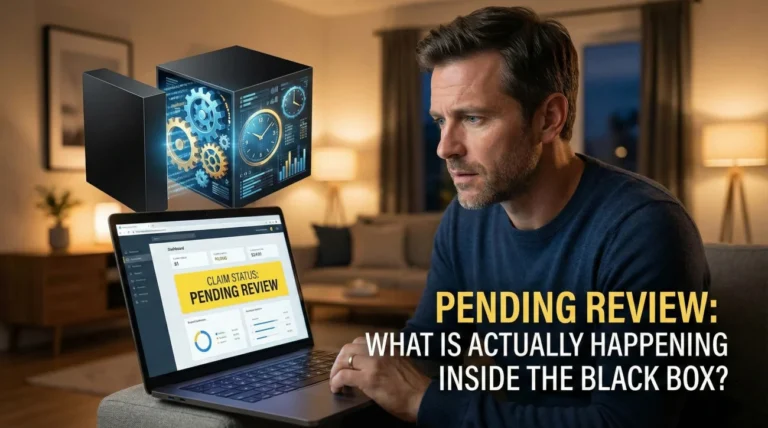
If there is one status that generates the most confusion, it is “Pending.” Sometimes it shows up as “Pending Review,” “Pending Information,” or “Processing.” This is the phase where files most commonly stall out, and it is the exact point where you need to apply strict communication hygiene.
In the background, a pending status usually indicates a roadblock or a required authorization step. But the portal rarely tells you who the roadblock is waiting on. Is the system pending because they need a document from you? Or is it pending because your adjuster needs a manager to sign off on their estimate?
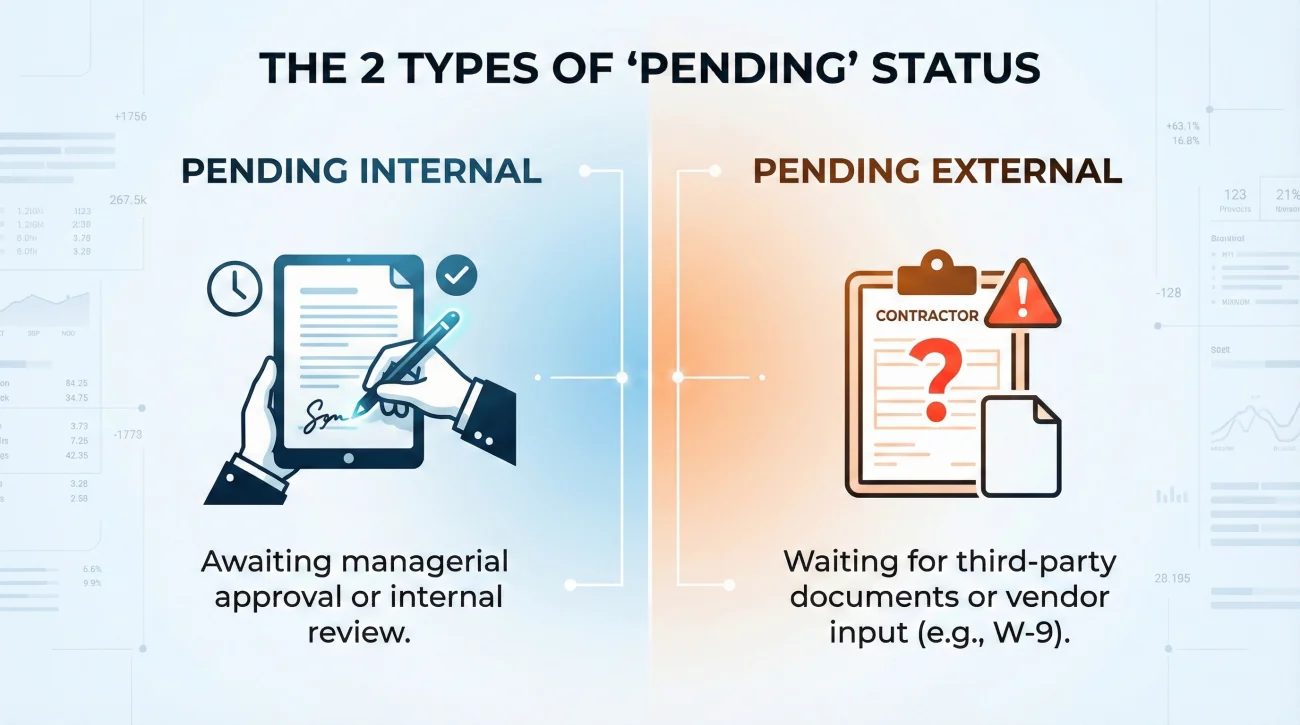
Differentiating the Types of Pending
From a claims operations perspective, we generally deal with two types of pending statuses:
- ✅ Pending Internal Action: The desk adjuster has finished their part, but the file exceeds their financial authority limit. It must be routed to a supervisor or a large-loss manager for a secondary review. The portal says “Pending Review.”
- 📄 Pending External Action: The adjuster cannot move forward because a piece of data is missing. This could be a contractor’s W-9, an engineer’s report, or a signed proof of loss from you. The portal says “Pending Information.”
When you see a pending status that lasts more than a few days, you must force clarity. Do not guess what they need. Ask for it in writing.
Hello [Adjuster Name],
I checked the online portal today and noticed the claim status is listed as “Pending Review.”
To make sure I am not holding up the process, could you please confirm if you need any additional documents, photos, or forms from my end to clear this review stage?
If you have everything you need from me, please let me know when we can expect the internal review to be completed.
Thank you,
[Your Name]
This script is effective because it removes assumptions. It politely forces the adjuster to either give you a checklist of missing items or admit that the delay is on their side of the desk.
Why a “Closed” Status Causes Unnecessary Panic
Let me share a typical scenario I see all the time. A homeowner logs into the portal on a Tuesday and sees their claim has moved from “Pending” to “Closed.” Immediate panic sets in. They assume the claim has been entirely denied, the door is shut, and they are left to cover the repair bills themselves. They immediately draft an angry email to the adjuster.
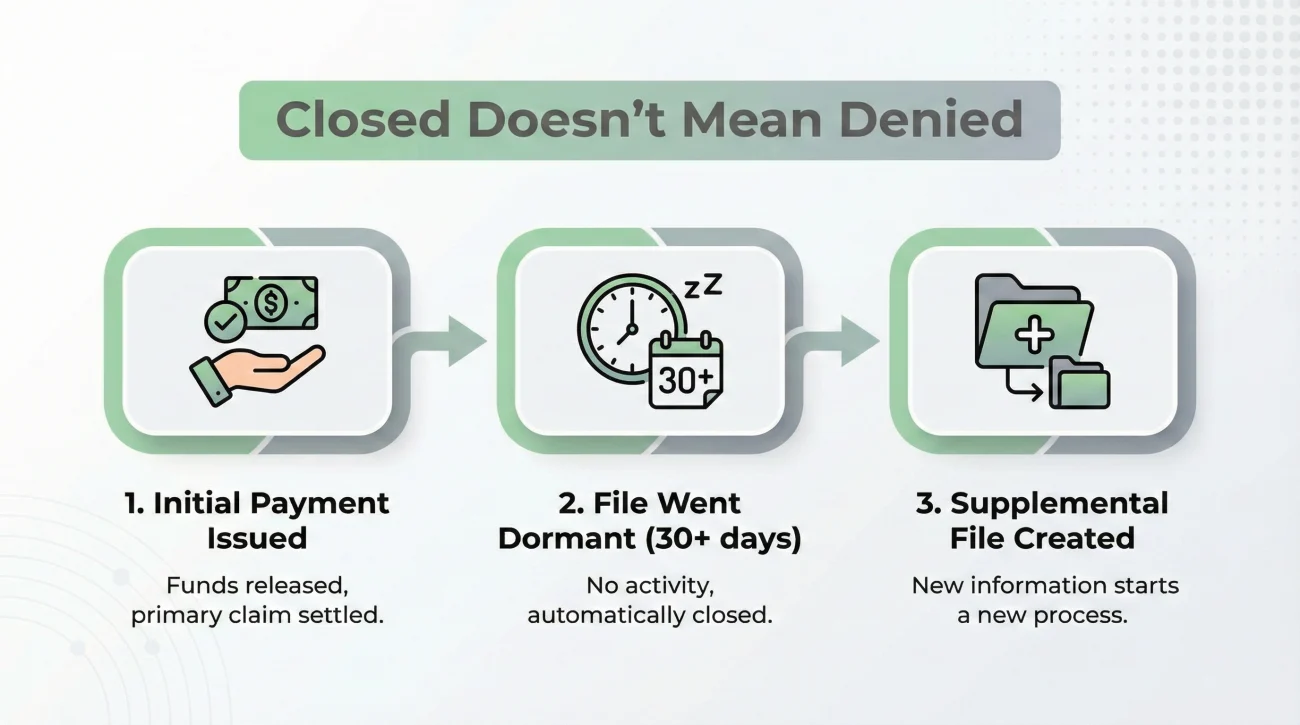
In reality, the desk adjuster simply issued the initial actual cash value payment for the visible damages on Monday afternoon. Many software systems are coded to automatically flip a master file to “Closed” the moment an initial payment check is generated. The file is not dead, it is just administratively parked.
This is a fundamental operational disconnect between how insurers manage data and how homeowners experience the process. A “Closed” status frequently means an administrative milestone was reached, not that the conversation is over.
Key Point: An administrative closure happens when the system logs a payment or a completed phase. It does not automatically strip away your ability to submit supplemental estimates later if your contractor finds hidden damage.
Common Reasons for a Closed Status
There are several routine reasons a file is closed that have nothing to do with a total denial:
First, an initial payment was issued. Once the money leaves the accounting department, the initial phase is considered complete by the software. Second, the file went dormant. In many systems, if the insurer asked you for a document and did not hear back after a set period, often around 30 to 45 days, the software may auto-close the file to keep the adjuster’s dashboard clean. Third, the adjuster closed the base claim to open a secondary “supplemental” claim file underneath it.
If you see a “Closed” status unexpectedly, remain calm. Use this approach to reopen the dialogue:
💡 Pro Tip: Always assume an unexpected closure is a system quirk or an administrative step before you assume it is a final denial. Send a polite email asking for the reason for the closure and what steps are needed to submit your pending contractor estimates.
Advanced Portal Labels: Subrogation and Investigation
Occasionally, you will see highly specific terminology appear on your dashboard. Words like “Subrogation” or “Under Investigation” sound intimidating, but they are standard operational buckets.
When a portal says “Subrogation,” it generally means the insurer believes a third party is responsible for the damage, and they are exploring ways to recover the money they pay you from that third party. For example, if a defective appliance flooded your kitchen, they might try to recover costs from the appliance manufacturer. Operationally, this is mostly a background process between corporate departments. Your primary focus should remain on documenting your damage and ensuring your personal claim keeps moving.
“Under Investigation” simply means the file has been routed to a specialized team to verify the facts of the loss. This can happen for very common reasons, such as a discrepancy in the date of loss, missing prior-condition photos, or an unusual cause of damage. The operational fix here is always the same: ask for a written list of exactly what evidence, timelines, or documents they need from you to conclude their fact-finding.
Field Protocol: When the Portal Contradicts Reality
One of the most valuable lessons in claims operations is learning that the portal is a trailing indicator. It is looking backward, not forward. I frequently see situations where a homeowner receives an email from their adjuster stating that an estimate is approved, yet the online portal still says “Pending Inspection” for another two weeks.
Why does this happen? Batch processing and manual entry. Adjusters handle dozens of files. Sometimes they will write an email, send an estimate, and simply forget to click the specific drop-down menu in their software that triggers the customer-facing portal update. In some legacy systems, the portal may only sync with the main server in weekly batches, such as on Friday nights.
If you have written confirmation in an email that contradicts the portal, the written email is your source of truth. The portal is just a piece of software, but a written email from your adjuster is documented proof of their position.
This is exactly why relying on dashboard updates is dangerous. If you want to stop guessing and take real control of the timeline, you need to transition your tracking off the portal and into a dedicated claim follow up system. By keeping your own log of dates, promised actions, and missing items, you build a reliable timeline that does not depend on a delayed website update.
Translating Statuses into Actionable Questions
The goal is to move from passive observation to active documentation. Every time you see a confusing status, it should trigger a specific, neutral question to your adjuster. This creates a paper trail of your diligence.
Here is a breakdown of common mistakes people make when looking at statuses, and the operational action you should take instead.
| Portal Status | Common Homeowner Mistake | The Operational Question to Ask |
|---|---|---|
| Open / Active | Assuming someone is working on it today. | “Could you confirm who currently holds the file and what the next specific step is?” |
| Pending Review | Waiting silently for weeks. | “Are you waiting on any documents from me, or is this pending internal manager approval?” |
| Closed | Panicking and assuming denial. | “I see the file is marked closed. Can you confirm if this is an administrative closure due to the initial payment, and how I should submit my contractor’s supplement?” |
| Processing Payment | Assuming the check is in the mail. | “Can you confirm the date the check was mailed and the exact address it was sent to?” |
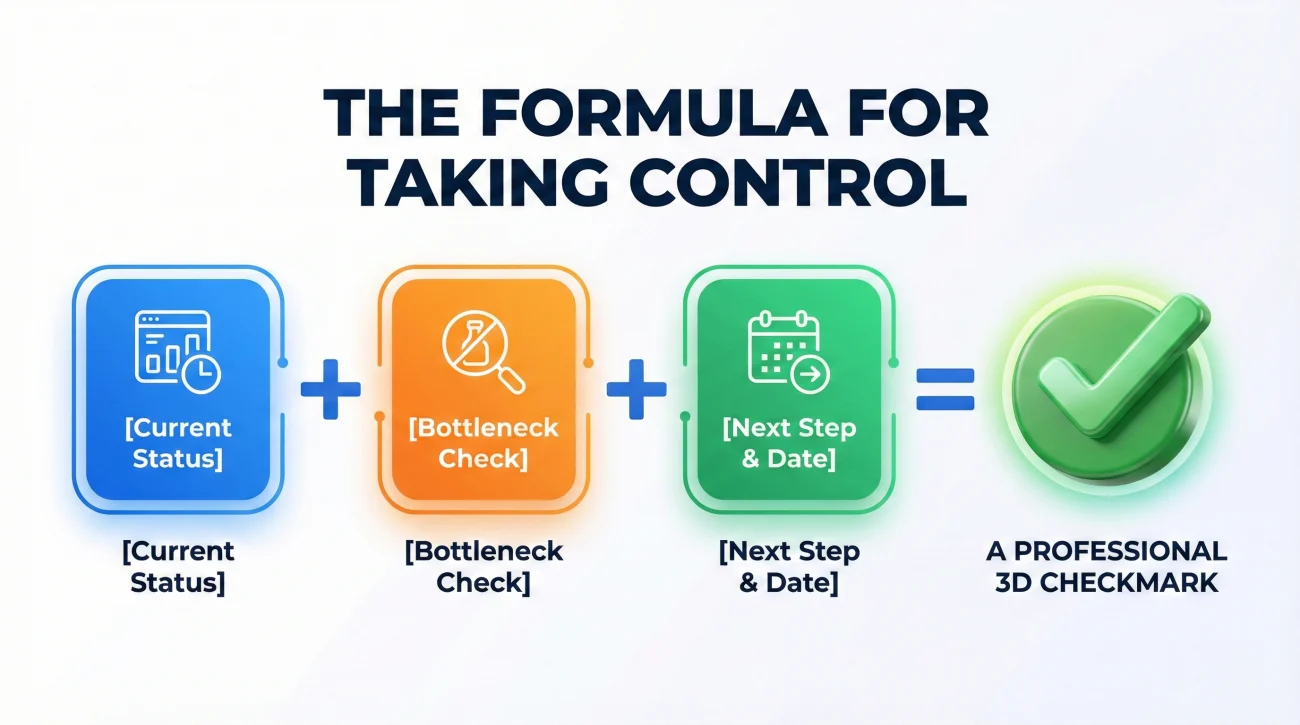
Notice the pattern here. The formula is simple: state what you see, ask if they need anything from you, and ask for the timeline.
[State the portal status] + [Ask if you are the bottleneck] + [Ask for the next step owner and date]
This formula works because it is polite, it shows you are paying attention, and it forces a written update that becomes part of your permanent claim record.
Final Thoughts on Portal Hygiene
Your online claim portal is a tool, but it is not the ultimate authority on your property claim. It is prone to lags, administrative quirks, and vague terminology. Checking it daily will only increase your stress levels without actually moving your repairs forward.
The healthiest operational habit you can build is to check the portal once a week, and immediately translate any vague status into a polite, written question. Save the replies, organize your own files, and maintain your own timeline. When you stop relying on the dashboard and start relying on organized, written communication, you remove the mystery from the process and put yourself back in the driver’s seat.
❓ FAQ
⏳ What does pending review mean on an insurance claim?
Pending review usually means the file has been passed to a supervisor or management team for approval. It often happens when an estimate exceeds a desk adjuster’s monetary authority limit, or when complex coverage issues need a second set of eyes.
📁 Why did my insurance claim status change to closed?
A status often changes to closed because an initial payment was issued or a specific phase of the claim was completed. It is frequently an administrative system update, not a permanent denial of future supplemental requests.
⏱️ How long does an insurance claim stay in pending status?
There is no set time, as it depends on what is causing the delay. A file can sit in pending for days or weeks. The best approach is to send a written request asking exactly what information is required to clear the pending status.
🟢 What does open status mean on a home insurance claim?
Open status simply means the claim is logged in the insurer’s active database. It does not guarantee that an adjuster is actively reviewing your documents on that specific day. It is a general label that the file is not archived.
🛑 Does a closed claim mean it was denied?
No, a closed claim does not automatically mean a denial. Files are routinely closed after initial checks are mailed, or if a file goes dormant waiting for contractor estimates. Always ask for written clarification on why a file was closed.
🔎 What does under investigation mean on a claim portal?
This means the file has been routed to a team to verify specific facts regarding the loss. This can happen to verify the date of the event, confirm prior conditions, or review complex details. Always ask for a written list of what they need from you.
🔄 Why is my claim status not updating online?
Claim portals often lag behind actual desk work. Adjusters may be working on your file offline or communicating via email without clicking the specific software buttons required to push a status update to the customer-facing dashboard.
⚙️ What is the difference between pending and processing claim?
While terminology varies by company, pending usually implies the system is waiting on information or a manager’s review. Processing often indicates that a decision has been made and the file is moving through the final administrative or accounting steps.
⚖️ What does subrogation status mean for my claim?
Subrogation means the insurer is looking into whether a third party (like a product manufacturer or a neighbor) is at fault for your damage, and they are exploring recovering costs from them. It is generally a background process.
📅 How often do insurance companies update the claim portal?
Updates depend entirely on the adjuster’s workflow and the company’s software logic. Some systems update in real-time when an adjuster saves a file, while others only push updates in automated batches overnight or on weekends.
⚠️ Disclaimer: PropertyClaimChecklist.com provides practical guidance, process checklists, and example follow-ups to help you organize a property claim and move it forward. It is not policy language, claim documentation, legal content, or a substitute for your insurer's instructions. Always rely on your carrier's requirements and your actual policy terms for what must be submitted and how decisions are made.