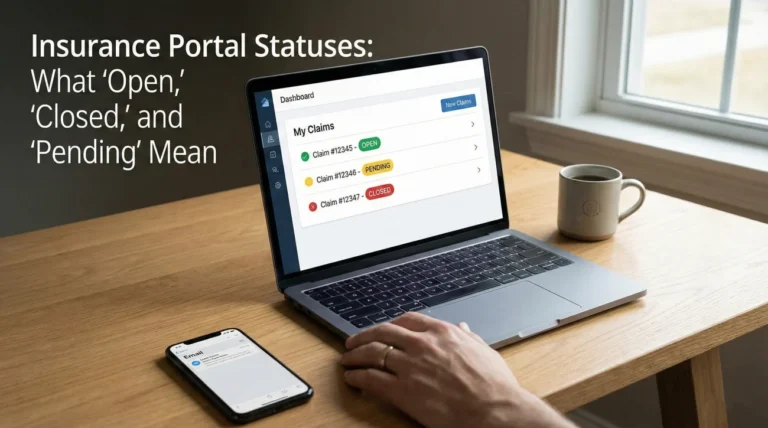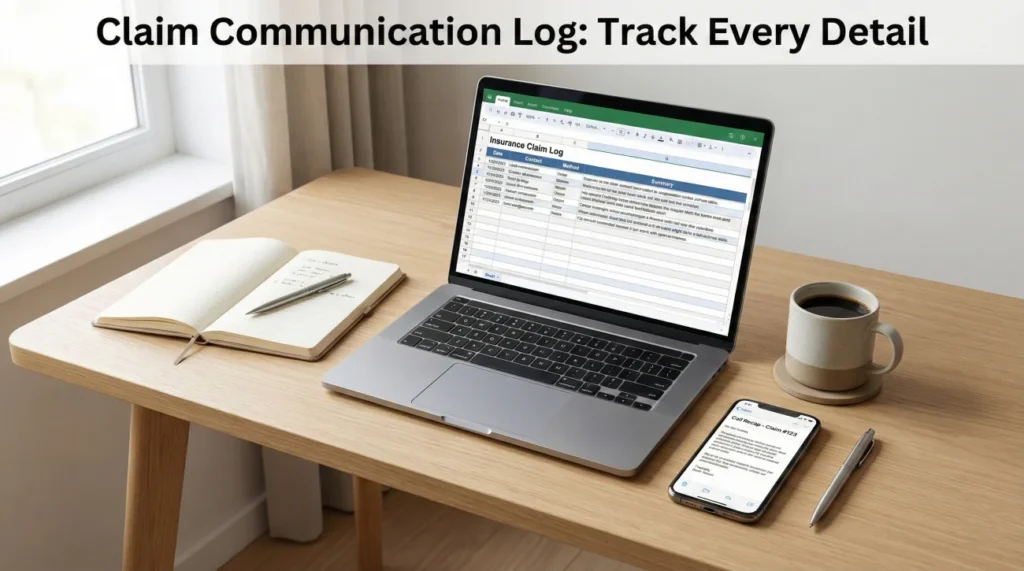
- The “Phantom Promise”: Verbal promises that aren’t noted in the insurer’s system effectively never happened. Your log is the specific antidote to this.
- The 5-Minute Rule: Send a “Call Recap” email immediately after hanging up. It turns “he said/she said” into documented fact.
- Strategic Tone: We provide 3 email templates below – ranging from friendly to firm – so you can match the tone to the situation.
- Turnover Defense: When your adjuster inevitably changes, this log becomes the “instruction manual” for the new person, preventing delays.
The Moment You Realize Their Notes Are Empty
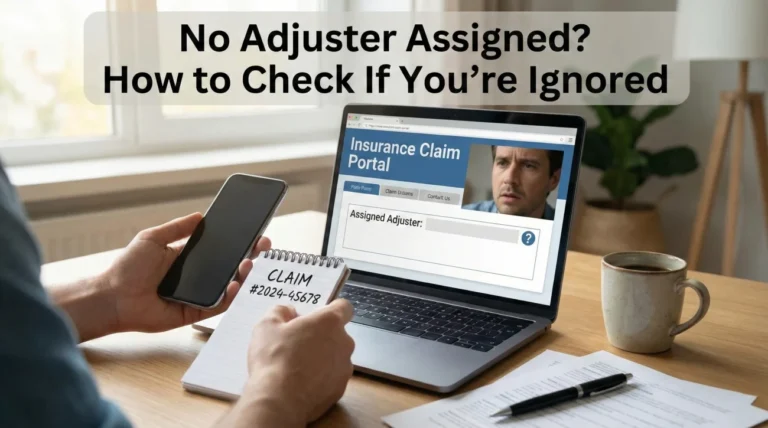
In my years working in claims operations, I have seen the same heartbreaking scenario play out dozens of times. A homeowner calls me, panic in their voice. They tell me, “Rowan, the field adjuster stood right in my kitchen two weeks ago and told me they would cover the water damage behind the cabinets. But I just called the desk adjuster, and they said there is no record of that conversation. They are denying it.”
This isn’t necessarily malice; it is chaos. When that field adjuster spoke to you, they might have been juggling 60 other open files. They might have taken the call while driving to another site. They meant to type the note into the carrier’s system later, but they forgot. And in the world of property claims, if it is not in the carrier’s notes, it did not happen.
This is why you cannot outsource your memory to the insurance company. You need an insurance claim communication log. I am not talking about a messy pile of sticky notes. I am talking about a strategic, “shared experience” record that puts you in control of the narrative. When you can say, “Actually, on Tuesday the 12th at 2:00 PM, we discussed X,” the dynamic of the claim shifts immediately.
Field Note: Why Adjusters Drop the Ball
To build a better log, you have to understand the human on the other side of the phone. I want you to visualize their reality, because it explains why your log is so critical.
Field Note from Operations: In many high-volume call centers, the window for an adjuster to type accurate notes is incredibly small, sometimes just 30 seconds before the next call comes in. If they get distracted, or if their system crashes, that conversation record is gone forever. I have also seen files change hands 3 or 4 times in a single claim due to staff turnover. Without your own log, every time a new adjuster takes over, you are forced back to “Square One.” Your log is the backup hard drive for their chaotic day.
The “Minimum Viable Log” Structure
I have seen people try to use complex apps or color-coded binders, but they usually give up after three weeks because it takes too much effort. The best system is the one you actually use. For most of the claims I oversee, a simple Google Sheet or a dedicated notebook is sufficient, provided it captures the right data.
Here are the non-negotiable columns I insist on:
| Column | Why I Require This | Operational Example |
|---|---|---|
| Date & Time | Timestamps destroy vague arguments. | 2023-10-12, 2:15 PM |
| Who (Role) | Names fade; roles matter. Was it the call center or the decision maker? | Desk Adjuster (The second one assigned) |
| Channel | Did you call them, or did they call you? | Incoming Call |
| The “Actionable” Summary | Not “we chatted.” What was decided? | Discussed missing receipts for ALE. Adjuster confirmed receipt of PDF batch #2. |
| The Deadline (Next Step) | Crucial: Who owes what to whom, and by when? | Adjuster to review receipts by Friday (Oct 15). |
💡 Pro Tip: If you are speaking to a general call center representative, ask for their Employee ID number. I find that the moment you ask, “Could I get your employee ID for my notes?”, the tone of the conversation changes. They suddenly become much more careful and accurate because they know they are being documented.
The “Call Recap” Tactic: 3 Templates for Every Situation
Verbal agreements are the single biggest source of friction in claims. The “Call Recap” email fixes this by creating a negative confirmation loop. Below are three versions of this email, depending on how your relationship with the adjuster is going.
Level 1: The “Friendly Check-In” (Good Relationship)
Use this when things are moving well, and you just want to be organized.
Subject: Quick recap of our call – Claim #[Number]
Hi [Name],
Thanks for the chat just now. Just wanted to note down what we discussed so I don’t forget:
1. You have the kitchen photos.
2. I’m sending the contractor bid tomorrow.
3. You’ll update me on the ALE check by Friday.
Let me know if I missed anything!
Thanks,
[Your Name]
Level 2: The “Project Manager” (Neutral/Professional)
Use this for standard interactions or when you sense things might be slipping.
Subject: Call Summary & Next Steps – Claim #[Number] – [Date]
Hello [Name],
To ensure my records are accurate, I am summarizing the key points from our conversation at 2:00 PM today:
1. Confirmed: Mitigation invoice received.
2. Pending: Manager approval on the flooring scope.
3. Next Step: You agreed to provide a status update by [Date].
If this summary does not match your records, please reply and correct me. Otherwise, I will proceed based on these points.
Regards,
[Your Name]
Level 3: The “Firm Record” (Deadlines Missed)
Use this when dates have been missed or you are preparing to escalate.
Subject: CONFIRMATION REQUIRED: Call Recap – Claim #[Number]
[Name],
Following our call just now, I am documenting your statement that the review is still incomplete, despite the previous deadline of [Date].
You stated today that a new deadline has been set for [New Date]. Please consider this email my formal request for a written status update by that time.
If I have misunderstood your position, please reply immediately to clarify.
[Your Name]
The “Feelings vs. Facts” Trap
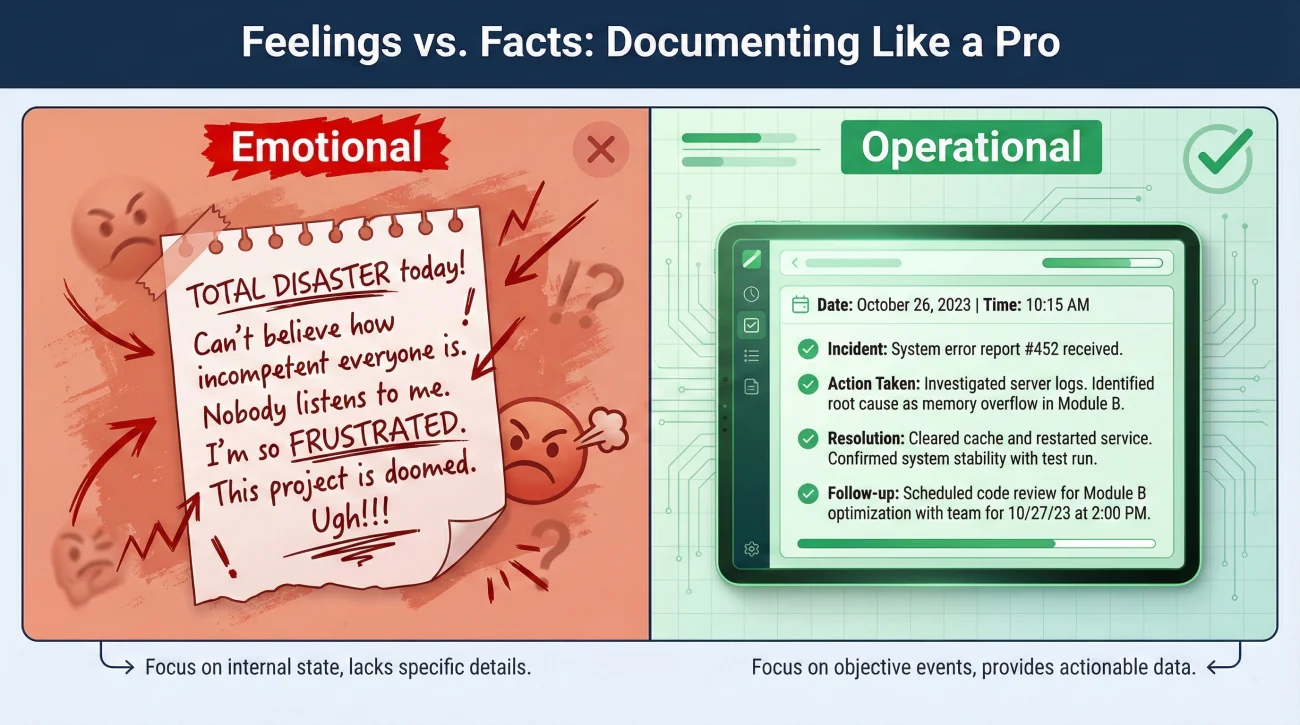
One of the most common mistakes I see when reviewing homeowner logs is emotional leakage. I understand the anger, I really do. Being ignored is infuriating. But when you write a log entry that says, “Adjuster was incredibly rude and unhelpful,” you are venting, not documenting.
If we ever need to show this log to a supervisor, a Department of Insurance regulator, or an attorney, emotional notes weaken your credibility. They make you look like a “difficult insured.” We want to look like a “professional project manager.”
“Called the desk adjuster again. He was dismissive and didn’t seem to care that my kitchen is torn apart. He refused to give me a straight answer.”
“10:00 AM – Called Desk Adjuster. Asked for specific date of payment issuance. Adjuster declined to provide a date. Asked for supervisor contact info; adjuster declined to provide it. Call ended without resolution.”
See the difference? The second entry is cold, hard evidence of bad faith behavior. The first is just a complaint. In my work, I always strip the emotion out of the log so the facts can scream for themselves.
What NOT to Log (5 Common Mistakes)
Your log needs to be credible. If a supervisor or regulator reads it, you want to sound like a professional, not a disgruntled customer. Avoid these five common traps:
- ❌ Profanity or Insults: Never write “He was a jerk.” Write “He ended the call abruptly.”
- ❌ Speculating on Motives: Don’t write “They are delaying to save money.” Write “Delay has exceeded 30 days with no explanation.”
- ❌ Vague Summaries: “We talked about the roof” is useless. “We discussed the missing shingle count on the East slope” is useful.
- ❌ Incomplete Entries: Logging a call without a “Next Step” or deadline leaves you with no trigger for follow-up.
- ❌ “He Said/She Said” Drama: Stick to the outcome of the conversation, not the emotional tone of it.
How to Handle the “Black Hole” (No Response)
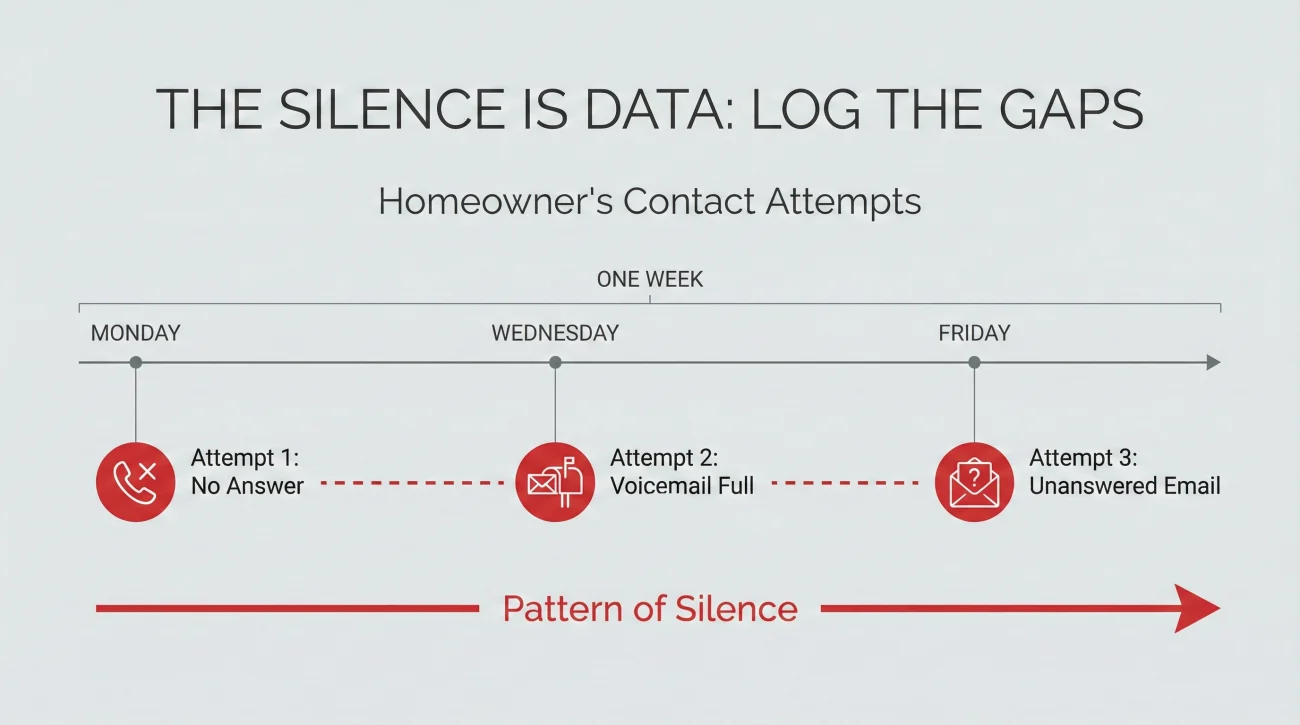
A common question I get is: “Rowan, what do I log when they don’t answer?”
You log the silence. The silence is data.
If you call and leave a voicemail, that is a log entry. If you send an email and get no reply, that is a log entry. I tell homeowners to log it like this:
- 🛑 Monday: Called Adjuster. No answer. Voicemail full.
- 🛑 Wednesday: Called Adjuster. Left voicemail asking for callback re: estimates.
- 🛑 Friday: Sent email following up on voicemail. No reply.
When you look at this singly, it feels useless. But when you present a log showing 14 unreturned attempts in 30 days, that is a powerful weapon. I have used logs exactly like that to get supervisors to assign a new, more responsive adjuster. You cannot prove “neglect” with a general feeling; you prove it with a list of dates.
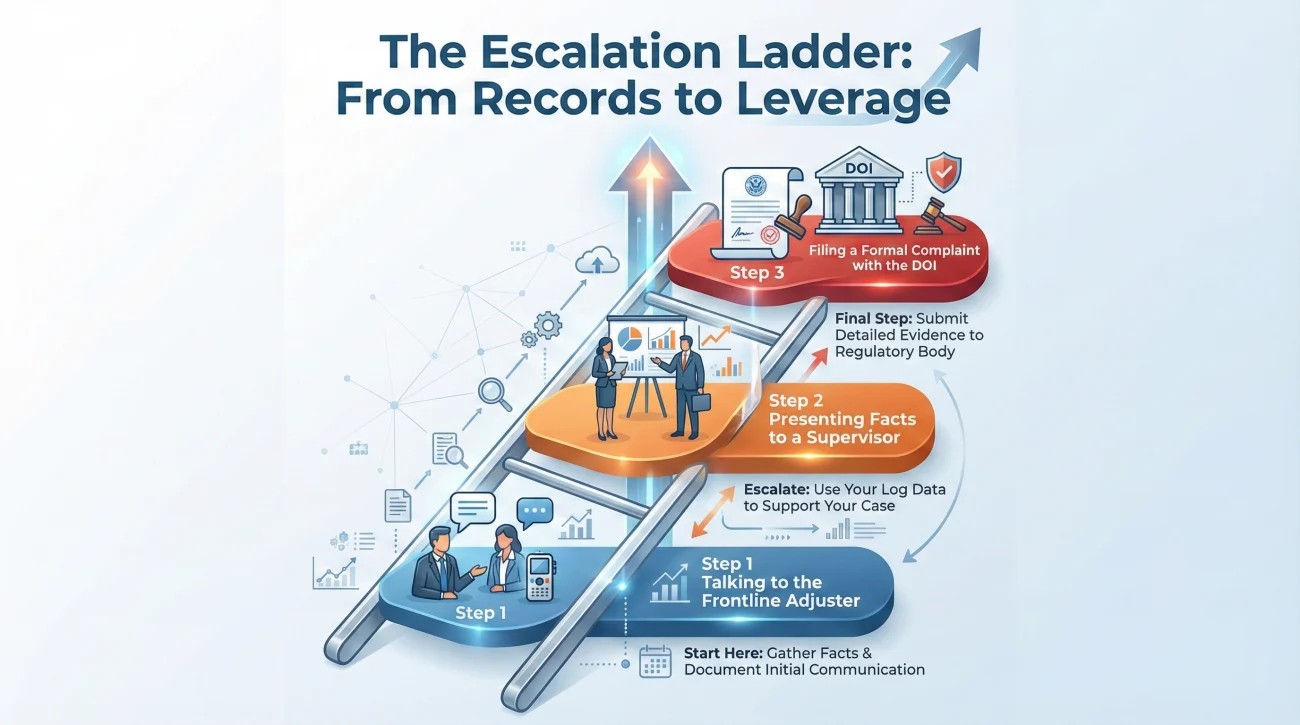
The Escalation Ladder: How to Use Your Log
A log is not just for keeping records; it is for leverage. When you hit a wall, here is how you use your log to climb the ladder:
Step 1: The Frontline Adjuster
“Hey, I see in my notes that on Oct 5th and Oct 12th we discussed X, but it hasn’t happened. Can we fix this today?”
Step 2: The Supervisor
“I am requesting a review. I have logged 4 unreturned calls between Nov 1st and Nov 15th. I have attached the log for your reference. This pattern of non-communication is causing delays.”
Step 3: Formal Complaint (DOI)
“Attached is a communication log detailing a 45-day period with no written status update, which may violate [State] handling guidelines.”
See the difference? You aren’t arguing; you are presenting data. It is very hard for a manager to argue with a dated list of failures.
Connecting the Log to Your Evidence Pack
A log entry that says “Sent photos” is weak. A log entry that says “Sent ‘2023-10-12_Kitchen_Photos_v2.pdf'” is bulletproof. To make this work, you need a strict naming convention.
I recommend mapping your log directly to your filenames using this format: YYYY-MM-DD_Description_Version.
| Log Entry | File Name in Folder |
|---|---|
| Oct 12: Sent Kitchen Quote | 2023-10-12_Kitchen_Repair_Quote_v1.pdf |
| Nov 05: Sent Updated Inventory | 2023-11-05_Content_List_v2_Final.xlsx |
| Nov 10: Received Denial Letter | 2023-11-10_Insurer_Denial_Letter_Roof.pdf |
This creates a “hyperlinked” reality for your claim. When you read your log, you know exactly which file proves that entry. For a full guide on setting up this folder structure, see our Property Insurance Claim Documents Checklist.
Final Words: Control the Timeline
The insurance process is designed to wear you down. The delays, the silence, the “lost” files – they all contribute to a feeling of helplessness. A communication log is your way of pushing back. It says: “I am paying attention. I am keeping score. I am not going away.”
Build that leverage for yourself, starting today.
❓ FAQ: Real Questions About Claim Logs
📓 Can I just use a spiral notebook for this?
Yes, absolutely. A spiral notebook dedicated only to the claim is a valid legal record. Just make sure you date every entry clearly. I prefer digital spreadsheets because you can search them (e.g., Ctrl+F “mold”), but the best tool is the one you will actually use.
🗣️ Is it legal to record phone calls with my adjuster?
This is a dangerous area. State laws vary wildly (One-Party Consent vs. Two-Party Consent). My advice? Skip the legal risk. Use the “Call Recap Email” method instead. It creates a written record that is safer and easier to share than an audio file.
👻 What if the adjuster disappears and a new one takes over?
This is where your log shines. When the new adjuster answers and says “I haven’t reviewed the file yet,” you can say: “No problem. I have a log of the last 3 agreements I made with the previous adjuster. I will email it to you right now so we can pick up where we left off.”
📩 Do I need to log text messages too?
Yes. Text messages are unofficial but common. Phones break or texts get auto-deleted. Screenshot any substantial text conversation immediately, save the image with a dated filename, and log the entry in your main tracker.
😡 The adjuster lied about what they said last week. What do I do?
Check your log. If you sent a “Call Recap” email last week, find it. Reply to that email thread and say: “Please see the attached email from last Tuesday where we confirmed X. You did not dispute this at the time.” Use their silence against them.
⏳ How far back should I go if I’m starting late?
Go back as far as you can reconstruct facts. Look at your phone bill or call history for dates. Look at your “Sent” email folder. Build a “Retrospective Log” for the early days. It’s better to have a partial record than no record.
🤷♂️ What if I don’t know the adjuster’s name?
Ask. Always ask. “Who am I speaking with?” If they mumble, ask them to spell it. If it’s a generic call center, ask for an Employee ID. Writing down “Spoke to Agent #4592” is infinitely stronger than “Spoke to Customer Service.”
📂 Should I send my full log to the insurance company?
I usually advise against dumping the raw log on them unless necessary. It’s your internal strategy document. However, extracting parts of it (e.g., a list of unreturned calls) to attach to a complaint letter is very effective.
📅 Does the log help with timelines?
Immensely. Many states have laws requiring insurers to acknowledge communications within X days (often 15 days). Your log tracks these statutory deadlines. If you can show a pattern of them missing legal deadlines, you have leverage.
🤯 I’m too stressed to write everything down. Any shortcuts?
Use voice-to-text. After a call, open a “Notes” app on your phone and dictate: “Just talked to adjuster, he said check is in the mail, expect it Tuesday.” It takes 10 seconds. You can clean it up into a spreadsheet later. Just capture the raw data while it’s fresh.
⚠️ Disclaimer: PropertyClaimChecklist.com provides practical guidance, process checklists, and example follow-ups to help you organize a property claim and move it forward. It is not policy language, claim documentation, legal content, or a substitute for your insurer's instructions. Always rely on your carrier's requirements and your actual policy terms for what must be submitted and how decisions are made.