- The Reality: In the world of insurance, “I sent it” means nothing. “I can prove you received it” is the only thing that stops the clock.
- The Method: Never trust a green “Upload Complete” checkmark. Always take a screenshot that captures your computer’s system clock.
- The Strategy: Treat your “Proof of Submission” folder as your insurance policy against lost files and reset timelines.
Trust is Not a Submission Strategy
There is a specific kind of sinking feeling that every homeowner eventually experiences during a claim. You spend hours scanning receipts, organizing PDFs, and uploading them to the portal. You watch the progress bar hit 100%. You breathe a sigh of relief, thinking the ball is finally in their court.
Then, two weeks later, the phone rings. It is your adjuster. They ask, “When are you going to send those receipts?”
In claims operations, lost documents are almost never malicious. They are usually boring technological failures. A portal session times out the exact second you hit submit. An email gets snagged by an aggressive corporate spam filter. A file is downloaded by an adjuster but saved into the wrong folder on their desktop.
The intent doesn’t matter, but the result does: your 30-day timeline just reset to day zero. To protect your momentum, you have to stop treating “submission” as a task and start treating it as an evidence trail. You aren’t just sending files; you are creating proof that the files arrived.
The “Digital Handshake” Rule
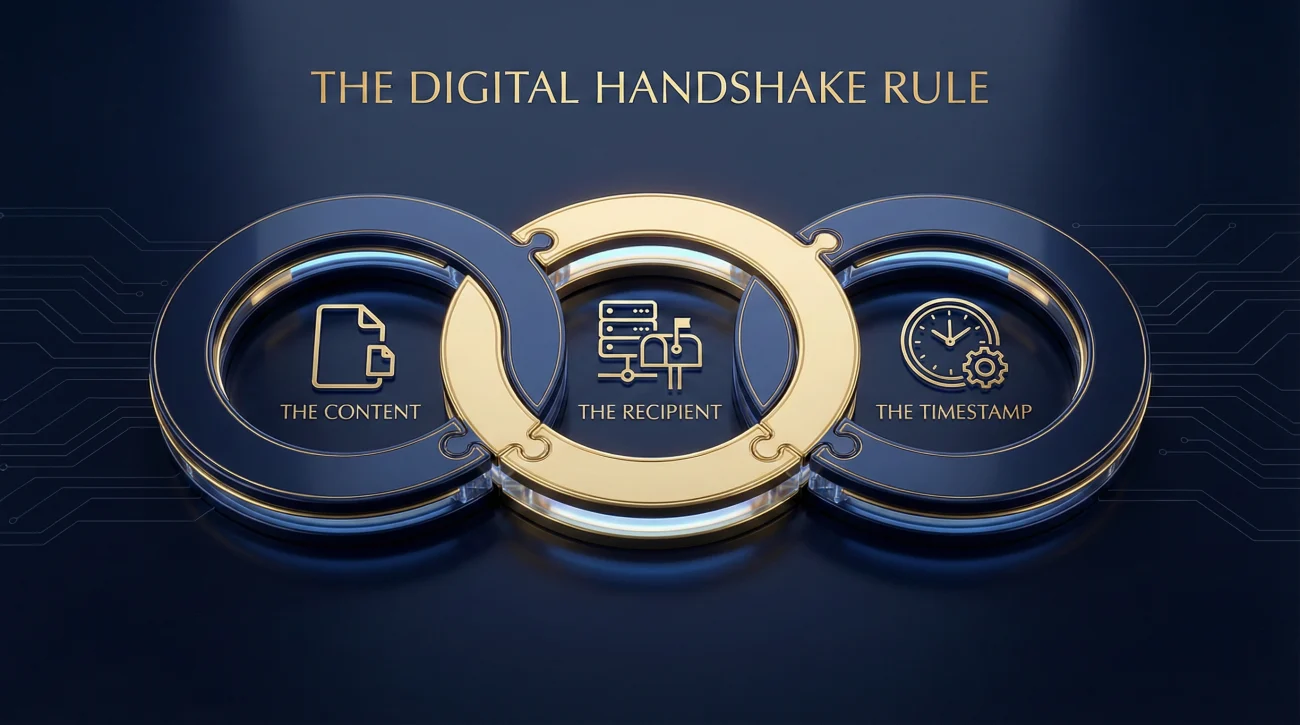
Think about handing a physical letter to a postman. You see them take it. You get a nod. That is a handshake. In the digital world, that handshake is invisible, so we have to manufacture it.
Your goal is to capture a static image or record that links three specific things together:
- The Content: What exactly did you send?
- The Recipient: Who did it go to?
- The Timestamp: Exactly when did it happen?
If you miss one of these, your proof falls apart. A screenshot of a document without a date proves nothing. An email without a visible recipient address proves nothing. You need the trifecta to make it stick.
How to Prove Portal Uploads
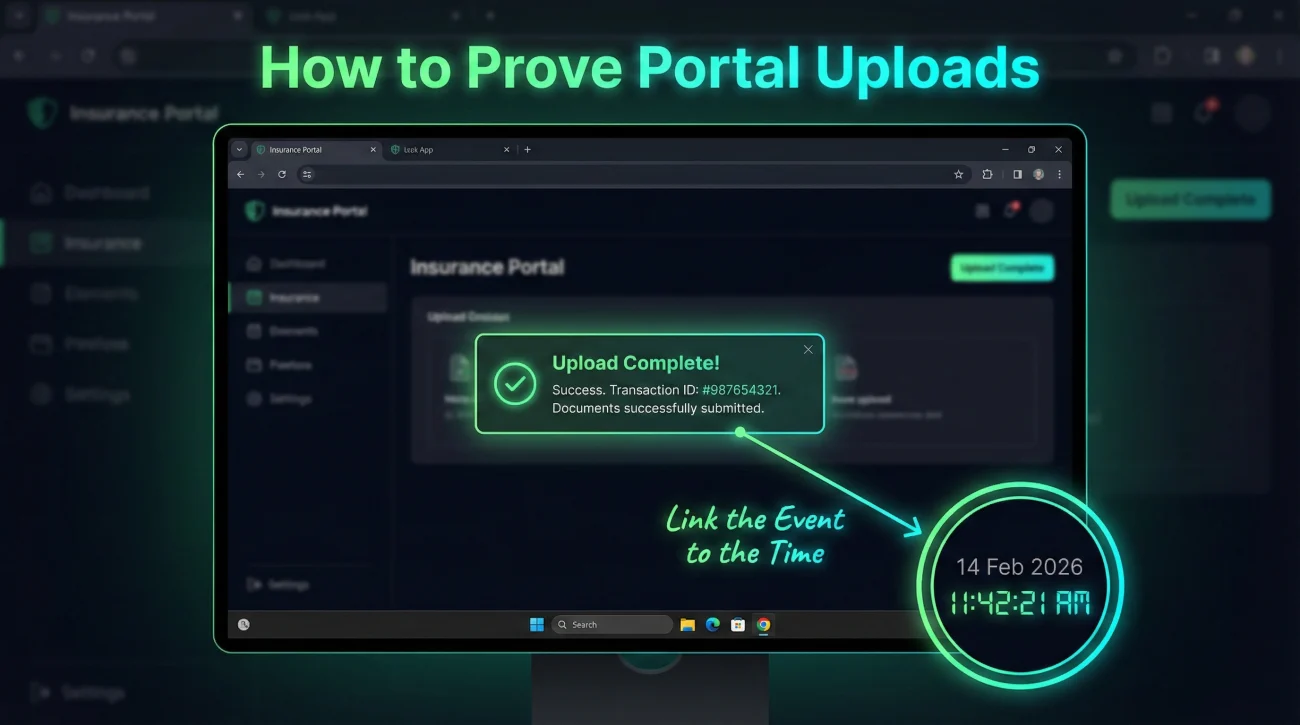
Insurance carrier portals are notorious for being glitchy. They often flash a “Success” message for three seconds and then redirect you to a dashboard. Once that message vanishes, your proof vanishes with it.
The Operational Standard for Portals:
- Wait for the Green Check: Resist the urge to close the tab immediately. Wait for the confirmation screen.
- Capture the Whole Screen: Do not just snip the little “Success” box. Take a screenshot of your entire desktop. Why? Because we need to see your computer’s system clock in the bottom corner. That is your independent timestamp.
- Save It Immediately: I recommend naming this file `Proof of Submission – [Document Name] – [Date].jpg`.
Key Point: If the portal generates a “Reference Number” or “Batch ID” after upload, write it down. That number is the specific database key that helps IT locate your lost files later.
Field Note: The “Portal Ghosting” Effect
I have seen this happen more times than I can count, and it is incredibly frustrating. A policyholder uploads a massive PDF—say, a 50-page inventory. The portal shows “Upload 100%,” but the backend server silently rejects the file because it exceeds a hidden size limit (often 20MB).
The user sees “100%,” but the adjuster sees absolutely nothing. The system ghosts the file without sending an error message.
This is why the screenshot is critical. If you show the adjuster a screenshot saying “Upload Complete,” they know you did your job. They stop blaming you for the delay and start asking their IT department where the file went. It effectively shifts the burden of proof from your shoulders to theirs.
Proof via Email (More Than Just “Sent”)
Forwarding a “Sent” email is good, but in a dispute, printing it to PDF is better.
If you need absolute proof that an email was delivered, you can go a step further by looking at the “Full Headers.” This is a block of code in the email data that shows the server-to-server handoff. It looks like gibberish to most people, but it contains the exact second the receiving server accepted the message.
💡 Pro Tip: You don’t need the header code for every single email. For standard claims, simply going to your “Sent” folder, opening the email to ensure the timestamp and recipient are visible, and using “Print to PDF” is sufficient proof for 99% of situations.
Physical Mail: The Tracking Number
If you must send physical items, like damaged carpet samples or a thumb drive of photos, never drop them in a standard mailbox.
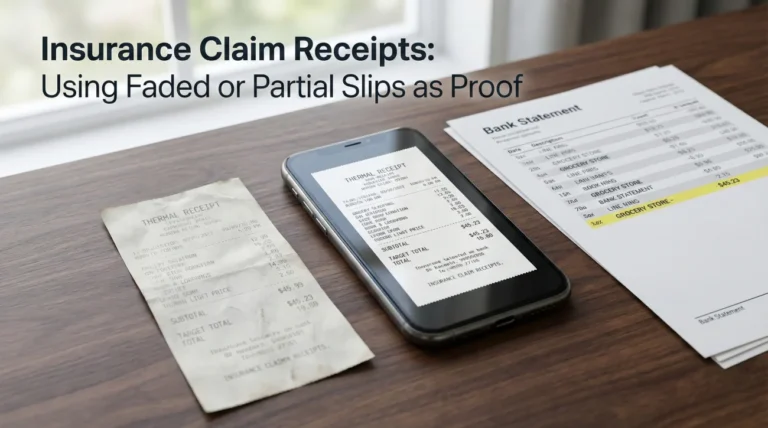
You must use a service with a tracking number (Certified Mail, FedEx, UPS). Once you get the receipt, take a photo of it immediately. Thermal paper receipts fade quickly, especially if you leave them in a hot car. A digital photo lasts forever.
When the tracking shows “Delivered,” print that status page to PDF and save it in your proof folder. That delivery confirmation is your golden ticket if they claim they never got the package.
Where Homeowners Lose the Paper Trail
It is easy to get lazy with recordkeeping when you are stressed. Avoid these common gaps to ensure your timeline stays intact.
| Mistake | Why it causes problems |
|---|---|
| Trusting the “Upload” bar | The progress bar only shows upload status, not server acceptance. Always wait for the final confirmation screen. |
| Screenshots without dates | A picture of a document without a visible system clock or date stamp is just a picture. It doesn’t prove when you sent it. |
| Deleting “Sent” emails | Your “Sent” folder is your legal defense. Never clean it out until the claim is closed and the check is cashed. |
| Sending links that expire | If you use a file-sharing service (like WeTransfer) that expires in 7 days, the adjuster might click it on day 8 and find nothing. Use permanent links. |
Scenario: The Reset Clock
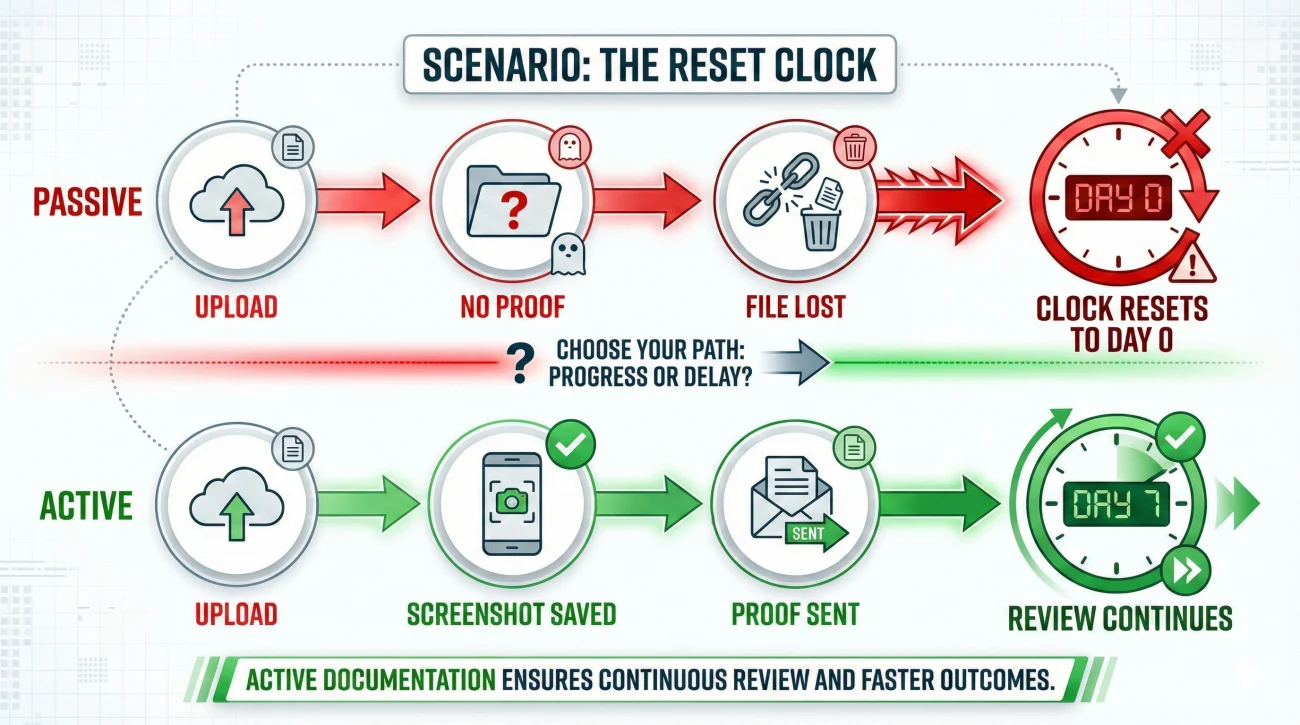
Let’s look at a scenario that happens constantly, and how a simple habit changes the outcome. Meet Sarah, who is handling a claim for her kitchen fire.
On October 1st, Sarah uploads her 20-page personal property inventory to the portal. It is the last big document needed before they cut her check. She sees the upload finish, closes her laptop, and waits. Two weeks pass. On October 15th, she calls the adjuster, expecting good news. Instead, the adjuster says, “We are still waiting for your inventory.”
Sarah is furious. She knows she sent it. But without proof, she is stuck in a “he said, she said” loop.
Sarah has no record of the upload. She has to find the file and upload it again on October 15th. The adjuster’s 30-day review clock resets to today. She effectively lost two weeks of her life.
Sarah opens her “Claim Proof” folder. She pulls up a screenshot she took on October 1st showing the “Upload Successful” screen with her desktop clock visible. She emails it to the adjuster immediately. The adjuster sees the proof, escalates the ticket to IT, finds the file stuck in a server queue, and backdates the review to the 1st.
Final Thoughts
It is admittedly frustrating that you have to police the insurance company’s administrative work. You shouldn’t have to prove you did your job, but in a process where documents constantly vanish into the digital ether, your personal records are the only source of truth.
Save the screenshot. Print the email. Photograph the tracking receipt. These small actions take seconds, but they save you weeks of waiting. This habit of verification is the foundation of a solid property claim documentation system, ensuring that when you say a file was sent, you can prove it.
❓ FAQ
📸 Is a screenshot legal proof I sent a document?
In the context of claims operations, yes. A timestamped screenshot is generally accepted by supervisors as sufficient evidence that you attempted to submit the file, forcing them to honor the original date.
📧 How do I prove I sent an email if they say they didn’t get it?
Go to your “Sent” folder, open the email, and print it to PDF. Ensure the PDF shows the “To,” “From,” “Date,” and “Subject” fields clearly. Send this PDF to the adjuster.
📮 Does Certified Mail count as proof of submission?
Yes, it is the gold standard for physical mail. The “Return Receipt” (green card) signed by the recipient is definitive proof of delivery date.
🕒 Why do I need my computer clock in the screenshot?
Websites don’t always display the current date and time on the upload success screen. Your system clock provides an independent reference point for when the action occurred.
📂 Should I keep proof of every single email?
You don’t need to screenshot every chat, but you should absolutely keep proof for major milestones: filing the claim, sending the inventory, sending the signed proof of loss, and sending contractor estimates.
📤 What if the file is too big to email?
Use the carrier’s portal if possible. If you must use a cloud link (like Dropbox or Google Drive), ensure the link permissions are set to “Anyone with the link” and do not set an expiration date.
📱 Can I just take a photo of my computer screen with my phone?
Yes, actually. While it looks unprofessional, a phone photo of your computer screen showing the upload success and the time is perfectly valid proof of submission.
🧐 The portal says “Pending” after I uploaded. Is that enough proof?
It is better than nothing, but “Pending” implies it hasn’t been fully accepted yet. Screenshot it anyway, but check back in 24 hours to see if it changes to “Received” or “Completed.”
📝 Should I ask for confirmation after sending files?
Always. A simple email saying “I uploaded the files, please confirm receipt” adds another layer of proof to your paper trail.
🚫 What if I didn’t save proof and they lost the file?
You will likely have to resend it. Without proof, the carrier is not obligated to honor the original submission date. Just resend it immediately and start tracking from today.
⚠️ Disclaimer: PropertyClaimChecklist.com provides practical guidance, process checklists, and example follow-ups to help you organize a property claim and move it forward. It is not policy language, claim documentation, legal content, or a substitute for your insurer's instructions. Always rely on your carrier's requirements and your actual policy terms for what must be submitted and how decisions are made.