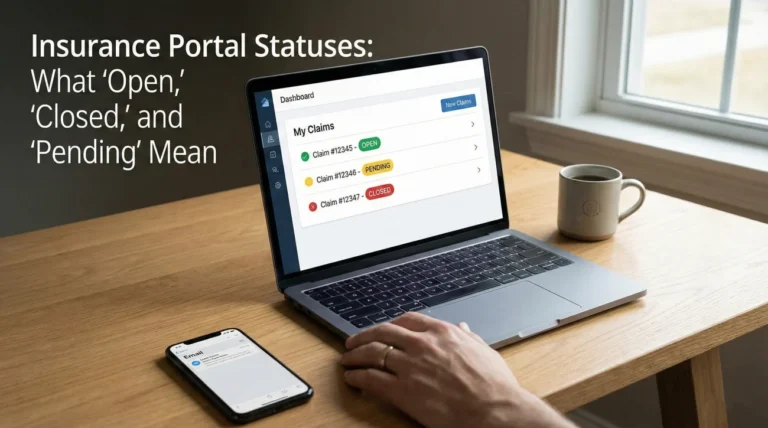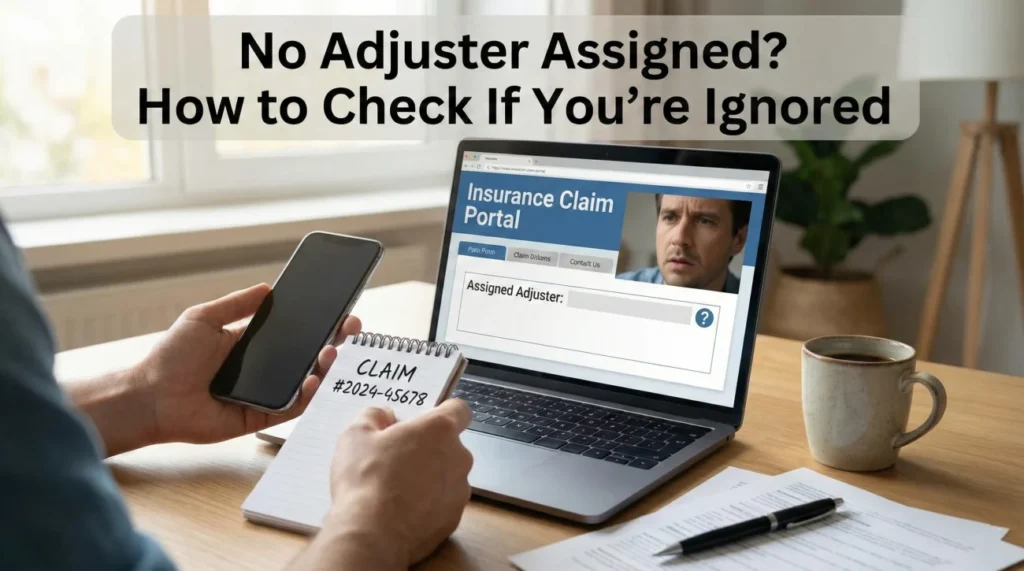
- A missing adjuster name on day one or two is usually a routing delay, not an intentional freeze on your file.
- Before following up, verify your First Notice of Loss (FNOL) confirmation receipt and check your spam folders for portal registration links.
- Use a polite, factual script to ask the general claims line for your claim status and expected assignment timeline, rather than demanding immediate action.
The Silence After Filing: Why Your Claim Feels Stuck
You made the initial phone call, answered the required questions, and wrote down your official claim number. You did everything right on day one. But when you log into the portal or check your email, you see a blank space where a name should be. Having no adjuster assigned yet is an incredibly frustrating experience when you are sitting in a damaged home waiting for instructions.
In my years working in claims operations, I have seen thousands of files enter the system. The gap between reporting a claim and getting a dedicated point of contact is where homeowners experience the most anxiety. It is very easy to assume you are being ignored.
However, an unassigned claim is typically not a sign of bad faith or intentional delay. Most of the time, it is a simple operational bottleneck. The First Notice of Loss (FNOL) process acts as a massive funnel. In my early days on the desk, I would watch hundreds of claims pour into the unassigned queue every morning. Your claim is currently sitting in a digital triage queue, waiting for a manager to review the facts and route it to the correct department.
My goal here is to help you understand what is happening behind the scenes, how to troubleshoot your intake facts, and how to follow up effectively without creating unnecessary friction. I will walk you through the exact checks you need to make before you pick up the phone to chase down an assignment.
Understanding the Triage Queue
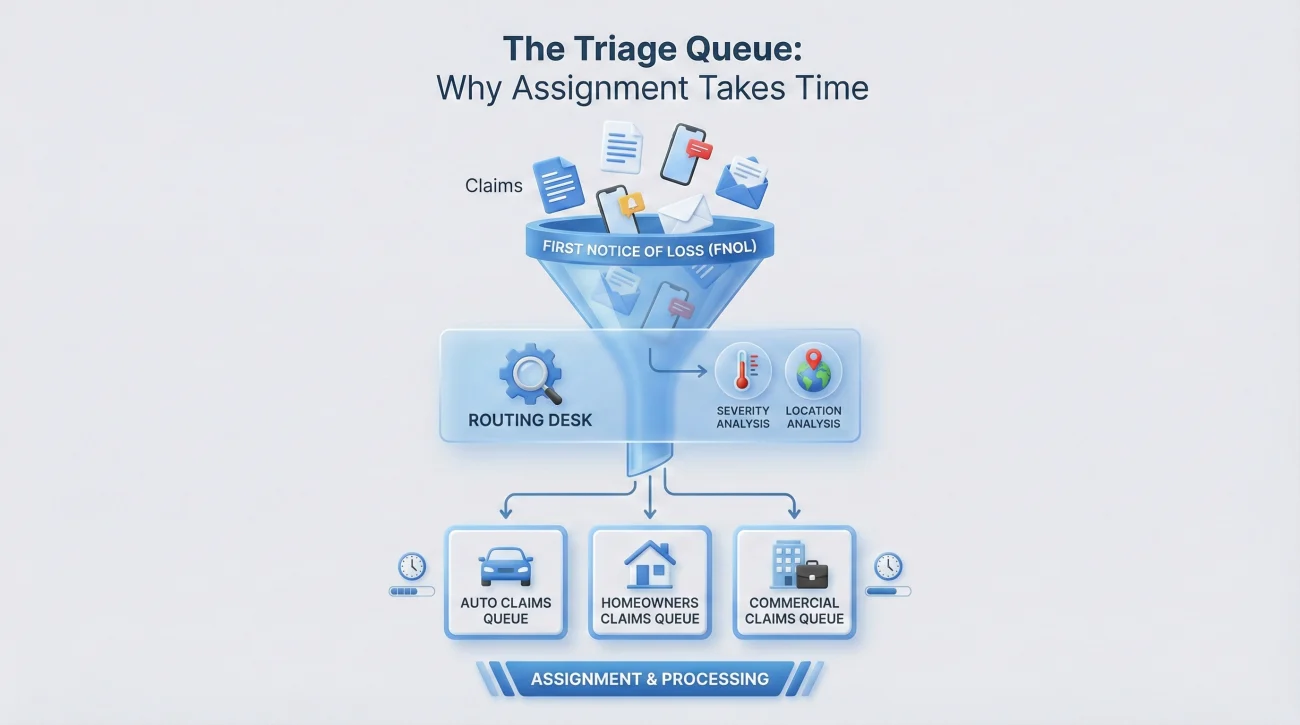
To understand why you have no adjuster assigned yet, it helps to look at how intake systems are built. When you first report a claim, you are rarely speaking to the person who will actually handle your file. You are speaking to an intake representative or interacting with an automated portal.
Once you hit submit, your claim goes to a routing desk. The triage team looks at the severity, the type of damage, and your location to decide who gets the file. If there has been a major weather event in your area, this routing queue can back up significantly.
Key Point: The intake representative does not assign the adjuster. They simply collect the facts and push the file into the assignment queue. Delays happen in the gap between intake and the desk manager’s desk.
I frequently notice a specific pattern when reviewing delayed files. A homeowner calls in and gives a very brief description, perhaps saying they have some ceiling water. Because the description lacks detail about active, ongoing damage, the triage system automatically flags it as a low priority severity. It then sits in a general queue for days, waiting for an available desk adjuster, while the homeowner assumes they have been forgotten.
This is why clarity at the FNOL stage is critical. If the intake system does not register the urgency based on observable facts, the assignment algorithm will not rush your file. If you were brief on the phone, you can still send a short factual note now. You can add missing severity context without sounding dramatic by providing three factual points: whether there is an active unmitigated leak, if utilities had to be shut off, and the exact number of rooms affected.
Your Intake-Stage Troubleshooting Checklist
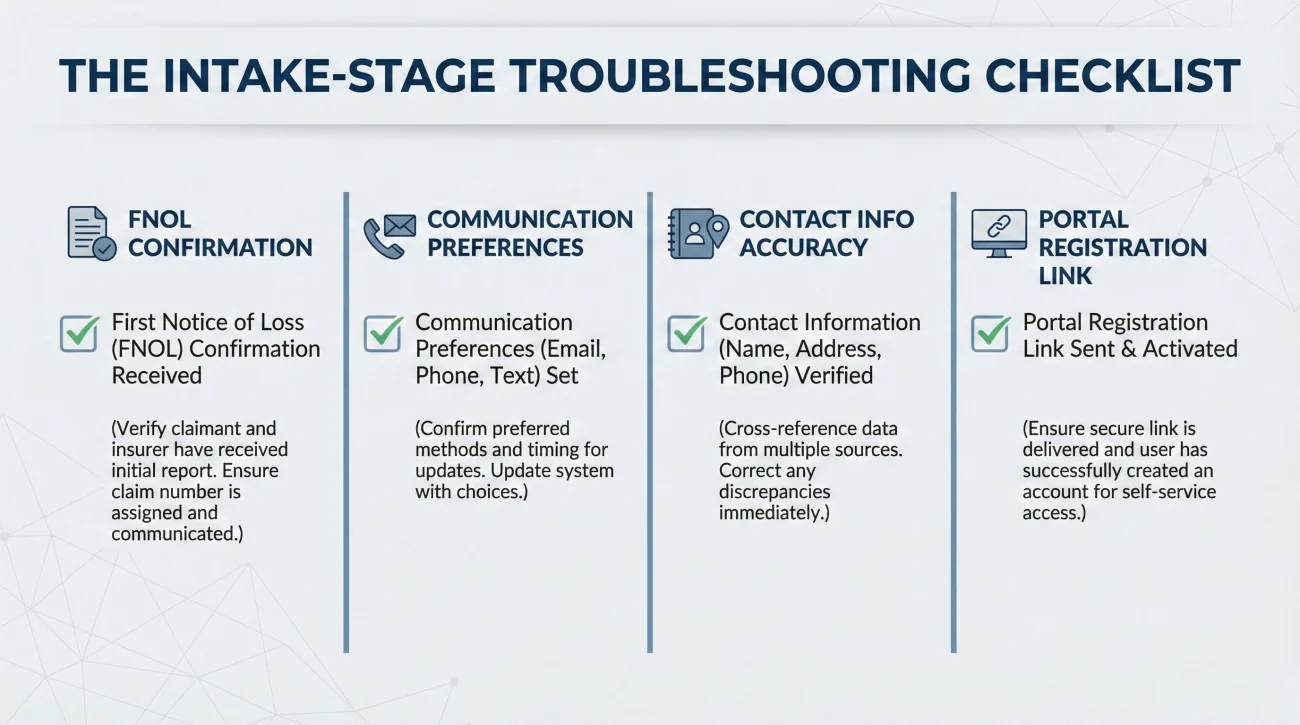
Before you escalate the situation, you need to verify that the delay is actually on their end. In many cases, I have seen assignment notices get lost in spam filters or bounce back due to a simple typo made during the initial phone call. Run through this checklist to ensure your side of the street is clean.
1. Verify Your FNOL Confirmation
Did you receive a written confirmation that your claim was successfully filed? This usually comes in the form of an automated email or a text message containing your formal claim number. If you only have a reference number from a phone call and no written confirmation, your claim might not be fully registered in the main system yet.
2. Check Your Communication Preferences
During intake, you are often asked how you prefer to be contacted. If you checked a box for “portal only” but you are waiting for a phone call, you will feel ignored. Log into your account and check the message center. Sometimes, an adjuster is technically assigned and has sent an automated introductory message entirely within the portal system.
3. Review the Contact Information on File
A transposed digit in a phone number or a misspelled email address will completely sever the communication loop. Check your profile settings or your initial confirmation document to ensure your contact details are accurate.
⚠️ Warning: Do not assume the representative heard your email address correctly over the phone. A single wrong letter means the automated assignment notification will bounce, and the system may not alert anyone to the failure.
4. If You Never Got a Portal Registration Link
Sometimes, a claim number exists, but the automated email to register for the portal never arrives. If this happens, call the general claims hotline. Ask them to confirm the exact email address on file, resend the portal invite manually, and request that your file be marked as “contact verified.” This shows the assignment team you are actively monitoring the claim and ensures your profile is fully linked.
| What to Check | Where to Look | What to Confirm |
|---|---|---|
| Claim Status | Online Portal or App | Does it say “Open,” “Pending,” or “Under Review”? |
| Contact Details | Profile Settings | Are your phone number and email 100% accurate? |
| Spam/Junk Folder | Email Inbox | Search for the carrier’s domain name, not just the word “claim.” |
| Message Center | Online Portal | Are there unread messages sitting inside the platform? |
A Realistic Look at the Waiting Game
Let me share a practical scenario that illustrates how this process usually unfolds in the real world. A homeowner submits a claim for a broken pipe on a Friday afternoon using a mobile app. They receive a claim number immediately. By Monday morning, they still have no adjuster assigned yet and begin to panic.
What they do not see is the operational reality. The claim entered the system on Friday night, sitting in a weekend holding queue. On Monday morning, a routing manager logs in to find hundreds of new claims. They begin sorting them by region and severity. By Monday afternoon, the claim is assigned to a desk team.
The desk team administrator then has to review the file and push it to a specific individual. The assigned representative finally gets the notification late Monday and processes their introductory emails on Tuesday morning.
In this scenario, the homeowner felt ignored for four days. In reality, the file was moving through three different administrative checkpoints. Understanding this flow helps you remain calm and structure your follow-ups strategically rather than emotionally.
How to Ask for Your Assignment Status
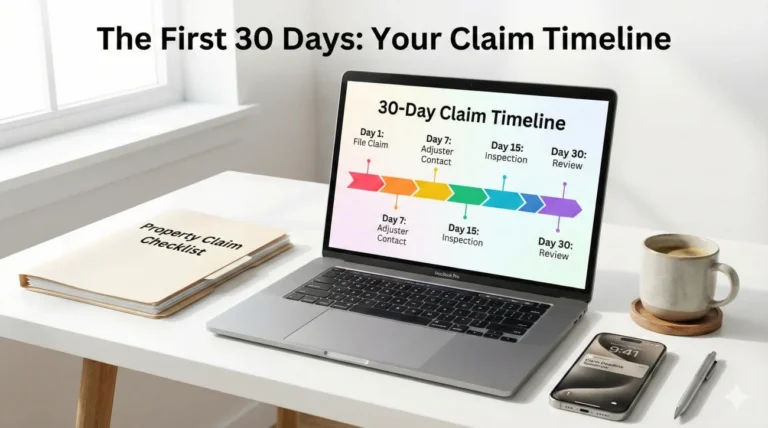
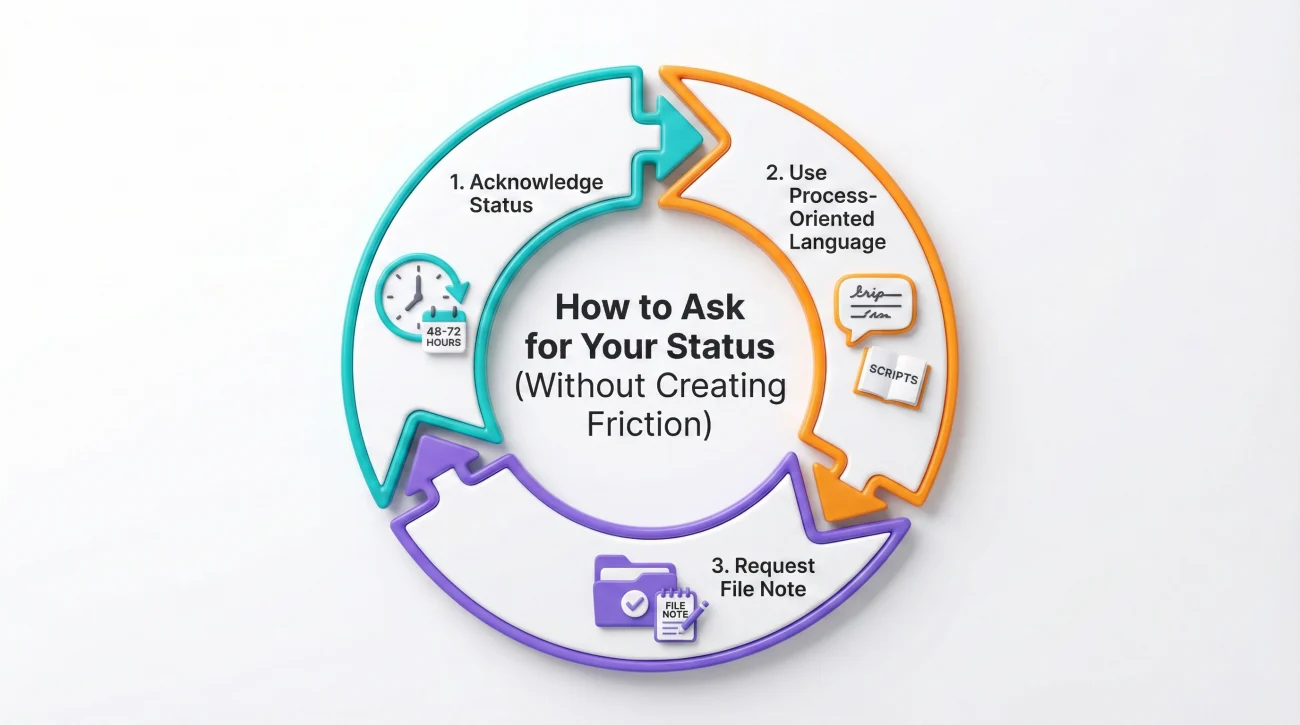
If you have checked your spam folder, verified your contact details, and waited a reasonable operational window (typically a baseline of 48 to 72 business hours, though this can be longer after CAT events), it is time to follow up. The goal of this follow-up is not to complain. The goal is to ask a specific, process-oriented question that requires a factual answer.
When you call the general claims hotline or send a message through the portal, use neutral language. You simply want to confirm that the file is not stuck in a system error.
Script for a Portal Message or Email
If you have access to a general inbox or a portal messaging system, sending a brief written request is the best way to create a paper trail of your diligence.
Hello,
I am writing to check the status of my recent claim filing. I received my claim number on [Date], but I do not see an adjuster assigned to the file yet.
Could you please confirm if my file is currently in the routing queue, and let me know the standard timeline for assignment?
Thank you,
[Your Name]
[Your Phone Number]
Script for a Phone Call to the General Hotline
If you prefer to call, you will likely reach a general customer service representative who cannot assign the file themselves. They can, however, look at the internal status tags. Ask them to read the system notes to you.
“Hi, I am calling to check on Claim [Number]. I filed this on [Date] but I have not been assigned an adjuster yet. Can you check the system notes and tell me what the current internal status is?”
If the representative says it is “pending assignment,” you follow up with your confirmation request.
💡 Script Formula: [Acknowledge Status] + [Ask for standard timeline] + [Request file note]
“Thank you for checking. What is the standard timeline for a file to move from pending to assigned? Also, could you please add a note to my file that I called today to confirm my contact information is correct and that I am ready for the inspection?”
This approach is effective because it logs your proactive behavior in the system. When the adjuster finally receives the file, the first thing they will see is a note showing you are organized, polite, and ready to move forward.
Common Mistakes When You Feel Ignored
Waiting in the dark causes stress, and stress often leads to communication errors. In claims operations, I see homeowners inadvertently slow down their own files by reacting poorly to the initial silence.
One major mistake is submitting a duplicate claim. Homeowners sometimes think the first one “did not go through” because nobody called them back. Filing a second claim creates a massive administrative headache. The system will flag a duplicate, freeze both files, and require a manager to manually merge them. This almost always guarantees further delays.
Another common error is calling the general hotline multiple times a day. The reps taking your calls cannot speed up the assignment algorithm. Every time you call, they have to type a new note into your file. A file cluttered with dozens of “insured called asking for update” notes becomes difficult for the actual adjuster to read once they finally take over.
Calling three times a day, demanding to speak to a manager because nobody has called you back yet.
Calling once after 48 hours, confirming your contact details are correct, and asking the representative to document your readiness in the system notes.
Organizing Your Proof While You Wait
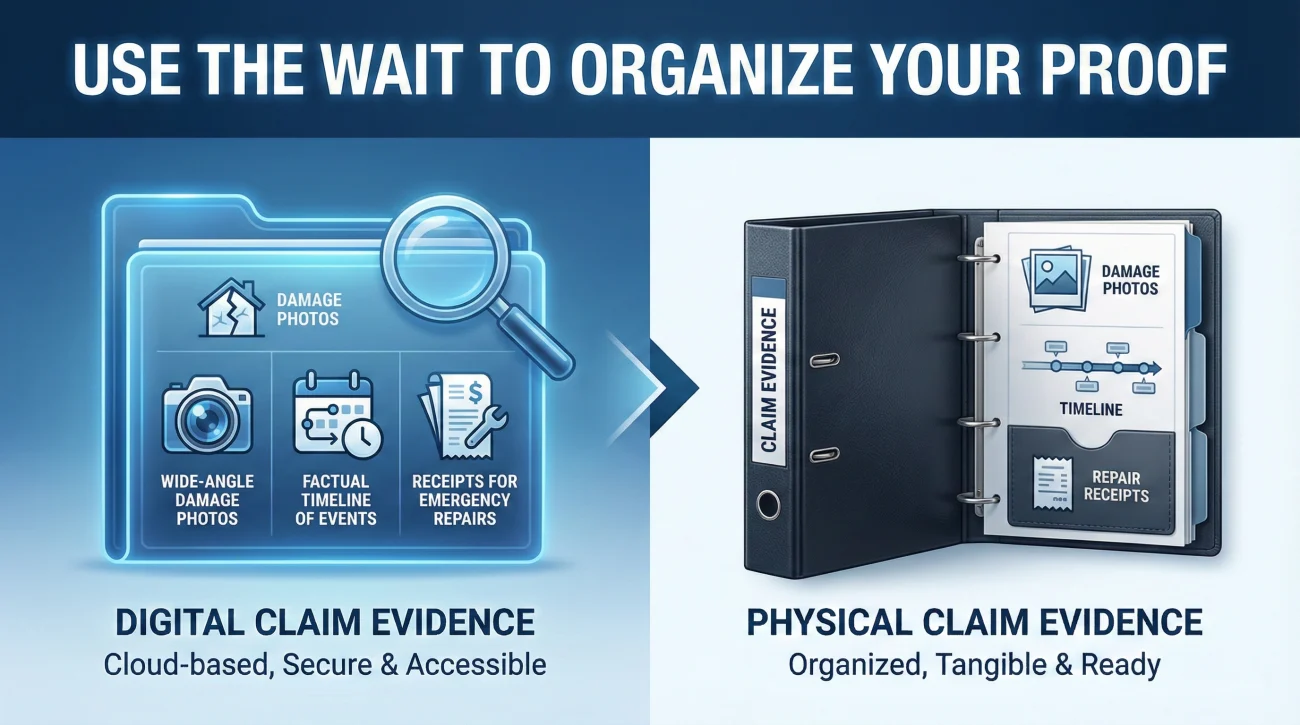
Having no adjuster assigned yet is actually an opportunity. Once the assignment happens, the process will speed up, and you will be asked to provide documentation, photos, and context. Use this waiting period to build your intake file.
You should immediately create a central folder on your computer or a physical binder on your desk. Start gathering your initial evidence. This includes writing down your own timeline of what happened, taking wide-angle and close-up photos of the damage, and locating any receipts for emergency repairs you had to make to prevent further damage.
If you are unsure how to structure these documents, you should review our proof of loss playbook. Getting your evidence organized cleanly means that the moment a name appears on your portal, you can send them a perfectly packaged set of facts. This single habit transforms you from a stressed homeowner waiting for help into an organized partner in the process.
💡 Pro Tip: Use this time to write down your day-one facts. Document the exact date and time the damage occurred, the sequence of events, and a simple, factual list of affected areas. Keep this document handy for your first official phone call.
Staying Organized in the Queue
The operational reality of property claims is that the first few days are often slow and quiet. A missing name on your claim file does not mean your coverage is in jeopardy or that the carrier is acting improperly. It simply means your file is traveling through the necessary administrative routing layers.
By checking your own contact details, understanding the triage system, and using neutral follow-up scripts, you protect your peace of mind. You avoid creating duplicate files and ensure your communication history remains clean and professional. Take a deep breath, verify your portal information, and use this brief waiting period to get your documentation perfectly organized.
❓ FAQ
⏱️ How long does it usually take to get an adjuster assigned?
As a typical baseline, it takes 24 to 72 business hours. However, this can be significantly longer after major CAT events or widespread storms due to the sheer volume of claims in the triage queue.
📞 Should I call the hotline every day until I get a name?
No. Calling repeatedly clutters your file with generic notes. Follow up once after 48 hours to confirm your contact details are correct and ask for a status update, then wait for the system to route the file.
📧 Does filing a claim online delay the assignment process?
Usually, no. Online filing often feeds directly into the triage system just as fast as a phone call. However, if the online form lacked specific details about the damage severity, it might be routed as a lower priority.
🛑 Is it a bad sign if my claim sits unassigned for a week?
It is frustrating, but it is not inherently a “bad sign” regarding your coverage. It points to an administrative backlog or a data error (like a bounced email). You should follow up in writing to ask for a timeline.
🤷♂️ Can I start cleaning up water if I do not have an adjuster yet?
In many cases, policyholders are expected to mitigate further damage. Take extensive, clear photos of the damage before moving anything, save all receipts for emergency cleanup, and do not throw away damaged items until instructed.
📝 Where do I actually find my adjuster’s name once assigned?
It will typically appear in your online portal dashboard under “Claim Contacts,” or you will receive an automated email introducing them. You may also get a direct phone call once they review the file.
🔄 Will I get a desk adjuster or a field adjuster?
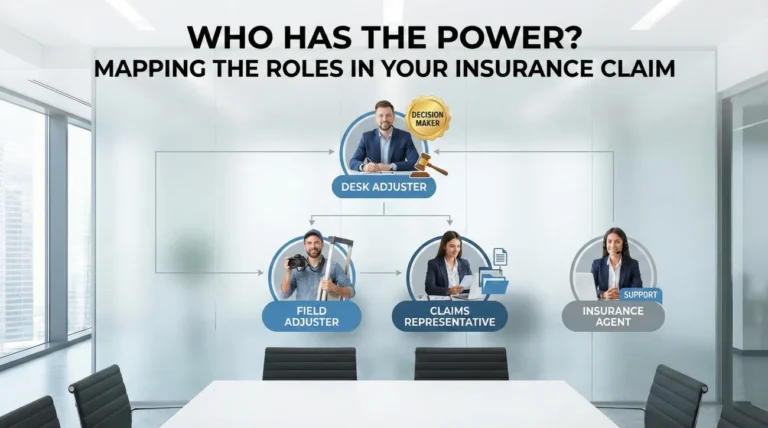
This depends on the triage system’s assessment of your damage. Minor issues are often assigned to an inside desk adjuster who handles things remotely, while major damage triggers a field assignment for an in-person inspection.
🔎 What if I have a claim number but the portal says it can’t find my claim?
This often happens if there is a typo in your email or phone number that breaks the portal link, or if the claim hasn’t fully synced across their internal servers. Call the general hotline to have them manually link the claim number to your online profile.
📱 What should I say if I keep getting transferred to a general voicemail?
Leave one clear, factual message stating your claim number, your phone number, and a polite request for a call back to confirm the assignment timeline. Then, follow up with a written message in your portal.
🔍 What if the portal says “Closed” before anyone ever called me?
This is a red flag that requires immediate follow-up. It often means the system flagged the claim as a duplicate by error, or an automated closure occurred. Call the hotline immediately and ask them to read the closure notes.
⚠️ Disclaimer: PropertyClaimChecklist.com provides practical guidance, process checklists, and example follow-ups to help you organize a property claim and move it forward. It is not policy language, claim documentation, legal content, or a substitute for your insurer's instructions. Always rely on your carrier's requirements and your actual policy terms for what must be submitted and how decisions are made.