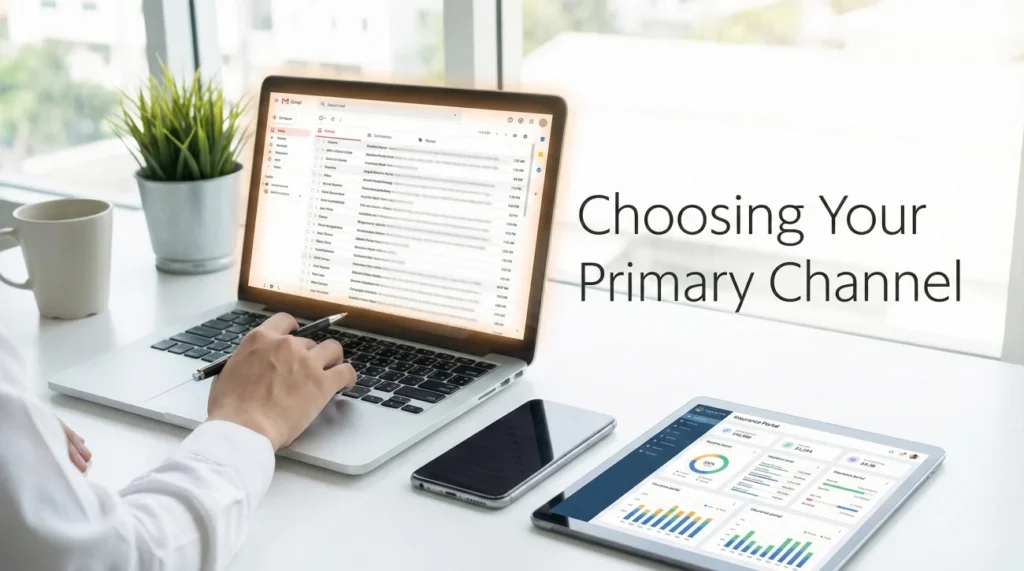
- Choosing one primary communication channel on Day 1 prevents your claim file from becoming fragmented across different systems.
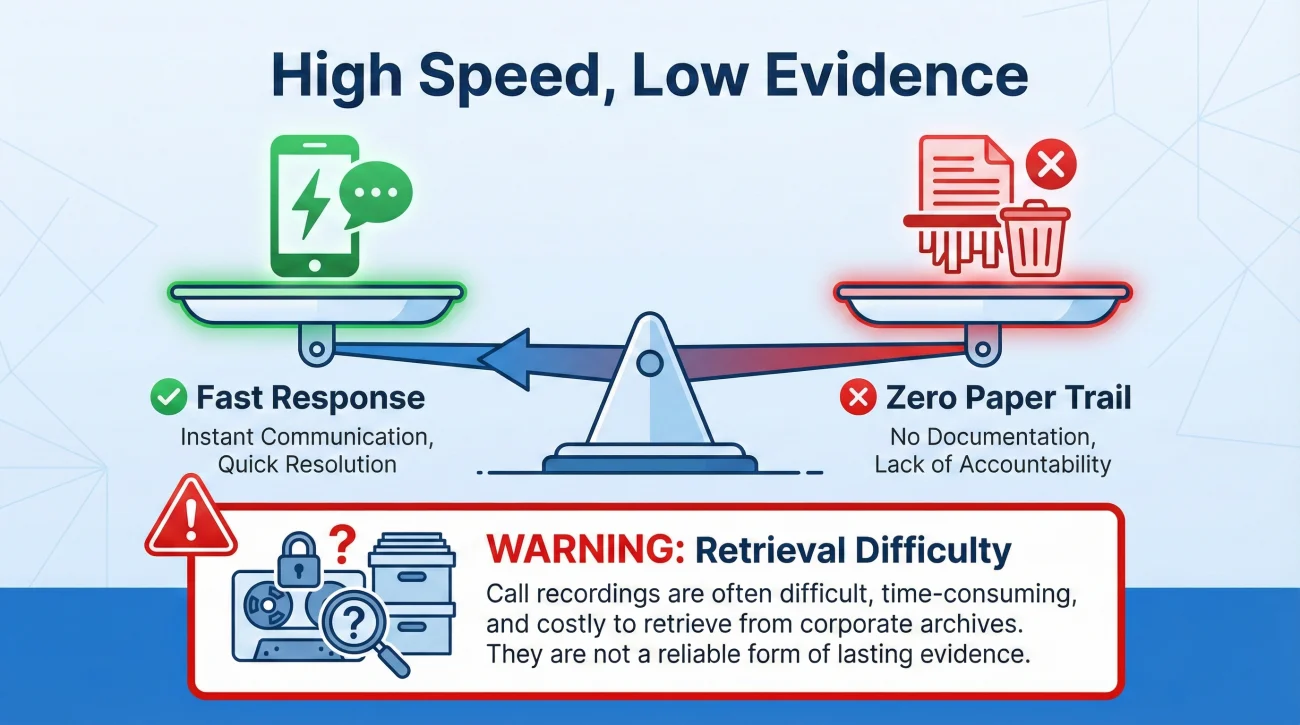
- Phone calls are best for urgent intake, but they create zero paper trail unless you summarize them in writing immediately.
- Email is the operational standard for creating a verifiable, easily searchable history of your entire claim.
- Insurance portals are useful for uploading heavy files but are dangerous for daily communication because you lose access when the claim closes.
- Always explicitly state your preferred communication channel during your very first notice of loss call.
The Day 1 Trap: Scattered Conversations
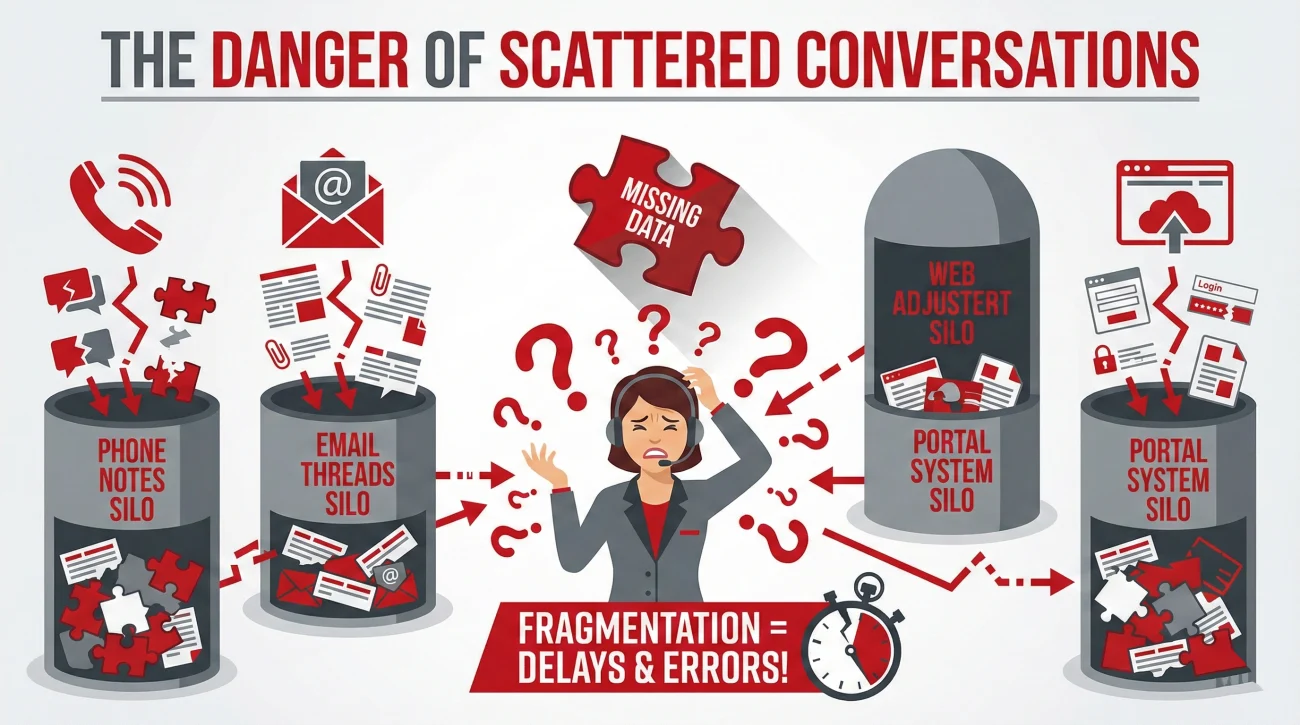
The moment you file a property damage claim, a new file is opened in the insurance company’s operating system. Almost immediately, you will be given multiple ways to interact with that file. You can call the main support number, you can reply to an automated email, or you can log into a sleek new customer portal and use their built-in messaging app.
To a property owner, these all seem like doors to the exact same room. You might naturally assume that if you upload a photo to the portal, mention it on a phone call, and then ask a question about it via email, the person reviewing your file sees it all in one neat timeline. In my time working in claims operations, I can tell you this is rarely the reality.
Behind the scenes, phone logs, email threads, and portal messages often route through completely different software modules before they finally land on an adjuster’s desk. When you constantly switch between these channels, your file becomes fragmented. A reviewer might see your email question but miss the context of the phone call you had yesterday. This fragmentation is one of the leading causes of preventable delays.
My goal with this guide is to help you consciously choose a communication channel for insurance claim management right from the start, and show you why sticking to that single channel is the best operational decision you can make to protect your timeline.
Key Point: Consistency is often your best defense against delays. Picking one primary channel and forcing all important communication through it ensures the reviewer never has to hunt for missing context.
The Phone: High Speed, Low Evidence
The telephone is usually the default channel for your first notice of loss. When water is rushing into your living room or a tree is sitting on your roof, you want to speak to a human being immediately to get a claim number generated and an emergency mitigation team approved.
For urgent, real-time coordination, the phone is unmatched. However, as a primary channel for managing an ongoing claim, it is heavily flawed. The fundamental problem with the phone is that it leaves the burden of documentation entirely up to interpretation.
When you have a 20 minute conversation with a desk adjuster about what documents are required next, the adjuster will type a quick summary into their system notes. Those notes are their version of reality, not yours. If they mishear you, or if they forget to type down a specific promise they made about a deadline, that promise effectively never happened.
I always recommend a strict rule for phone calls: use them to ask questions and gather information, but never use them to establish facts or finalize agreements without building a written bridge immediately afterward.
⚠️ Warning: Do not rely on the fact that calls are recorded for quality assurance. Getting a recording of a past phone call pulled from a corporate archive during a routine file review is an incredibly slow and difficult process.
The Insurance Portal: Convenient but Walled Off
Modern insurance carriers invest millions of dollars into developing customer portals and mobile apps. These platforms are incredibly useful for certain specific tasks. They are often the best way to upload large batches of high resolution damage photos, and they provide an easy dashboard to see if your claim is currently in an open or under review status.
However, I strongly advise against using the portal’s internal messaging feature as your primary way of talking to your adjuster. There is a critical operational flaw with portals: you do not own the data.
An insurance portal is a walled garden where the carrier controls all the access. I have seen countless cases where a claim is officially marked closed, and the property owner’s access to the portal is immediately revoked. If they need to reopen the claim months later due to discovered hidden damage, they suddenly realize they cannot access any of the messages, promises, or document confirmations that were stored inside that portal.
You should absolutely use the portal as a delivery mechanism for heavy files, but you should never use it as your daily diary or your primary inbox.
Email: The Operational Standard for the Paper Trail
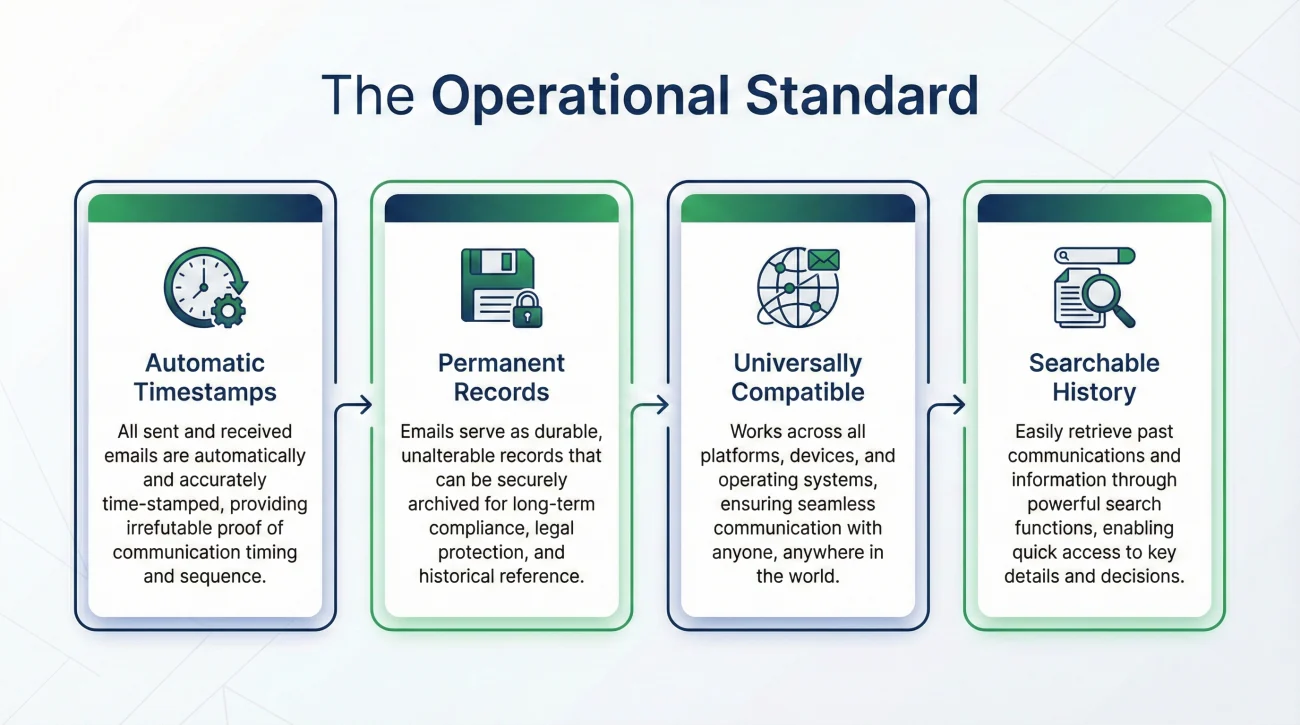
If you ask anyone who works in operations or process management how they prefer to handle complex workflows, they will almost always choose email. Email is universally compatible, it provides automatic time stamps, and most importantly, you retain a permanent copy of the entire history on your own device.
When you choose email as your main channel, you take complete control of the narrative. You can attach PDF invoices, provide clear bulleted lists of questions, and easily forward previous conversations if someone states they never received a specific document.
The beauty of email is its searchability. Three months into a complicated structural claim, you might need to prove exactly what date you submitted a specific contractor quote. With email, you just search your sent folder. If you rely on phone calls or portal messages, you are left digging through handwritten notes trying to piece the timeline back together.
💡 Pro Tip: Always include your claim number in the subject line of every single email you send. Many claims operations departments use automated routing software that reads the subject line and automatically attaches the email to the correct file based on that number.
A Realistic Field Scenario: The Fragmented File
Let me illustrate exactly how channel hopping creates friction in the real world. Imagine a property owner named David who has a severe kitchen fire. On Monday, he calls his adjuster to ask if a specific cleanup vendor is approved. The adjuster verbally says yes over the phone.
On Wednesday, David logs into the app and sends a quick portal message stating that the cleanup team finished and he is sending the invoice now. He then immediately opens his personal email and sends the PDF invoice to a general claims inbox.
From an operations perspective, here is what happens next. The portal message generates a task for the desk adjuster, who reads it but sees no attachment. Meanwhile, the email with the invoice lands in a centralized processing queue and sits there for 48 hours waiting to be manually linked to David’s file. A week later, David calls to ask why the invoice has not been paid. The adjuster tells him they never received it, because they are only looking at the portal notes and the main file notes, while the email is still floating in a routing queue.
Consider another common friction point: large files. David tries to email a 30MB video of the active leak, but it bounces back from the carrier’s server. He uploads it to the portal, but the adjuster’s dashboard fails to flag the new upload. David saves the situation by immediately sending a quick email: “I just uploaded the leak video (filename: kitchen_leak.mp4) to the portal at 2:15 PM. Please confirm receipt.” This small step bridges the gap between the portal’s storage capability and the email’s reliable paper trail.
If David had simply chosen email as his primary channel and established basic operating rules from day one, context and attachments would arrive in the exact same place, effectively eliminating these delays.
Locking In Your Channel on Day 1
The best time to establish your communication boundaries is during your very first conversation with the intake representative. You need to set the rules of engagement immediately. While different insurance carriers have their own unique proprietary systems and internal workflows, the core principle of clarity and proof of delivery applies universally across all of them.
Integrating these basic details into a broader Proof of Loss playbook ensures that every piece of evidence you gather actually reaches the person who needs to see it, without getting lost in the system.
Your Email Routing Setup Checklist
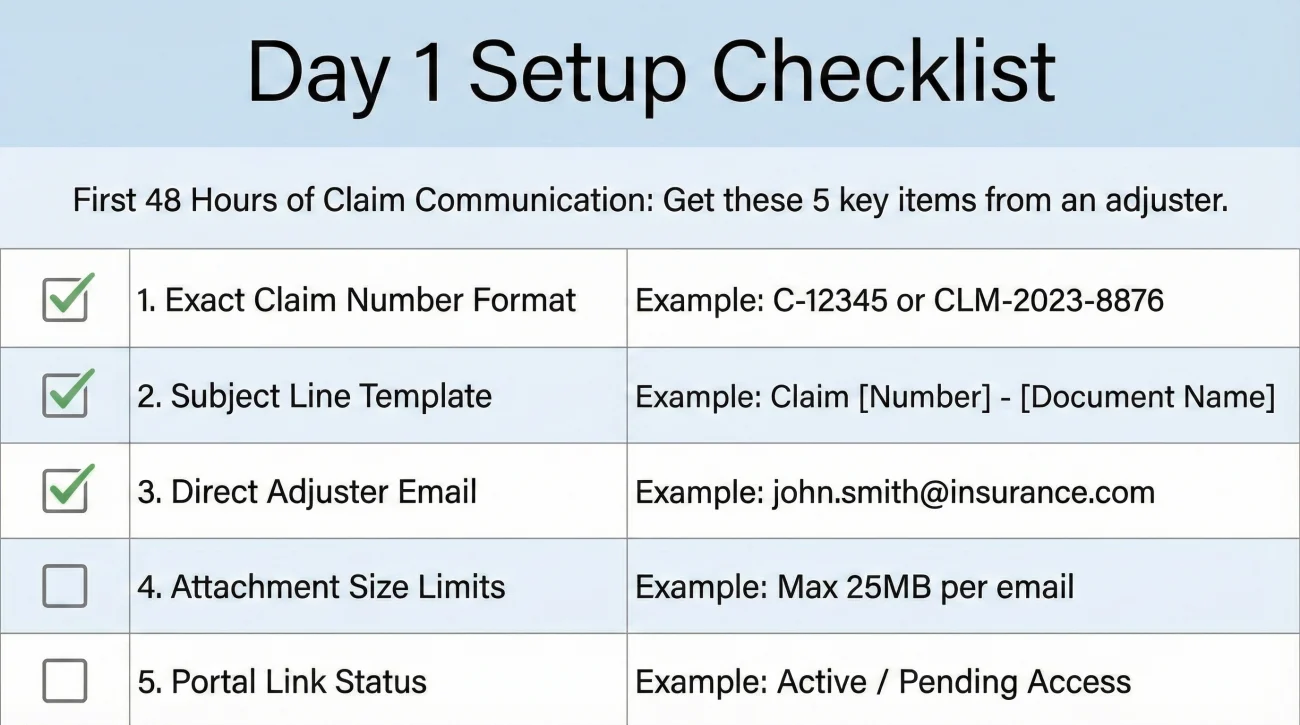
To ensure your emails bypass generic routing queues and land directly on your adjuster’s screen, get answers to these six technical questions on Day 1:
- Claim Number: Verify the exact format of your claim number (including any dashes or letters).
- Subject Format: Ask exactly how they want the subject line formatted (e.g., “Claim #12345 – Smith Property”).
- Direct Email: Always ask for the desk adjuster’s direct email, not just the general [email protected] inbox.
- Attachment Limits: Ask for their email server’s maximum attachment size limit (usually between 10MB to 25MB).
- Preferred File Types: Confirm if they block certain file types (like .zip files or links to Google Drive).
- Portal Backup: Confirm that the portal is actively linked to your specific adjuster if you need to upload oversized files.
Batching Rules: Managing the Flow of Information
One of the biggest mistakes property owners make is treating email like text messaging. Firing off six different emails in one afternoon with various thoughts and small attachments overwhelms the adjuster and clutters your own file.
Instead, adopt a strict batching cadence. Compile your questions and updates into a single, well-structured email every 2 to 3 days. Use clear bullet points for your questions so the adjuster can easily reply inline.
When sending a large volume of documents that require multiple emails, use the Part X of Y rule. In the subject line, write “Claim #12345 – Mitigation Invoices (Part 1 of 3)”. Inside each email, explicitly list the filenames of the attachments included in that specific message. This guarantees the adjuster knows exactly when they have received the complete package.
Translating Phone Calls into a Paper Trail
Setting a boundary feels unnatural to many people, but in claims operations, clarity is kindness. You are helping the reviewer manage your file efficiently by being predictable. Even if you establish email as your primary channel, there will be times when a phone call is unavoidable, especially to clarify complex estimates or negotiate a timeline.
When you are forced to have a lengthy phone conversation, you must immediately convert that call into an email record. This bridges the gap between the speed of the phone and the safety of the paper trail.
The goal here is not to be aggressive or demanding. You are simply summarizing your understanding of the conversation so that your file remains accurate. You state the facts clearly and invite them to correct you if you misunderstood anything. Here is how that post-call summary email looks in practice.
Hello [Adjuster Name],
Thank you for taking the time to speak with me on the phone today. I am writing to quickly summarize my understanding of our conversation so I can keep my records accurate.
We agreed that:
– You will assign a field inspector to view the property by next Tuesday.
– I am authorized to proceed with the emergency water extraction up to a limit of $3,000.
– I will submit the extraction invoice directly to this email address.
If I have misunderstood any part of our conversation, please reply and let me know. Otherwise, I will proceed based on these next steps.
Thank you,
[Your Name]
By using this simple formula of a friendly greeting, a bulleted summary, and a polite request for corrections, you force the verbal conversation into a permanent written record.
Common Traps with Channel Selection
Even when property owners try to stay organized, they often fall into predictable behavioral traps when stress levels rise. Recognizing these traps early will help you maintain your discipline.
Calling every time you have a minor question, leaving voicemails, and assuming the adjuster is writing everything down exactly as you say it.
Batching your questions together, sending one structured email every few days, and keeping a permanent record of every reply you receive.
Another common mistake is ignoring the portal completely. While I advocate for email as the primary channel, you should still activate your portal account on Day 1. If an adjuster requests a massive video file that bounces back from their email server, you need the portal ready as your backup delivery method.
When the Adjuster Says “I Never Got It”
Eventually, an adjuster will claim they never received a critical document you sent weeks ago. Because you used email as your primary channel, this is easily solvable without frustration. Follow these three steps:
- Forward from Sent: Do not compose a new email. Go to your Sent folder, locate the original email with the attachment, and hit forward. This preserves the original timestamp and proves you sent it.
- Attach an Evidence Log: If applicable, briefly reference your communication log showing you haven’t received a reply since that date.
- Request Confirmation: Keep the message professional but firm: “Please see the forwarded email below containing the invoice, originally sent on [Date]. Please confirm receipt of this email so I know it routed correctly this time.”
Final Thoughts on Claim Communication
Filing a property claim is not just about reporting damage; it is about managing a complex project. In any professional project, the way information flows determines how quickly the work gets done. Your success relies heavily on your operational behavior.
Instead of reacting to every minor update by picking up the phone, focus on maintaining discipline. Batch your questions, adhere strictly to subject line routing rules, and keep a meticulous paper trail of every interaction. A well-documented file tends to be a fast-moving file.
❓ FAQ
📞 What happens if the adjuster refuses to use email and only calls me?
You cannot force them not to call, but you can control the record. Let them call, take careful notes, and immediately send a post-call summary email detailing everything discussed. Ask them to reply only if your summary is incorrect.
📎 What if attachments keep bouncing back?
If files are too large and bounce from the email server, upload them directly to the insurance carrier’s portal. Immediately after the upload completes, send an email to your adjuster stating the exact filename and timestamp of the upload, and ask them to confirm they can view it.
🧾 Should I request automated read receipts?
No, automated read receipts are frequently blocked by corporate insurance servers and can flag your emails as spam. Instead, manually end important emails with a simple, polite request: “Please reply to confirm receipt of these documents.”
🔁 How do I switch channels without fragmenting the file?
If you must switch channels (like using the portal for a large file or having a mandatory phone call), always leave a “breadcrumb” in your primary email channel. Send a quick email documenting exactly what happened in the other channel to keep the central timeline intact.
⏱️ How quickly should I expect an email reply from an adjuster?
In standard operations, a 24 to 48 hour turnaround for an email reply is often typical. If you do not hear back after 48 hours, it is appropriate to send a polite follow-up request referencing the original email.
✍️ Do I need to write down the name of every person I speak to on the phone?
Yes. Whenever you call a general support line, you will likely speak to a different intake representative each time. Always log the date, time, and first name of the representative for your records.
🗂️ Can I use a shared family email address for the claim?
It is highly recommended to have only one primary point of contact. Using multiple emails or a shared inbox often leads to missed messages and confusion regarding who officially authorized next steps.
⚠️ Disclaimer: PropertyClaimChecklist.com provides practical guidance, process checklists, and example follow-ups to help you organize a property claim and move it forward. It is not policy language, claim documentation, legal content, or a substitute for your insurer's instructions. Always rely on your carrier's requirements and your actual policy terms for what must be submitted and how decisions are made.