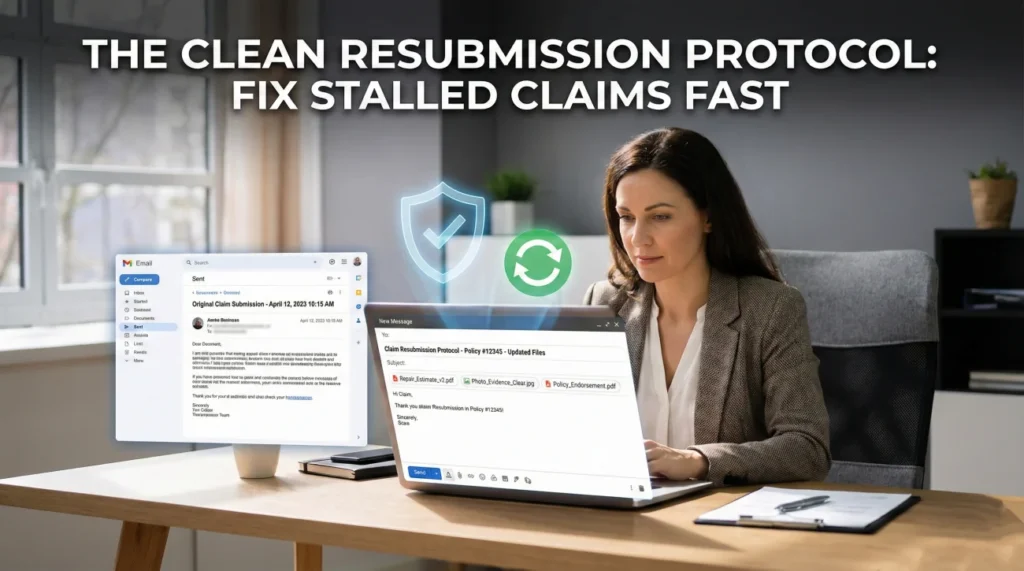
- When an insurer loses your files, getting angry usually delays your claim. Using a clean resubmission protocol is the fastest way to fix it.
- Avoid forwarding the original messy email thread; start a fresh email with a clear, specific subject line.
- Rename your files to indicate they are resubmissions (e.g., adding “-RESENT” to the filename).
- Include proof of your original submission, presented politely as a reference for your timeline.
- Establish a confirmation loop by asking the adjuster to confirm they can actually open the specific attachments.
When the Portal Eats Your Files: Pausing the Panic
You spent hours gathering your paperwork. You uploaded it to the portal, or you attached it to an email and hit send. You waited weeks for an update. Then, the letter arrives or the phone rings, and the adjuster says those infuriating words: “We cannot move forward because we are missing your documents.”
Your first instinct is likely frustration. You know you sent them. You have the timestamp to prove it. It often feels like a stalling tactic.
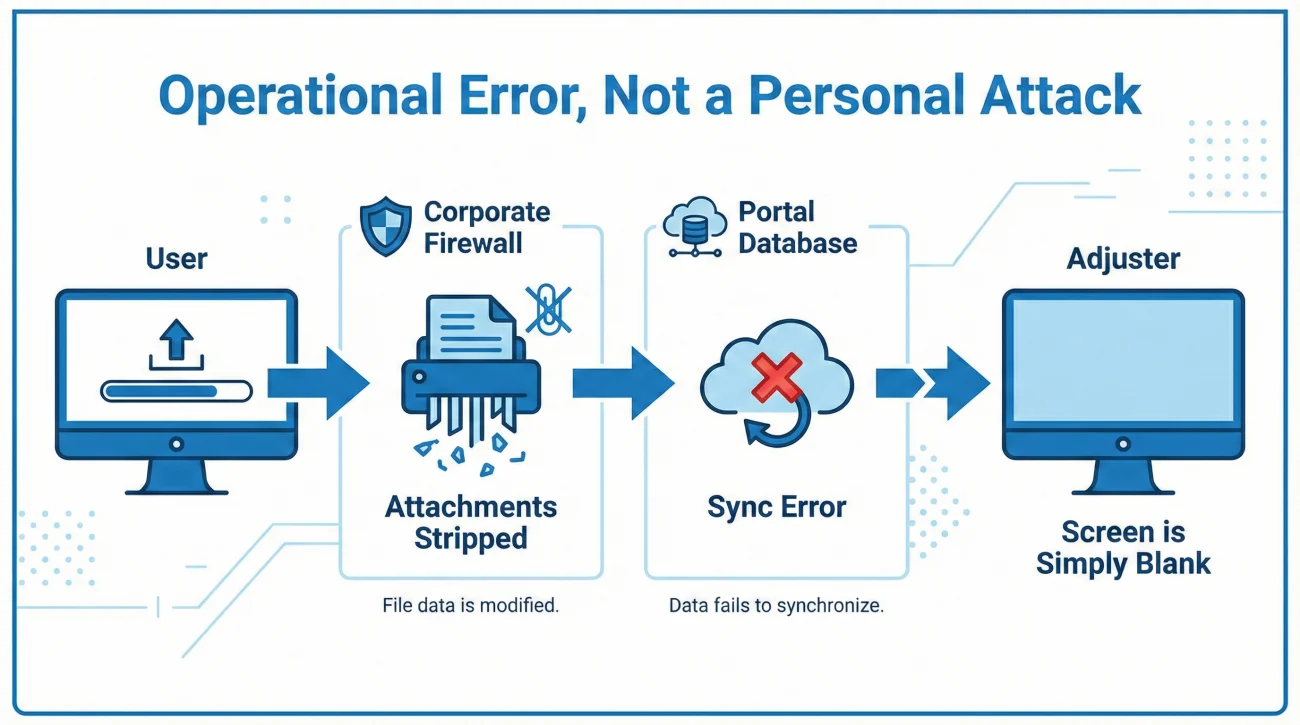
As someone who has worked deeply within claims operations, I want to share a reality that might help lower your blood pressure: when insurance lost my documents or a client’s documents, it was rarely a malicious delay. Most of the time, it is a failure of corporate IT systems.
Field Note: In my experience, large corporate firewalls routinely strip attachments if they are too large, if they contain certain file types, or if the system flags a zipped folder. Portal uploads often time out silently; the screen says “uploaded,” but the database never actually saves the file. The adjuster isn’t usually hiding your document; their screen is simply blank.
Understanding this changes how you respond. If you treat this as an operational error rather than a personal attack, you can fix it much faster. Your goal is to get the paperwork cleanly onto the adjuster’s screen so they can authorize your next step.
What “Missing” Actually Means Inside the System
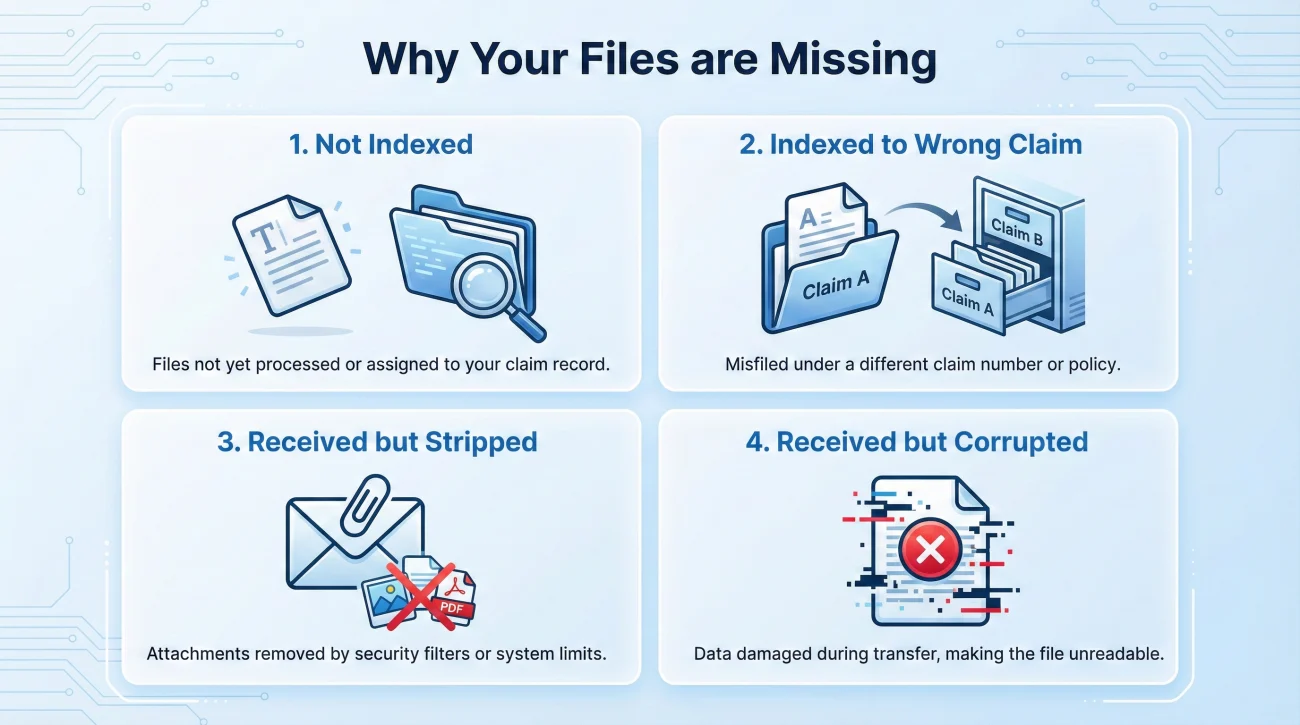
Before you hit resend, it helps to know what is actually happening on the other side of the screen. When an adjuster says a file is “missing,” it generally falls into one of four system states:
- 💻 Not Indexed: They received it, but the mailroom or automated scanner hasn’t linked it to your specific claim number yet.
- 📂 Indexed to the Wrong Claim: A typo in the subject line caused your file to be routed to someone else’s claim folder.
- ✂️ Received but Stripped: The email arrived, but the firewall removed the attachments for security or size reasons.
- ⚠️ Received but Corrupted: The file is there, but when the adjuster clicks it, they get an error message and cannot read the contents.
To overcome these invisible hurdles, I recommend abandoning the instinct to just hit “forward” on your old email. Instead, use a deliberate, organized approach. I call this the Clean Resubmission Protocol.
The Immediate Reaction: What Usually Goes Wrong
When people hear their files are missing, they usually make common mistakes that inadvertently delay their file further. Let’s look at what to avoid.
Mistake 1: The Angry Forward
The most common reaction is to find the original email from three weeks ago, hit forward, type “SEE BELOW I ALREADY SENT THIS,” and fire it off.
If the corporate firewall blocked your attachments the first time, hitting forward often just sends the exact same blocked files through the exact same firewall. The adjuster gets your message, but the attachments are still missing.
Mistake 2: The Data Dump
Sometimes, an adjuster says, “We are missing the contractor’s interior estimate.” In a panic, the property owner responds by re-sending the entire 50-page claim file: photos, exterior estimates, receipts, and the interior estimate all mashed together.
This creates an operational nightmare. The adjuster now has to sift through 50 pages of duplicate documents to find the one page they need, increasing the chance they will overlook it again.
Responding with a massive zip file of every document you own, hoping they find what they need.
Pausing, isolating exactly which file is missing, and sending only that file.
Mistake 3: Relying Only on the Portal
If you uploaded a document to the web portal and the system lost it, try to avoid simply logging in and quietly uploading it again without notice. Portals have sync issues. When a portal fails, it is safer to bridge the gap with direct, written communication to the adjuster.
Step 1: Gather Your Proof of Previous Submission
Before you send anything new, you need to document the past. Establishing a polite but firm record helps protect your timeline if there are deadlines in your policy regarding paperwork submission.
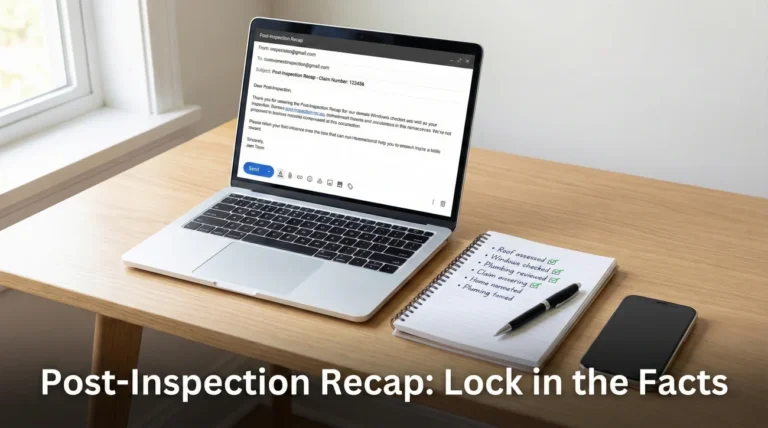
💡 Pro Tip: Locate your original sent email. Take a clean screenshot showing the date, the time, your email address, the recipient, and the icons of the attachments. Save this screenshot as an image file.
If you used a portal, look for auto-reply emails you received the day you uploaded, or take a screenshot of your portal history. You will include this proof as a reference, not as a weapon.
Step 2: Repackage and Rename the Files
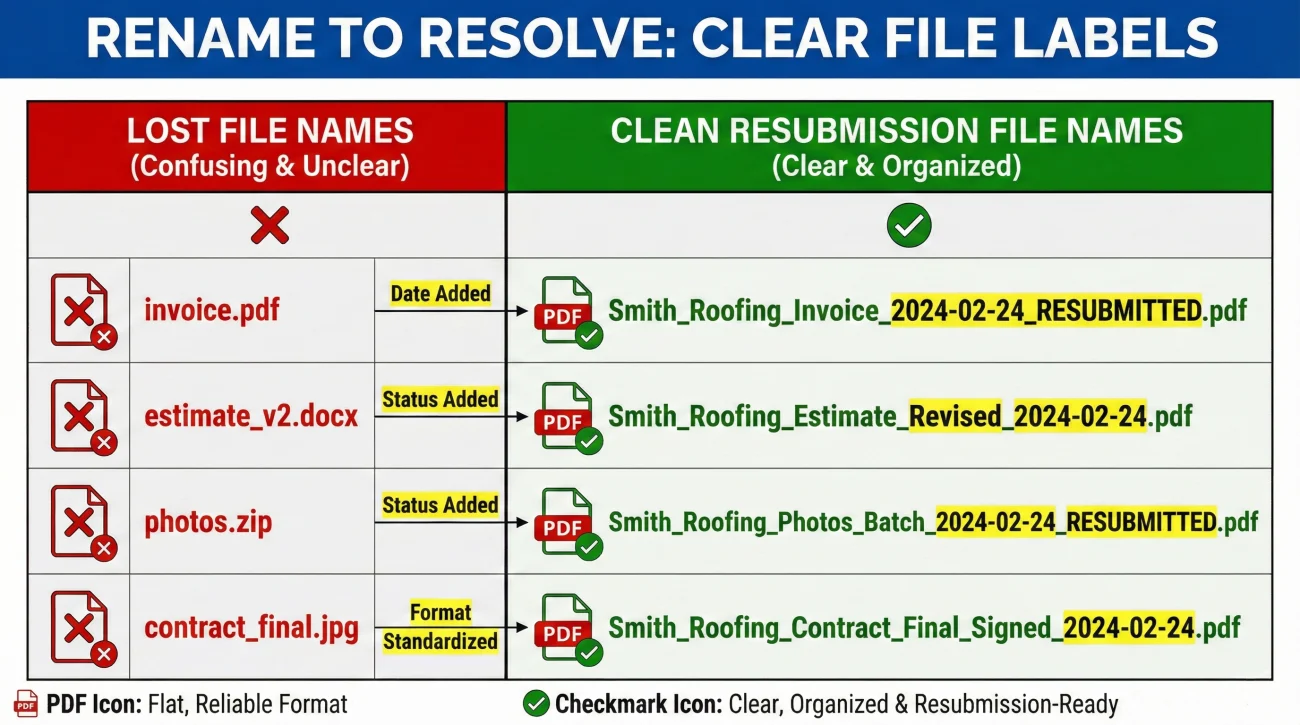
This is the operational step that most people miss. If a file got lost, treat the resubmission as a completely new transaction. Alter the file name so there is zero confusion on the adjuster’s end.
If your original file was named Estimate.pdf, the adjuster’s computer might automatically rename a second copy to Estimate(1).pdf, or it might get lost in a crowded downloads folder. By explicitly naming the file as a resubmission, you help the person on the other end recognize it as the solution.
| Original File Name (Lost) | Clean Resubmission File Name |
|---|---|
| Kitchen_Estimate.pdf | Kitchen_Estimate_RESUBMITTED_Oct12.pdf |
| Plumbing_Invoice.pdf | Plumbing_Invoice_Copy2_ForAdjuster.pdf |
| Photos_Batch.zip | Photos_Batch1_RESENT_Oct12.pdf |
A Note on File Formats
If your original submission included a dozen heavy image files or a complex ZIP folder, that might be why the system rejected it. For a clean resubmission, try using widely accepted, flat formats and keep your batches small. PDFs tend to pass corporate filters more reliably than large zipped archives.
How It Looks in Practice: The Partial Receipt Scenario
Let’s look at how this plays out operationally. Imagine a homeowner, David, who emailed a heavy contractor’s estimate to the desk adjuster. Weeks later, he receives a letter stating the claim is paused pending receipt of that exact estimate.
David doesn’t call to argue. Instead, he follows the clean protocol. He screenshots his original “Sent” folder, renames the estimate to Contractor_Estimate_RESUBMITTED.pdf, and drafts a fresh email.
I have frequently seen cases of “partial receipt” in these situations. The adjuster might actually receive David’s new email, and they can clearly see the small screenshot of proof. However, the main estimate file gets stripped again by the firewall. Because David followed the protocol and explicitly asked the adjuster to confirm they could *open* the PDF, the adjuster immediately notices the attachment is missing and replies, allowing them to find an alternate upload method instead of waiting another three weeks.
Step 3: The Minimum Resubmission Message
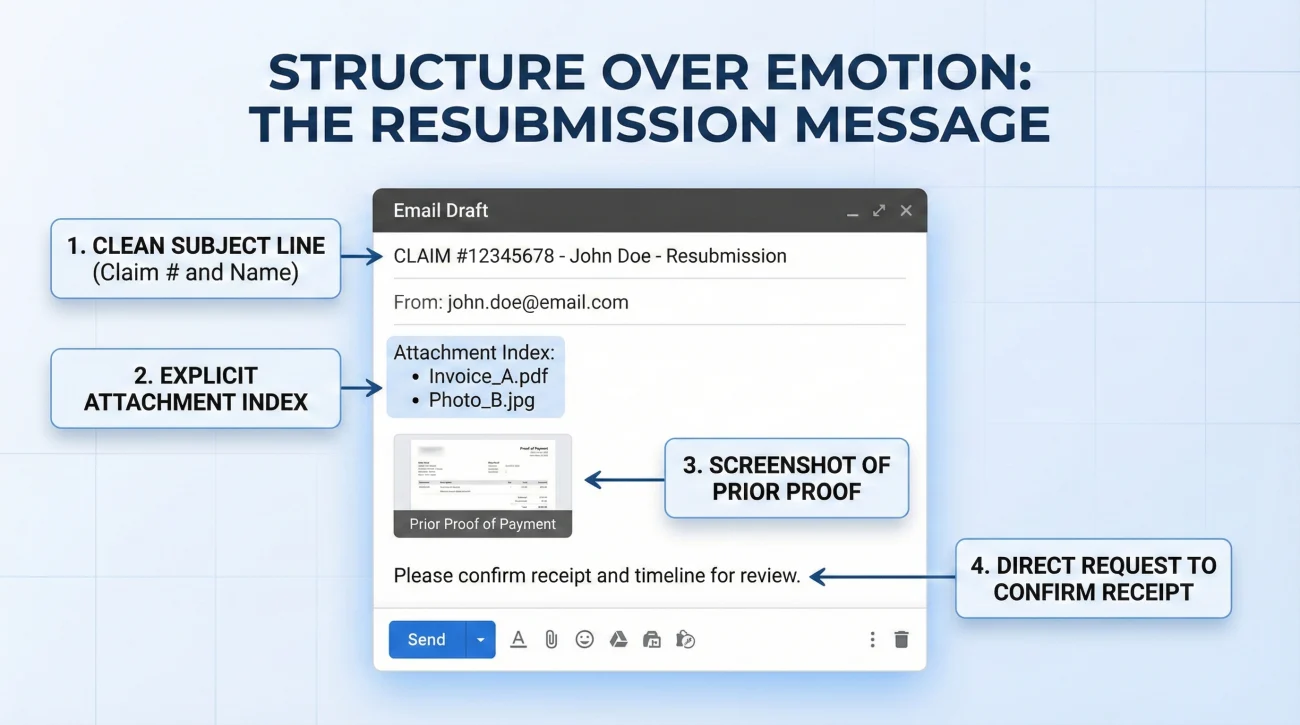
When drafting your message, start a brand new email thread. A fresh email has a clean header, which often bypasses whatever filter caught your previous message.
Your subject line should be hard to miss. It needs your claim number, your name, and the exact purpose of the email.
To prevent over-sending, I suggest using the Minimum Resubmission Packet. In your email body, you only want to include:
- ✅ Your claim number.
- ✅ Only the specific document they said was missing.
- ✅ A clearly renamed file.
- ✅ Your screenshot of prior proof.
- ✅ A direct request to confirm they can read the file.
To tie this together and help the adjuster review it quickly, use a short 3-line “Attachment Index” in the body of the email. Here is an operational script you can adapt:
Dear [Adjuster Name],
I received your letter dated [Date] indicating that the [Name of missing document] is missing from my file.
I originally submitted this document on [Original Date]. However, I understand that system errors occur and files can sometimes fail to attach properly on your end.
To ensure you have exactly what you need, I have attached a fresh copy to this email. I have also attached a screenshot of my original submission for the timeline records.
Attachment Index:
1. Mitigation_Invoice_RESUBMITTED.pdf (The requested invoice)
2. Proof_of_Original_Submission_Sept1.jpg (Reference of initial send date)
Could you please review these attachments and confirm that you are able to open and read them successfully?
Thank you for your help in keeping this moving forward,
[Your Name]
❌ Note: Notice what is missing from that script. There are no threats, no long complaints, and no massive data dumps. It is structured, unemotional information. This approach makes your file much more likely to be processed quickly.
Step 4: Forcing the Confirmation Loop
Sending the clean resubmission is only the first part. You still need to establish a confirmation loop.
In claims processing, a document does not effectively exist until the receiving party acknowledges they can open it. Simply asking “Did you get my email?” leaves room for error. An adjuster might quickly reply “Yes,” but when they try to open the PDF later, they realize it is corrupted.
[Friendly Check-in] + [Specific File Question] + [Next Step Prompt]
If you do not receive a confirmation within 2 to 3 business days, consider a short follow-up:
I am checking in on the resubmission email I sent on Tuesday. Could you please confirm that you received it and that you are able to successfully open the file named “Mitigation_Invoice_RESUBMITTED.pdf”?
Once you confirm the file is readable, could you let me know what the next step is for my claim?
Thank you,
[Your Name]
Final
Having to resubmit documents you already sent is an annoying reality. However, by maintaining a calm mindset and using a structured protocol, you can clear the administrative hurdle quickly.
Remember to always keep your own organized master folder. Rename your files clearly when resending, isolate the specific missing items to avoid confusing the file, and always close the loop by asking them to confirm the document is readable.
For a broader view of how to organize your claim from day one and prevent file confusion, check out our master property insurance claim documents checklist.
❓ FAQ
⏳ How long do I have to resend my documents?
Act quickly once you are notified. While specific policy timelines vary, treating a missing document request as a priority helps prevent unnecessary processing delays.
🛑 Can my claim be denied just because they lost my files?
A delay is more common than a flat denial for a lost file, provided you actively resubmit. However, failing to provide requested proof of loss eventually can cause severe issues, which is why tracking your submissions is vital.
📬 Should I mail physical copies if the portal keeps failing?
If digital methods keep failing repeatedly, mailing physical copies via certified mail is an operational backup. Use this only if necessary, and always include a typed cover letter listing exactly what is in the envelope.
💻 What if the portal won’t accept my file size?
Try saving images as standard PDFs to compress them. If it is still too large, break the document into clearly numbered batches (e.g., “Photos_Part1_of_3.pdf”) and upload them sequentially.
📑 Do I need to resend everything or just the missing page?
Only send exactly what is requested. Sending a massive file with dozens of unrequested pages forces the adjuster to hunt for the right document, which can lead to items being marked “missing” a second time.
📸 How do I prove I sent it the first time?
The clearest proof is a screenshot of your email “Sent” folder showing the date, time, recipient, and the file attachments. For portals, save screenshots of upload confirmation screens.
🔄 Why do they keep asking for the same exact document?
This often happens when automated letters generate before an adjuster manually reviews a recent upload, or because the file you sent was corrupted. Reach out directly to verify they can physically open your file.
👥 Should I CC my agent on the resubmission email?
Yes, copying your local insurance agent creates an extra layer of visibility. Agents sometimes have alternative internal channels to check if the claims department has logged your paperwork.
🔇 What if the adjuster ignores my clean resubmission email?
If you receive no confirmation within 2 to 3 business days, send a short follow-up asking specifically if they were able to open the attachments. If ignored again, a phone call may be necessary to verify receipt.
📠 Is faxing a reliable way to resubmit?
Faxing can work in some workflows because it often drops straight into the insurer’s digital imaging system. If you use this method, always keep the transmission confirmation sheet.
⚠️ Disclaimer: PropertyClaimChecklist.com provides practical guidance, process checklists, and example follow-ups to help you organize a property claim and move it forward. It is not policy language, claim documentation, legal content, or a substitute for your insurer's instructions. Always rely on your carrier's requirements and your actual policy terms for what must be submitted and how decisions are made.