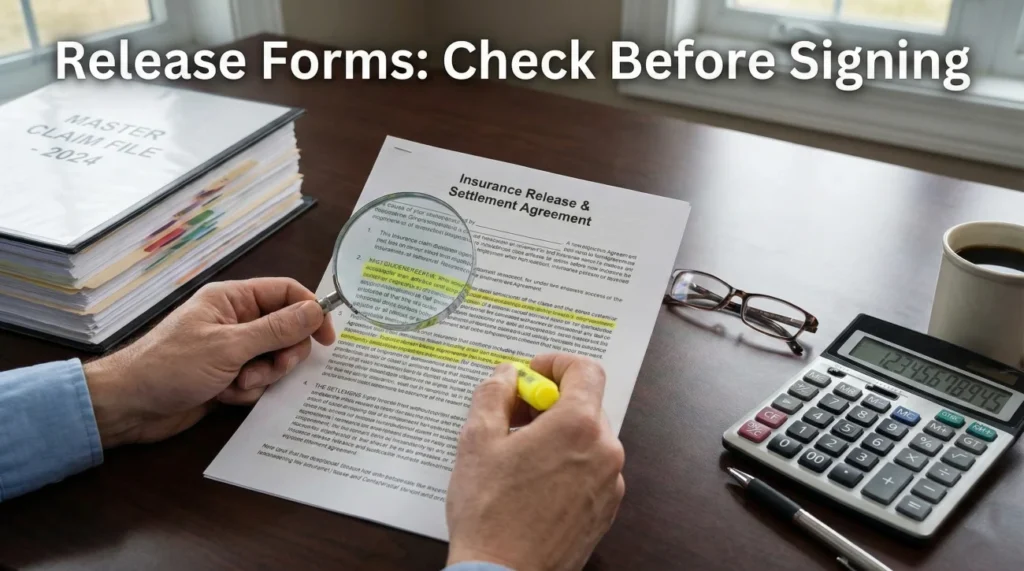
- An insurance claim release form is a critical document that typically signals the end of a specific payment loop or the entire claim.
- Never sign automatically. You must verify four core elements: the exact date of loss, the correct parties, the scope of the release (partial vs. full), and the payment details.
- Always establish a “keep-copy” habit. Save the fully executed (signed by both sides) release in your permanent claim file alongside your communication logs.
The Final Paperwork: What You Are Actually Signing
When you finally receive an insurance claim release form in your inbox or mailbox, the immediate reaction is usually relief. After weeks or months of emails, phone calls, inspections, and uploading evidence, this document looks like the finish line. You just want to sign it, send it back, and move on with your life.
But in my years working in claims operations and document management, I have learned that the finish line is exactly where you need to be the most careful. A release form is not just a standard administrative receipt. It is a binding record that defines exactly what is being resolved, what is being paid, and what future actions are being closed off. Think of it as a strict scope boundary, not just a receipt for funds.
I often see files get stuck in a frustrating limbo simply because a release form was generated with a typo in the date of loss, or it contained boilerplate language that didn’t match the reality of the repair scope. When you sign an inaccurate document, correcting it after the fact requires a massive amount of un-tangling.
This guide is not legal advice. Instead, I am going to walk you through this from an operational and recordkeeping perspective. I will show you exactly what to verify before your pen hits the paper, how to ask for clarifications in writing without sounding aggressive, and how to file this document so your permanent record is clean and complete.
Understanding the Operational Purpose of the Form
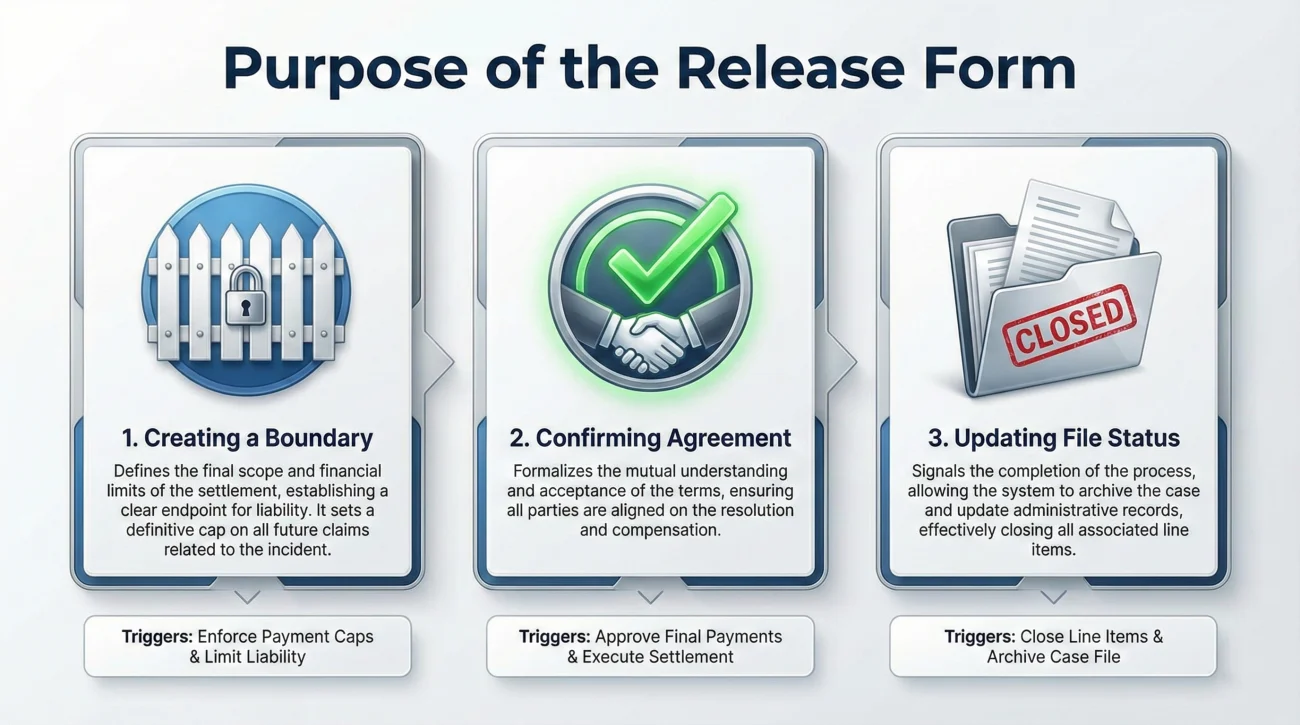
Before we break down the checklist, it helps to understand why this document exists in the workflow. When a file moves to the settlement or payment phase, the adjuster’s system often requires a signed release to trigger the release of funds or to officially close a specific exposure on the claim.
From an operations standpoint, the insurance claim release form does three things:
- 📄 It creates a boundary: It defines what is being paid for (e.g., just the roof, or the entire house, or the temporary housing).
- ✅ It confirms agreement: It acts as your written acknowledgment that you accept the terms outlined for that specific portion of the file.
- 🛑 It updates the file status: Once logged in the system, it often changes the status of your claim from “open/pending” to “closed/resolved” for those specific line items.
Key Point: Not all release forms close the entire claim. Some are partial releases for undisputed amounts, while others are final. The operational danger lies in confusing the two.
The 5-Point Verification Checklist
I always tell people to treat a release form like a final invoice. You wouldn’t pay a contractor’s final invoice without checking the line items to ensure they actually did the work. Similarly, you should never sign a release without verifying these five specific data points against your own records.
Grab your master claim file, open the adjuster’s most recent estimate, and verify the following items line by line.
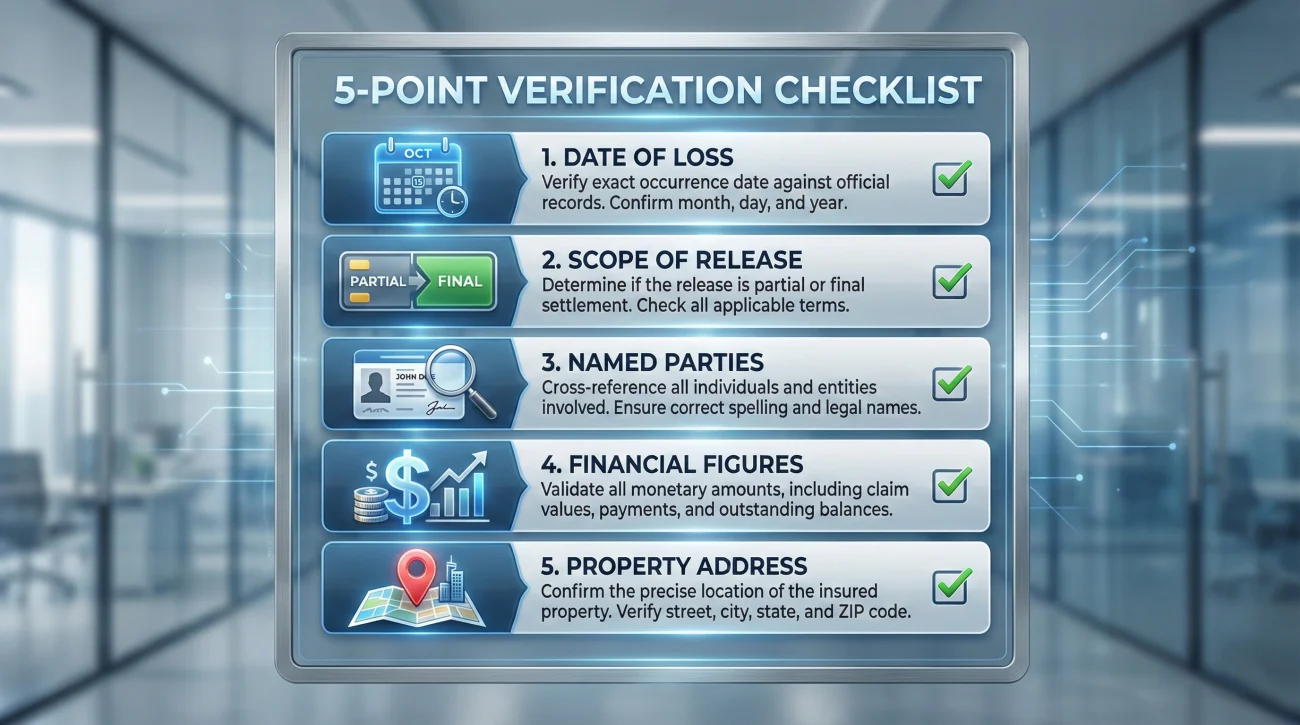
1. The Date of Loss (DOL)
This is arguably the highest-impact administrative detail. The form must state the exact date the damage occurred. If your property suffered wind damage on May 4th, the release must say May 4th.
In day-to-day claims ops, one of the most common patterns I see is overlapping claims. If you had a minor leak in January and a major storm in May, signing a release with the January date while thinking you are settling the May storm creates a massive documentation disaster. The system will apply the resolution to the wrong event.
2. The Scope of the Release (Partial vs. Final)
You must read the language to understand what part of the claim is being released. Is this form only releasing the insurance company for the “Coverage A – Dwelling” portion of your claim? Or is it a blanket release for the entire event, including your personal property and temporary housing?
Quick Guide: How to spot partial vs. final language fast
- 🔎 “for Coverage A only” or “for the dwelling portion” (Usually indicates a partial release)
- 🔎 “for undisputed amount” (Usually indicates a partial release)
- 🛑 “full and final settlement” (Final for the specified scope)
- 🛑 “all claims arising from the date of loss” (Final for the entire claim event)
If you are still negotiating the value of your damaged furniture, but the form implies a final release of all claims related to the date of loss, you have a paperwork conflict. The document you sign must match the operational reality of where your claim stands.
3. The Named Parties
Verify that your name is spelled correctly. Furthermore, check if there are other parties listed. For example, if you have a mortgage, the lender will usually be a co-payee on the settlement documents.
If the names on the release form do not perfectly match the names on the upcoming co-payable check, the bank may refuse to clear the funds. This leads to weeks of delays while you request a new check and a new release form to be re-issued.
4. The Financial Figures
Does the amount written on the release form match the final, agreed-upon estimate? It is surprisingly common for a release form to be generated based on an older, un-revised version of the estimate simply because the adjuster forgot to hit “refresh” in their document generation software.
❌ Note: It is best to avoid signing a document with an incorrect dollar amount under the assumption that “they will fix it on the check.” The paper trail should align exactly. If the form says $15,000 but the agreed estimate is $18,000, request a correction before signing to prevent payment delays.
5. The Subject Property Address
This sounds obvious, but it happens. If you own multiple properties, or if you recently moved and are claiming damage at a previous address, ensure the address listed on the release is the exact location where the damage occurred, not your current mailing address (unless they are the same).
Common Recordkeeping Mistakes When Signing
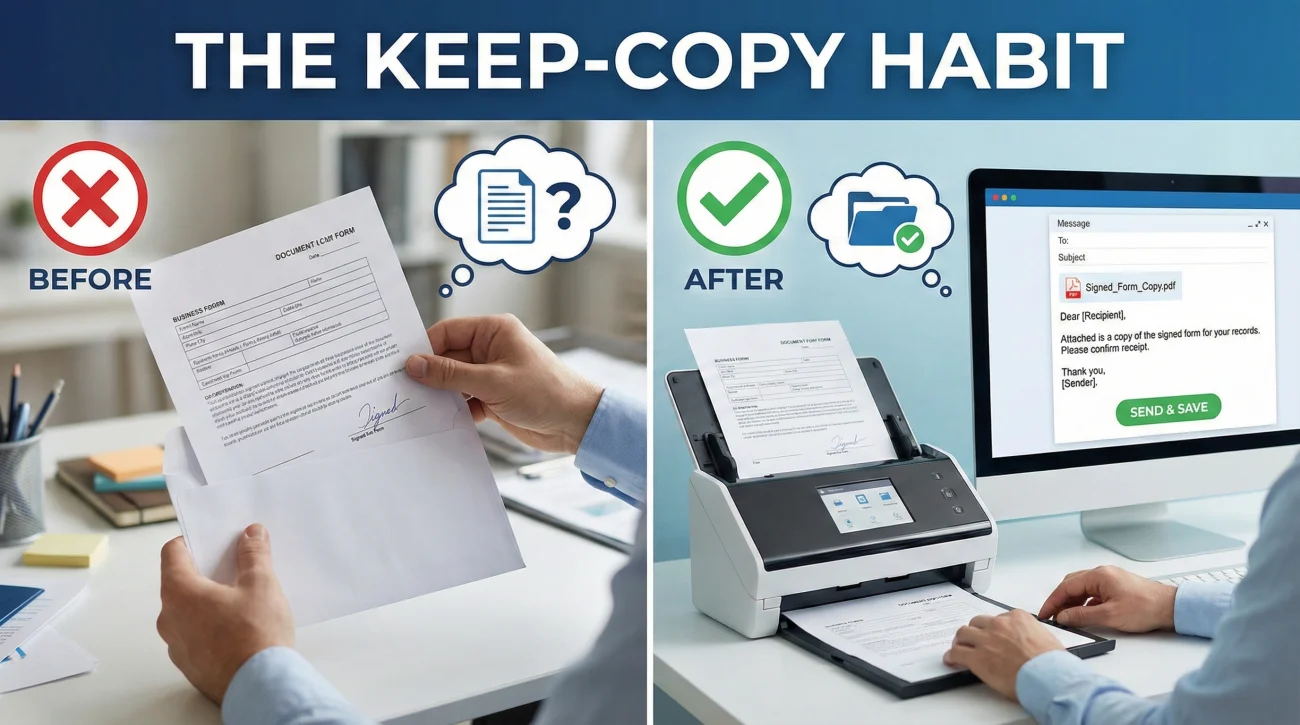
Once you verify the details, the process of returning the document is where many people drop the ball on their personal recordkeeping. Signing a document and mailing it off into a black hole is a terrible habit.
Printing the release form, signing it with a pen, putting it in an envelope, mailing it to the adjuster, and having zero proof of what the document looked like when it left your house.
Printing, signing, scanning a high-quality PDF copy of the signed document into your digital claim folder, emailing the PDF back to the adjuster, and requesting a written confirmation of receipt.
If you mail a physical copy, the insurer scans it into their system upon receipt. Sometimes pages get stuck together in the scanner. Sometimes the mail is lost. If you don’t have a scanned copy of the exact document you signed, you have no way to quickly resubmit it if they claim they never received it.
To understand exactly how this fits into your overall file organization strategy, I highly recommend reviewing our complete Property Insurance Claim Documents Checklist. A signed release is just one piece of the final stage packet, and knowing how to file it correctly saves you massive headaches later.
How to Ask for Clarifications or Corrections
What do you do when the checklist fails? Let’s say you review the form and spot an error. The date is wrong, or the form implies a “full and final” settlement when you are only agreeing to the roof repairs.
The best move here is to pause, document the discrepancy, and request a revision in writing. Do not call the adjuster and verbally agree to cross things out with a pen unless they explicitly authorize you to do so in an email first. Verbal agreements do not survive desk changes. If your adjuster goes on vacation and a new person takes over, they will only look at the paper file.
Here are copy-paste safe scripts to handle common release form issues clearly and neutrally.
Script 1: Requesting Clarification on “Full” vs. “Partial”
Use this when the language on the form seems to close the entire claim, but you still have outstanding items (like contents or additional living expenses) being processed.
Subject: Claim [Your Claim Number] – Question regarding Release Form
Hello [Adjuster Name],
I received the release form attached to your last email. Before I sign and return it, I need one quick point of clarification for my records.
The form uses language that appears to be a final release for the entire claim. However, we are still in the process of reviewing the damaged personal property inventory.
Could you please confirm in writing if this release applies ONLY to the dwelling repairs (Coverage A), or could you issue a revised form that explicitly states this is a partial release for the dwelling only?
I want to ensure our paperwork is accurate before signing.
Thank you,
[Your Name]
Script 2: Requesting a Correction on Data (Date, Name, Amount)
Use this when there is a clear typographical error on the document that contradicts the agreed-upon estimate.
Subject: Claim [Your Claim Number] – Correction needed on Release Form
Hello [Adjuster Name],
Thank you for sending over the final estimate and the release form. I am preparing my file to sign and return everything, but I noticed an error on the release document.
The release form lists the Date of Loss as [Wrong Date]. For my records and to ensure the file is accurate, this needs to match the actual incident date of [Correct Date], which is also reflected on your estimate.
Could you please generate a corrected version of the release form with the proper date and email it to me? I will sign and return it the same day I receive the corrected version.
Thank you,
[Your Name]
Real-World Scenario: A Clean Release Review
To tie this all together, let’s look at what “good process” looks like in the real world. This is a generic mini-scenario based on the patterns I see when files are handled with excellent documentation hygiene.
The Situation: You have a claim for a kitchen fire. The structural repairs are agreed upon at $40,000. You receive a two-page PDF via email containing the adjuster’s final estimate and a release form.
The Review Step: You open the PDF. You check the Date of Loss. It matches. You check the names. They match. You check the amount. The form says $40,000. It matches. You read the scope. The form explicitly says “Release for structural fire damages to the dwelling.”
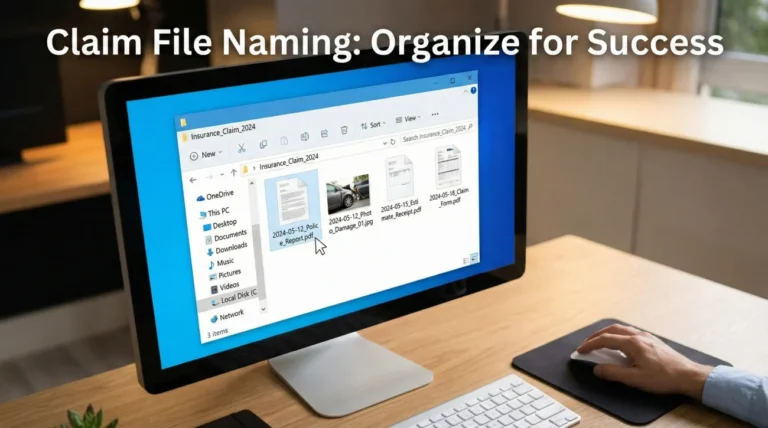
The Action Step: You print just the release page. You sign and date it with a blue or black pen. You scan the signed page back into your computer, naming the file: 2024-06-15_Signed_Dwelling_Release_Claim12345.pdf.
The Return Step: You reply to the adjuster’s email. You attach your clearly named PDF. You write: “Hello, please find the signed dwelling release attached. Please reply to confirm this has been received and uploaded to my file, and let me know the estimated timeline for the check processing.”
The Logging Step: You open your claim communication log, add a line for today’s date, and note: “Signed release for $40k dwelling emailed to adjuster. Awaiting confirmation.”
This simple workflow reduces ambiguity dramatically. The document is correct, the digital copy is saved in your records, the return is timestamped via email, and the confirmation loop is initiated.
The “Executed Copy” Loop: A Mini-Playbook
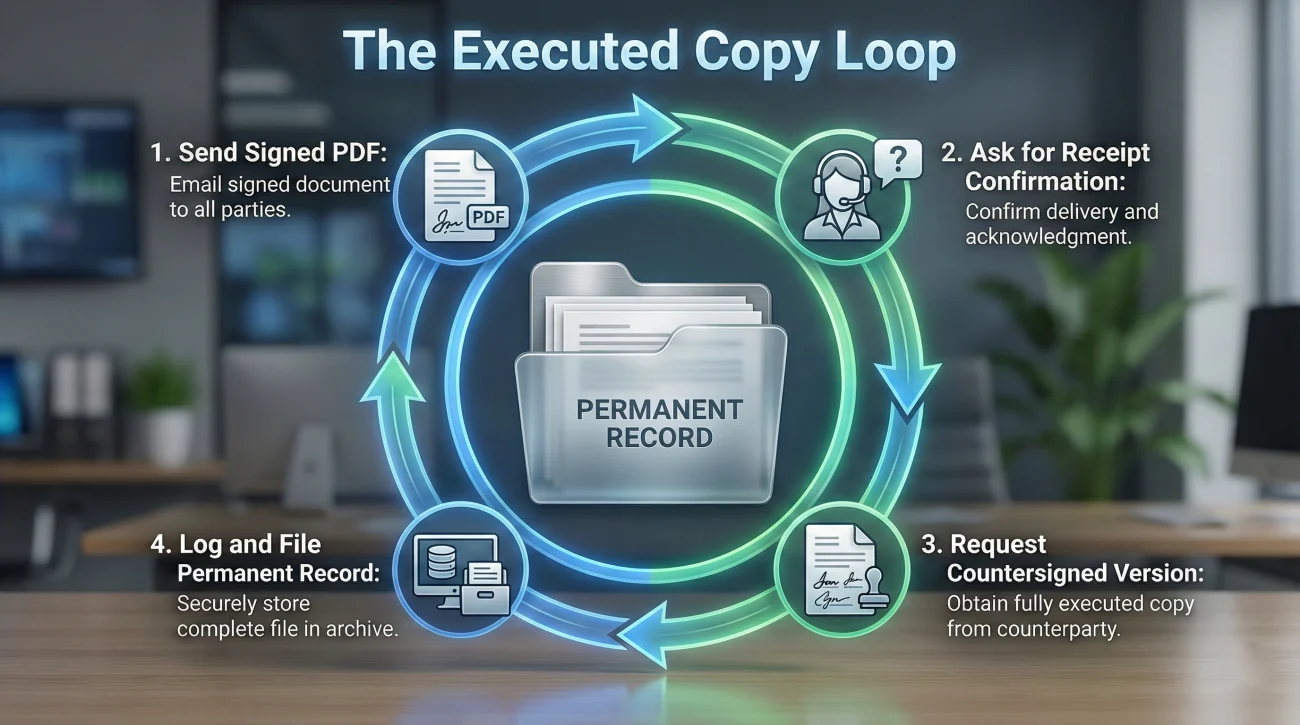
Sending the document is not the final step. To properly close your own file, I highly recommend following a four-step communication loop so your records are fully complete.
- 1️⃣ Send your signed copy: Email the high-quality PDF directly to your adjuster.
- 2️⃣ Ask for a receipt confirmation: End your email by asking them to confirm they received the file and uploaded it to their system.
- 3️⃣ Request the countersigned version: Ask them to send you the “fully executed” copy once their manager or accounting department signs their portion.
- 4️⃣ Log and file: Save that final, fully signed document in your permanent folder and note the completion date in your communication log.
Final Thoughts on Final Signatures
An insurance claim release form is a tool of finality. In the rush to get a claim closed and a check issued, it is incredibly tempting to gloss over the boilerplate text and just sign on the dotted line.
By slowing down for just ten minutes to apply a strict verification checklist, you protect yourself from administrative nightmares. Always ensure the paperwork matches where the file actually is in the workflow. Keep copies of absolutely everything you sign. And whenever a document looks confusing or overly broad, use a polite, written request to clarify the scope before you commit.
Your signature is your agreement that the record is accurate. Make sure it actually is.
❓ FAQ
📝 What is an insurance claim release form?
It is a document provided by the insurance company that, once signed, signifies your agreement to accept a specific settlement amount and typically releases them from further obligation for that specific part of the claim.
🛑 Do I have to sign a release to get my check?
In many cases, yes. Insurance companies often use the signed release as the internal trigger to authorize and release the funds from their accounting department.
✍️ Can I cross things out on a release form with a pen?
You should generally avoid altering a legal document by hand unless you have explicitly asked for, and received, written permission from your adjuster to do so. It is much safer to request a newly generated, clean form.
⏳ What happens after I sign the release?
Once you return it, the adjuster uploads it to your file. This usually changes the file status to “settled” for that specific exposure, prompting the system to issue the payment to the named parties.
❌ What if the release form has a typo on my name or address?
Do not sign it. A typo on the release usually means there will be a typo on the settlement check, which can cause your bank to reject it. Email the adjuster and request a corrected document.
📑 Is a release form the same as a proof of loss?
No. A Proof of Loss is a sworn statement from you detailing the extent and value of the damage. A release form is an agreement accepting a settlement and releasing future liability. They are two different operational steps.
🖨️ Can I get a copy of the fully signed release for my records?
Yes. You should always save the copy you signed. You can also politely email the adjuster and ask them to send you a copy of the fully executed document once it is countersigned or processed by their office.
🔍 What if I find more hidden damage after signing?
This depends heavily on whether the form you signed was a “partial” release for undisputed items or a “full and final” release. This is why verifying the scope of the language before signing is absolutely critical.
🚪 Does signing mean my entire claim is completely closed?
Not always. If you have separate coverages (like dwelling vs. personal property), you might sign a release to close out the dwelling repairs while the personal property portion remains open. Check the wording carefully.
📬 How should I send the signed release back?
The best operational method is to scan it as a PDF, email it directly to the adjuster (and upload it to the portal if available), and explicitly ask for a written reply confirming they received it.
⚠️ Disclaimer: PropertyClaimChecklist.com provides practical guidance, process checklists, and example follow-ups to help you organize a property claim and move it forward. It is not policy language, claim documentation, legal content, or a substitute for your insurer's instructions. Always rely on your carrier's requirements and your actual policy terms for what must be submitted and how decisions are made.