- A closed or “ghosted” claim is often just an automated system timeout, not a final denial. It can usually be reopened with the right operational steps.
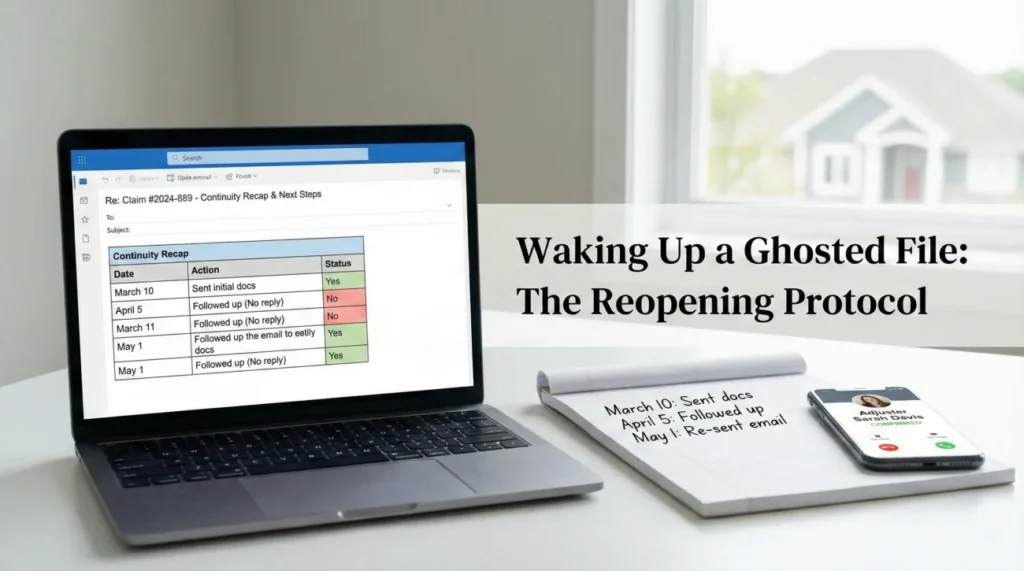
- Do not start from scratch. Build a “Continuity Recap” to summarize the exact status, the last action taken, and what is specifically missing.
- Always identify the current file owner before sending detailed requests, as stalled claims are frequently reassigned to new adjusters.
- Use a clean, neutral communication loop to request reopening, establish a new timeline, and get a firm list of missing items in writing.
Waking Up a Ghosted File: The Operational Reality
In my experience handling claims operations, few things create more anxiety for a homeowner than logging into a portal and seeing their claim marked as “Closed,” or worse, experiencing months of total silence. You send emails, you leave voicemails, and nothing happens. It feels like the insurance company has completely forgotten your file, or that you have been secretly denied.
I want to start by adjusting how you view this situation. In many cases, a stalled or suddenly closed file is not a malicious tactic. It is simply an operational bottleneck. Claims systems are highly automated. If an adjuster fails to set a future “diary” date or follow up task on your file, the software often archives it automatically after several weeks of inactivity to keep dashboards clean. To the system, no recent activity means the issue is resolved.
When you need to reopen an insurance claim, the biggest mistake is treating it like a legal battle or starting the entire story over from the very beginning. The adjuster on the other end does not want to read a five page narrative of everything that has happened since day one. They need to know exactly where the file paused and what specific piece of paper is required to unpause it.
Throughout this guide, I will walk you through the exact protocol I use to wake up “forgotten” files. We will cover how to gather your continuity recap, how to find out who actually owns your file today, and the specific, polite scripts you can use to force the system to reopen your claim and get back on a predictable timeline.
Why Claims Get Closed Without Warning
Before you draft any emails, it helps to understand what is happening behind the scenes at the insurance carrier. This context changes how you approach the problem and removes a lot of the frustration from the process.
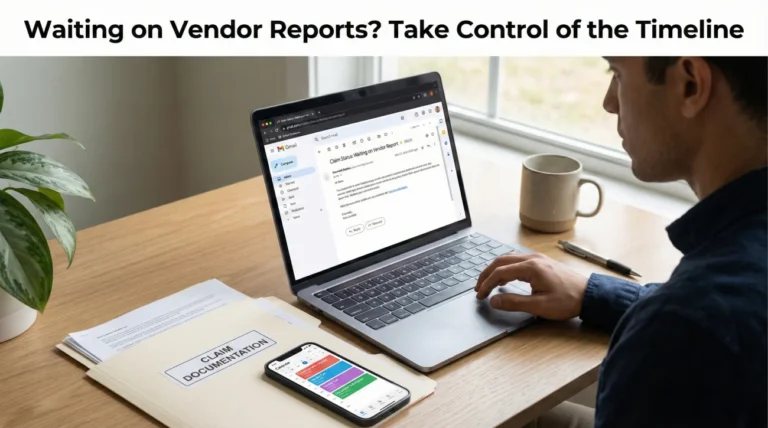
Adjusters carry massive caseloads, often managing over a hundred open files at any given time. They rely heavily on their internal software to tell them what to do next. Every file must have a “next action date.” If they are waiting on a vendor report, an estimate review, or a document from you, they set a reminder for a few weeks out.
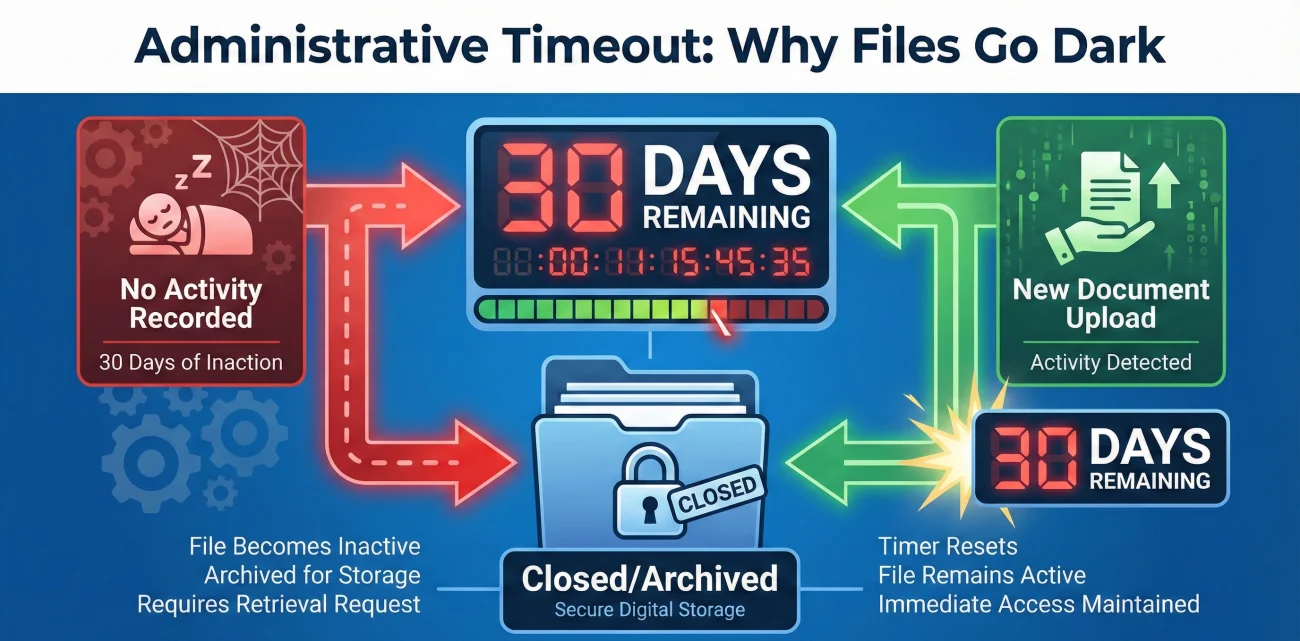
The Automated Archive Trigger
If that reminder date comes and goes, and no one updates the file, the software’s logic takes over. Many carriers use systems configured to auto-close files that show zero activity for a specific period. This is an administrative cleanup tool, not an adjuster making a conscious decision to deny your payment.
Key Point: An administratively closed claim is completely different from a denied claim. A denial requires a formal letter citing your policy language. An auto-closure is just a filing status. It can be reversed with a simple system update once new information is introduced.
I often see homeowners panic when they see the “Closed” status. They immediately assume they need to hire representation or start threatening legal action. In reality, sending one clear document or one structured email is usually enough to trigger the system to move the file back to the “Active” queue.
Status Quick Check: Closed vs. Denied vs. Unassigned
If you are staring at a confusing portal status, here is how to read it operationally:
- 📁 Closed: Usually an administrative timeout due to inactivity. Next question to ask: “Does this need to be manually reopened to review my updates?”
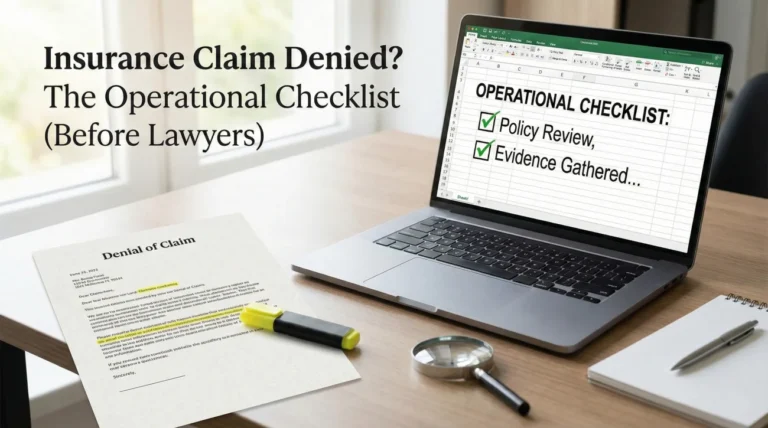
- 🚫 Denied: A formal rejection based on policy terms. Next question to ask: “Can you provide the formal denial letter citing the specific policy language?”
- 👤 Unassigned: The file is floating between adjusters. Next question to ask: “Who is the managing supervisor for this territory?”
The Handoff Gap
Another incredibly common reason claims stall and go quiet is staff turnover. If your original adjuster goes on extended leave, gets promoted, or leaves the company, your file goes into a reassignment pool. During major weather events, this pool can back up. Your file is technically open, but it has no assigned owner. It is just floating in a digital waiting room. If you do not actively push it forward with a clean summary, it will stay there until a manager runs an audit report.
Step 1: Building Your Continuity Recap
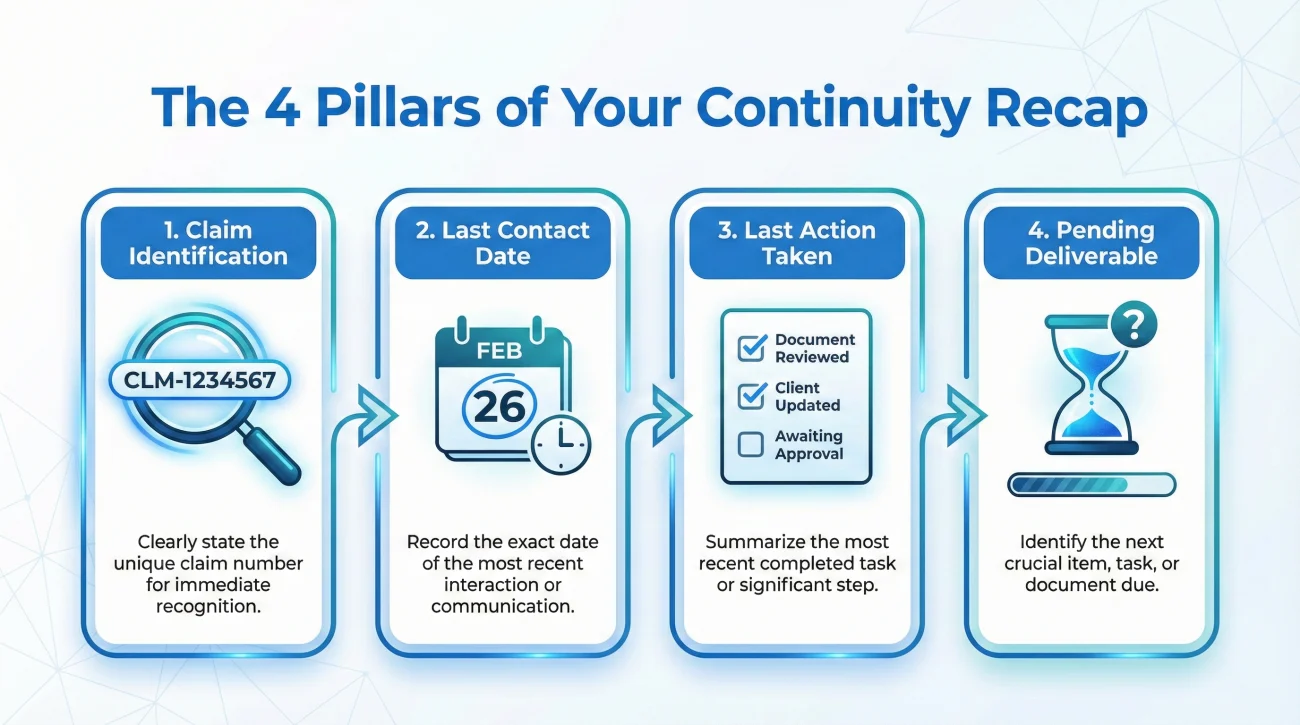
When a claim has been dormant for weeks or months, the person who finally opens it will likely be seeing it for the very first time. Even if it is your original adjuster, they have looked at hundreds of other houses since they last looked at yours.
You must prevent them from having to dig through old portal notes. If you make them do the research, they will put your file at the bottom of their pile. Instead, you need to hand them a “Continuity Recap.” This is a highly condensed summary of the claim’s exact status at the moment it stalled.
What to Include in the Recap
A strong continuity recap is brief, factual, and strictly focused on dates and documents. It strips away all the emotion and tells the operator exactly what they need to know to resume work.
| Recap Field | What It Does | Example Data |
|---|---|---|
| Claim Number | Ensures they are in the correct digital file instantly. | Claim # 9988-7766 |
| Date of Last Contact | Proves how long the file has been stalled without assigning blame. | Last email received from Adjuster Smith on October 12th. |
| Last Action Taken | Identifies the exact phase where the process stopped. | Field inspection completed by Vendor X on October 10th. |
| Pending Deliverable | Clearly states what you are waiting for them to provide. | Waiting for the initial estimate based on the inspection. |
If you have already received an initial ACV (Actual Cash Value) check, your recap must also include two extra points: What was paid (e.g., “Initial ACV for roof”) and What remains open (e.g., “Supplemental contractor estimate for decking”). This prevents the carrier from assuming the cashed check meant the entire claim was settled.
This simple framework is the foundation of your reopening request. It shows the carrier that you are organized, you have your timeline documented, and you are expecting a specific professional response.
Step 2: Identifying the Current Owner
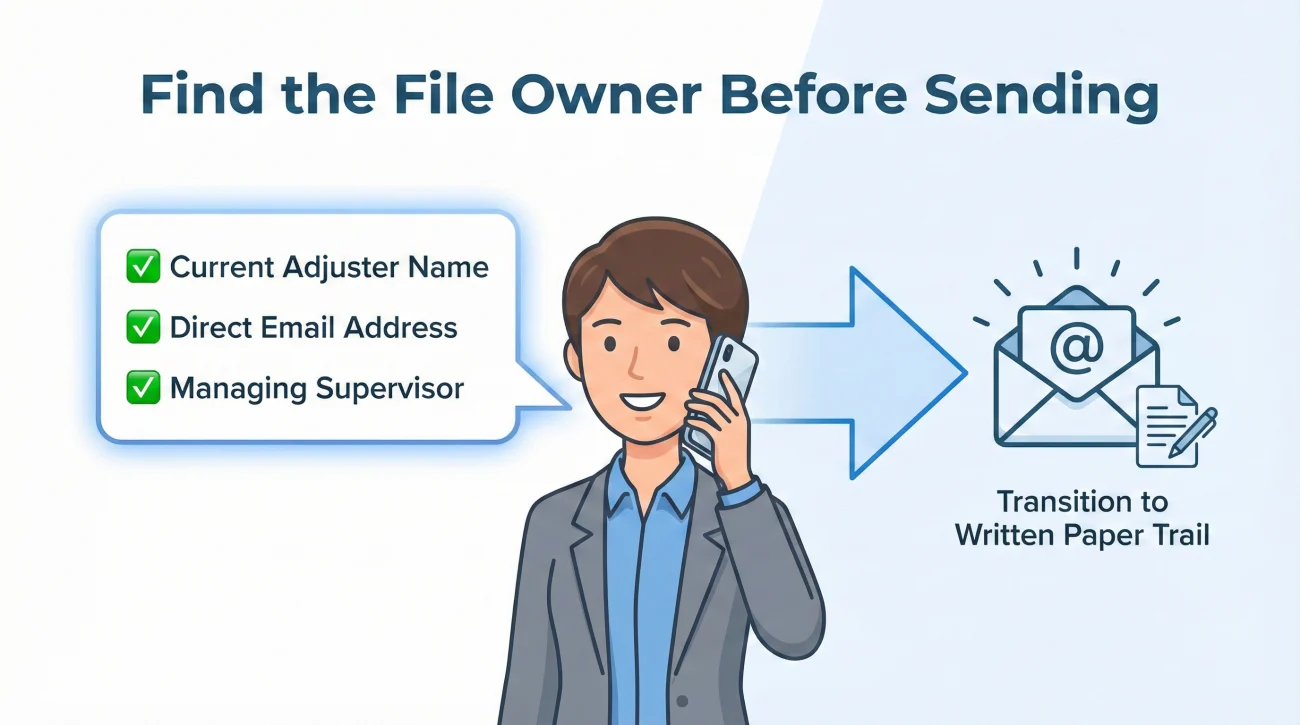
Before you send your carefully crafted recap, you must figure out who is supposed to read it. Sending a crucial update to the email address of an adjuster who no longer works there is a common way to keep your file stalled.
In day-to-day operations, files shift constantly. I always advise homeowners to make a preliminary “status check” call before sending any official documentation. The goal of this call is not to argue your case or complain about the delay. The goal is purely administrative data gathering. Call only to confirm the owner, then immediately move to email for your actual requests to preserve the paper trail.
- ✅ Call the main 800-number for the claims department, not your last known adjuster’s direct extension.
- ✅ Provide your claim number and ask the front-line representative: “Can you confirm the name and email address of the specific adjuster assigned to my file today?”
- ✅ If they say the file is unassigned or pending reassignment, politely ask: “Who is the managing supervisor for this territory that I should address my update to?”
Do not hang up until you have a confirmed name, a direct email address, and a direct extension. Once you have the correct target, you can deploy your continuity recap effectively.
Step 3: The Clean Restart Protocol (What to Say)
Now that you have your summary data and the correct contact person, it is time to officially request that the claim be reopened and resumed. This requires written communication.
A phone call might get someone to promise they will look into it, but a written email forces a digital footprint into your claim file. It creates a record that you are actively participating in the process and requesting next steps.
Here is the exact framework I recommend for waking up a stalled file. Notice that it does not contain any threats, anger, or legal language. It is purely operational.
[File Details] + [Continuity Recap] + [Specific Missing Item Request] + [Action Deadline]
The “Reopen Request” Script
You can use this template to structure your email. Fill in the bracketed information with your specific details.
Subject: CLAIM STATUS / REQUEST TO REOPEN – Claim # [Your Claim Number]
Hello [Adjuster or Supervisor Name],
I am writing to formally request an update and to ensure Claim # [Your Claim Number] is currently active in your system.
To make this easy to review, here is the current status on my end:
– The last contact I had regarding this file was on [Date].
– The last action taken was [e.g., the field inspection was completed on Date].
– At that time, we were waiting for [e.g., the initial estimate to be uploaded].
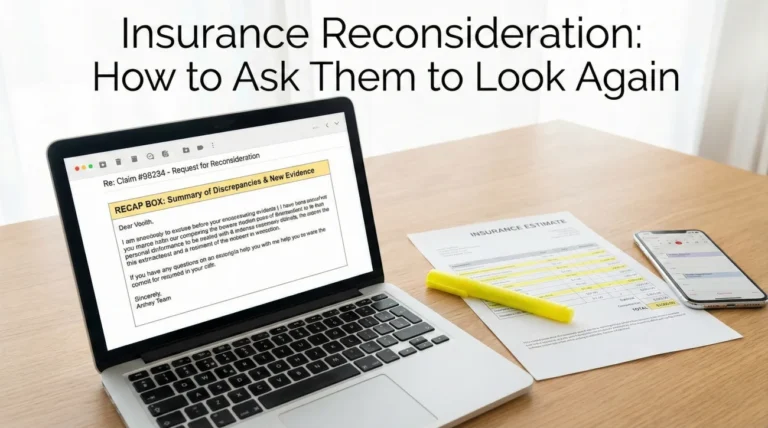
Could you please review the file and confirm if it needs to be administratively reopened?
Additionally, please reply with a clear, written list of any outstanding documents or information you need from me to move this forward. If you have everything you need, please confirm when I can expect the next update.
I look forward to your reply by [Date, usually a few business days out].
Thank you,
[Your Name]
[Your Phone Number]
This script is often effective because it removes ambiguity. It gives them the history, asks a direct operational question (does this need to be reopened?), and clearly transfers the burden of action back to them by asking for a missing items list.
Managing the “Missing Items” Loop
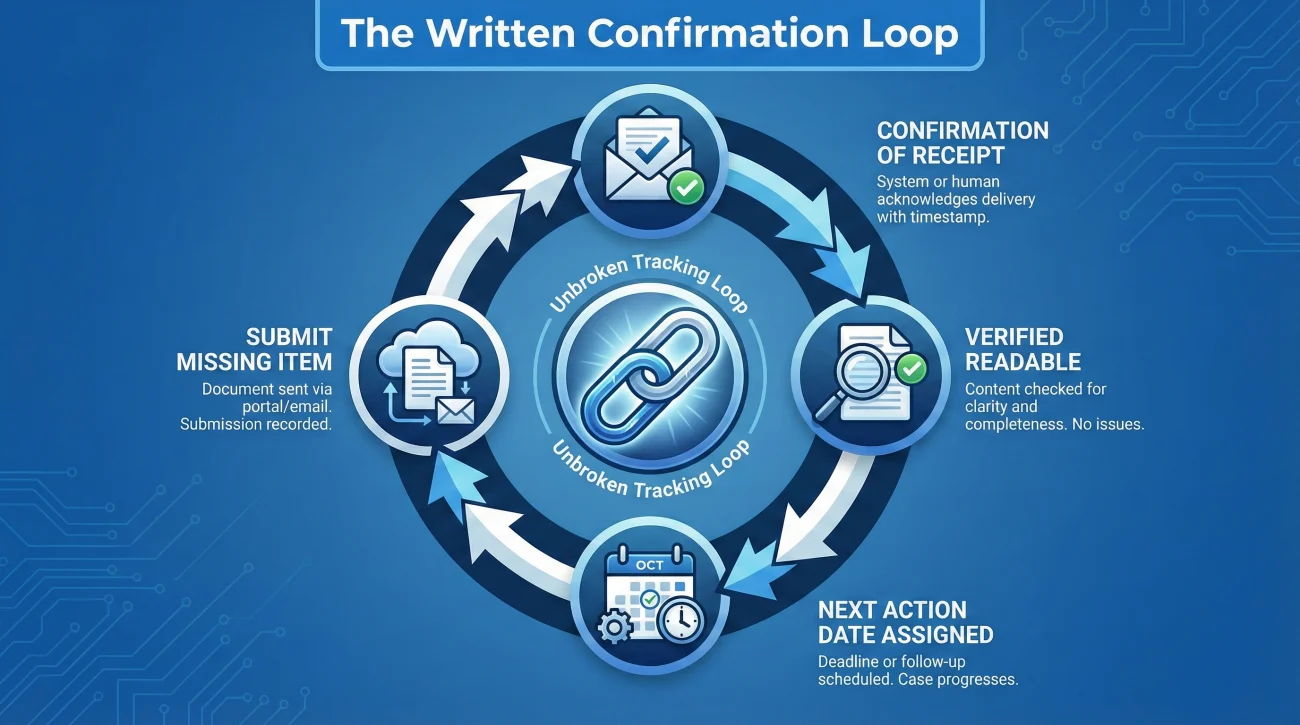
Once you send the restart request, the adjuster will usually open the file, realize it stalled, and reply. Often, their reply will be a request for a document they claim was never received, or something they suddenly realize they need to finish the review.
To give you an idea of what operations is usually waiting for, a “missing items list” typically includes things like:
- 📄 A finalized contractor estimate upload
- 📄 A third-party vendor report (e.g., a water mitigation dry-log)
- 📄 A specific photo sequence showing the source of damage
- 📄 Proof of payment for temporary repairs
- 📄 A signed formal document (like a Proof of Loss form)
This is a critical juncture. You do not want to fall back into the same trap of submitting a document and waiting in silence for another two months. You must establish a tighter tracking loop.
💡 Pro Tip: Whenever you submit a document to satisfy a request, always send a follow-up email a couple of days later asking them to explicitly confirm in writing that the document was received, readable, and added to the file.
A common pattern I see is a homeowner sending a contractor’s estimate, assuming it is being processed, only to find out weeks later that the attachment was too large for the carrier’s email server and was automatically stripped out. The adjuster never saw it, and the file stalled again. Confirming receipt is your primary defense against this operational failure. If you struggle with maintaining these checks, implementing a structured claim follow-up system is the best way to keep your timeline on track and prevent the file from ghosting a second time.
Common Mistakes When Waking Up a Stalled File
In my time reviewing claim logs, I have seen homeowners unintentionally sabotage their own efforts to restart a claim. It usually happens out of frustration, but the result is that the file gets pushed further down the priority list.
The “Angry Dump” Approach
When someone is upset about a delay, they often send long, multi-page emails detailing their emotional distress, complaining about how much time has passed, and making vague threats about calling the insurance commissioner. While the frustration is completely valid, this is terrible for operations.
When an adjuster opens a massive, angry email, human nature kicks in. They skim it, feel overwhelmed, decide it will take too much time to decode, and put it aside to deal with later. “Later” often means never. You want your email to be the easiest one for them to process that day.
Sending a 1,000-word email complaining about the three-month delay, threatening to switch insurance companies, and burying the actual question at the very bottom of the last paragraph.
Sending a concise, bulleted Continuity Recap that highlights exactly what happened last and asks for a clear list of missing items to proceed.
Sending Multiple Uncoordinated Messages
Another frequent mistake is “channel blasting.” A homeowner will call the 800-number, leave a voicemail for the adjuster, send an email, and submit a message through the online portal all within a two-hour window. This creates administrative chaos.
Every time you contact the carrier, a new note is generated in the file. If you leave three different messages, three different customer service reps might try to route tasks to the adjuster, creating duplicate work. Pick one clear channel (preferably email for documentation), send your clean restart request, and wait a few business days for a reply before escalating.
Final Thoughts on Maintaining Momentum
Reopening an insurance claim is rarely about arguing policy; it is almost entirely about basic project management. You are dealing with a massive bureaucracy that processes thousands of files a day. Files slip through the cracks not because of a grand conspiracy, but because of missing diary dates and staff rotations.
By stepping in with a calm, organized approach, you take control of the timeline. You provide the summary, you find the correct owner, and you force the system to state what it needs next. Once you get the file awake and active, your only job is to protect that momentum by confirming every submission in writing and never letting the file sit for more than a couple of weeks without a recorded check-in.
❓ FAQ
🗣️ How do I reopen a closed insurance claim?
The best method is to send a written “Continuity Recap” to the assigned adjuster or their supervisor. Summarize the claim number, the last action taken, and directly request a written list of any missing items needed to resume processing.
🕰️ Is there a time limit to reopen an insurance claim?
This depends heavily on your specific policy and local jurisdiction, but generally, you have a set window (though the policy window varies) to finalize a claim. Administratively reopening a file within that window is usually a routine process.
🤔 Why did my insurance company close my claim without telling me?
In most operational systems, if a file has zero activity or notes entered for a specific period (like 30 or 60 days), the software automatically archives it to keep the adjuster’s dashboard clear. It is an administrative timeout, not a formal denial.
📄 What documents do I need to reopen an insurance claim?
You do not necessarily need new documents just to wake the file up. You just need to provide a clear summary of where the process stopped. Once reopened, the adjuster will tell you exactly what pending documents are still required.
📞 Who do I call to restart a stalled claim?
Start by calling the main claims department 800-number. Do not blindly email your old adjuster, as they may have left. Ask the representative to confirm the name and email of the person currently assigned to your specific file.
🛑 Does a closed claim mean it was denied?
No. A denial is a formal decision that requires a specific letter citing your policy. A “closed” status on a portal simply means the file is inactive in the claims management software, usually due to a lack of recent updates.
💸 Can I reopen a claim after I received a check?
In many cases, yes. The initial check is often just the undisputed actual cash value. If your contractor finds supplemental damage during repairs, you can usually submit those new findings and request the file be reopened to review the supplement.
🔄 What happens after an insurance claim is reopened?
Once active, the file is placed back in the adjuster’s daily queue. They will review your recent submission and should reply with a status update, a request for missing information, or a timeline for their next review.
📝 How do I prove my claim needs to be reopened?
You prove it by showing the process is incomplete. State clearly what step was last finished (e.g., inspection done) and point out that the next logical step (e.g., providing the estimate) never occurred.
🏢 What if my original adjuster no longer works there?
Staff turnover is very common. Call the main claims line, explain that you are trying to submit updates on an older file, and ask them to route the file to a new adjuster or the regional supervisor for review.
⚠️ Disclaimer: PropertyClaimChecklist.com provides practical guidance, process checklists, and example follow-ups to help you organize a property claim and move it forward. It is not policy language, claim documentation, legal content, or a substitute for your insurer's instructions. Always rely on your carrier's requirements and your actual policy terms for what must be submitted and how decisions are made.