- A duplicate claim number acts as a parallel digital bucket, meaning your uploaded evidence might go to one file while the adjuster is looking at another, causing significant delays.
- Do not ignore the second claim number hoping the system will figure it out automatically. You must explicitly request a consolidation to choose one master file.
- Always verify the consolidation in writing and confirm that the duplicate file is closed specifically as an “entered in error” or “duplicate” status, not as a denial.
The Confusion of a Double Intake
You experience property damage, you do the right thing by reporting it immediately, and a few days later, you log into your portal or check your mail only to find a strange administrative glitch. You have two completely different claim numbers for the exact same incident.
In my experience in claims operations, this is a moment where most homeowners shrug it off. They assume the insurance company’s multi-million dollar software system will eventually recognize the same address and the same date of loss, and automatically merge the two files together. In many carriers, duplicates do not auto-merge, so you want to take control early.
A claim number is not just a reference code on a piece of paper. In a carrier’s system, a claim number is a rigid, isolated digital container. It has its own timeline, its own assigned personnel, its own inbox for evidence, and its own compliance metrics. If you have two claim numbers, you essentially have two separate investigations running in parallel universes.
If you leave both of them open, you are setting yourself up for crossed wires. Your contractor might email the estimate to the first number, while your desk adjuster is actively working exclusively inside the folder for the second number. I write this guide to show you exactly how to identify the duplication, choose the correct master file, and consolidate your paperwork safely before it stalls your progress.
How Duplicate Claim Numbers Actually Happen
Before we fix the problem, it helps to understand why it happens in the first place. You might think you did something wrong during the initial reporting phase, but usually, this is a pure administrative overlap.
There are three very common operational scenarios that trigger a duplicate file generation.
The Household Overlap
This is perhaps the most frequent pattern I see. A pipe bursts in the morning. One spouse calls the emergency 1-800 number from their car on the way to work and opens a claim. Later that afternoon, the other spouse, not realizing the call was already made, logs into the online portal and submits a digital first notice of loss. Because the intake methods were different (phone versus web), the system generates two distinct intake tickets.
The Contractor Submission
Sometimes, a mitigation crew or a roofing contractor arrives on site and offers to help you report the damage. They might call their dedicated vendor line to report the loss on your behalf, while your local insurance agent also pushes a file through their internal agency portal. Again, two different entry points result in two different containers.
The System Timeout Glitch
You are filling out the online claim form, you hit submit, and the screen freezes. You refresh the page and hit submit again. That simple double-click during a server lag can easily spawn two identical claims seconds apart. The system simply assigns the next available sequential numbers, for example, Claim 10045 and Claim 10046.
Regardless of how the duplicate was born, the administrative reality remains the same. You cannot afford to manage two records for one event.
Identifying the “Master” Claim Number
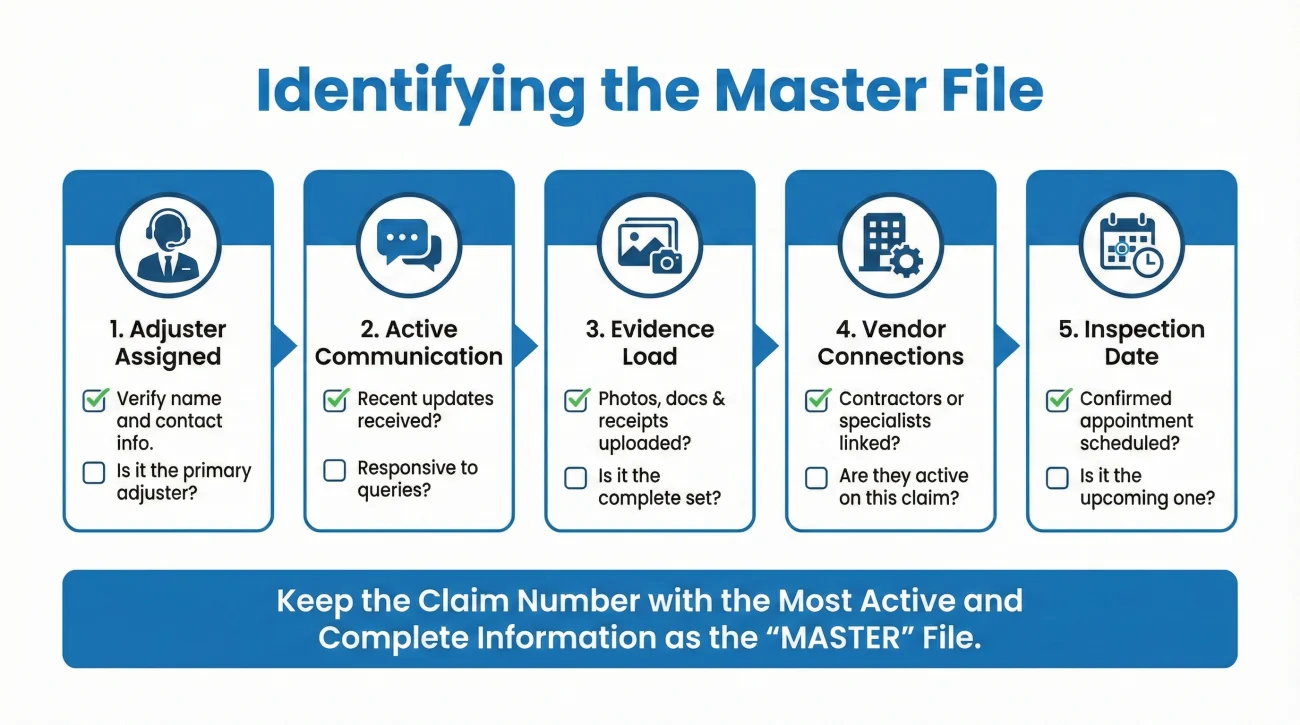
To fix this, you need to designate one claim number as the “Master” (the surviving file) and designate the other as the “Duplicate” (the file to be closed). You cannot leave this decision up to chance.
How do you choose which one to keep? You want to keep the file that already has the most momentum. Here is a practical checklist to help you decide which number becomes the master.
- ✅ Check the Adjuster Assignment: Has a specific human being (a desk adjuster or a field adjuster) actually reached out to you? If an adjuster called you and referenced Claim Number 123, that is your master file.
- ✅ Check for Active Communication: Which file has the most recent diary note, portal message, or email attached to it? Keep the claim number that already has an active communication trail.
- ✅ Check the Evidence Load: Log into your portal. Which claim number holds the photos you uploaded or the notes you entered? Keep the one with the data.
- ✅ Check the Vendor Connections: If your water mitigation company has already billed the carrier, ask them which claim number they put on their invoice. You want to keep the file that your vendors are already using.
- ✅ Check the Inspection Date: If a field inspector has been scheduled, look at your confirmation email. The claim number tied to that physical inspection is the one you must keep alive.
💡 Pro Tip: If both files are completely blank, no adjuster is assigned, and you literally just filed them ten minutes ago, simply pick the one that was generated first and proceed with that one.
The Clean Consolidation Protocol
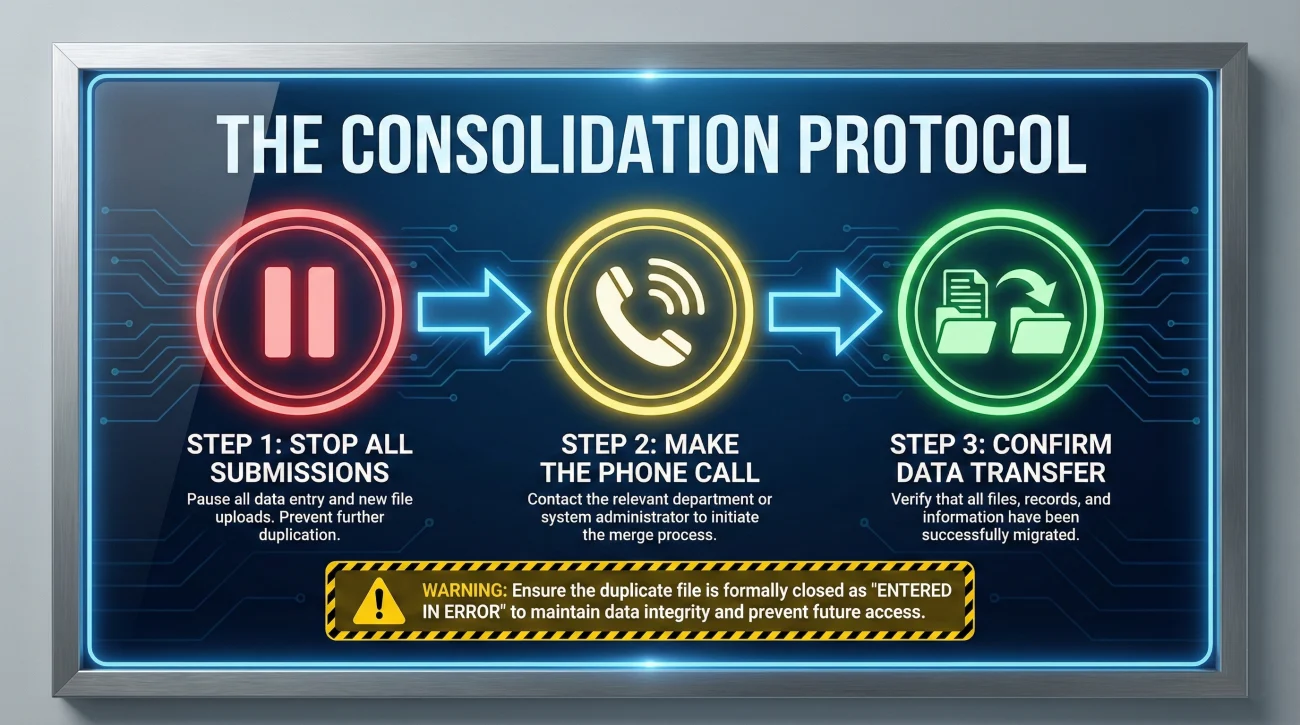
Once you have identified your master file, you must actively request the consolidation. This is not something you can usually do by clicking a button in an app; it requires a direct communication loop with the insurance company.
Your goal is to have an employee manually merge the files and correctly code the closure of the duplicate. If they code the closure incorrectly, it can look like you had a claim denied or withdrawn, which is bad for your long-term insurance record.
Here are the operational steps to execute a clean merge.
Step 1: Stop All Submissions
The moment you realize there are two numbers, pause your non-urgent uploads. Do not send general emails or upload new photos for 24 hours. Note: Keep emergency mitigation moving if you have an active leak, but force the crew to use just one chosen claim number. You need to freeze the general data flow until the files are merged.
Step 2: Make the Phone Call
This is one of the few times I recommend using the phone first. Call the general customer service or claims intake line. Explain that a duplicate file was created in error and you need to consolidate them. Tell the representative exactly which number you want to keep as the master.
Step 3: Confirm the Transfer of Data
While on the phone, if you already uploaded evidence to the file that is being closed, you must explicitly ask the representative to migrate those documents over. Say, “Before you close the duplicate, can you confirm you are moving the contractor estimate over to the master file?”
Scripting the Consolidation Request
Phone calls are great for immediate action, but they leave no paper trail. In claims operations, if an action is not documented in writing, it did not happen. As soon as you hang up the phone, you must send a follow-up email to lock in the operational reality.
You need to send this message to your assigned adjuster, or if you do not have one yet, upload it as a general message in the portal under the master claim number. Use the following formula for clarity.
[State the overlap] + [Identify the Master] + [Request closure code for the Duplicate]
Here is a copy-paste safe script you can use to document the merge correctly.
Subject: Duplicate Claim Consolidation – Keep Claim #12345 Open
Hello,
I am writing to document that a duplicate claim number was generated in error for my date of loss.
Please ensure that Claim #12345 remains the active, master file for this incident.
Please confirm that Claim #98765 has been closed specifically as a “duplicate entered in error” and that any notes or documents attached to the duplicate have been successfully merged into the master file.
I will route all future correspondence exclusively to Claim #12345.
Thank you.
This script is highly effective because it removes all guesswork. It tells them what happened, tells them what to do, and very importantly, dictates the exact administrative reason for the closure. You do not want the duplicate closed as “claim withdrawn by insured” or “denied due to no damage.” You want it clearly labeled as a system duplication error.
Post-Merge Verification
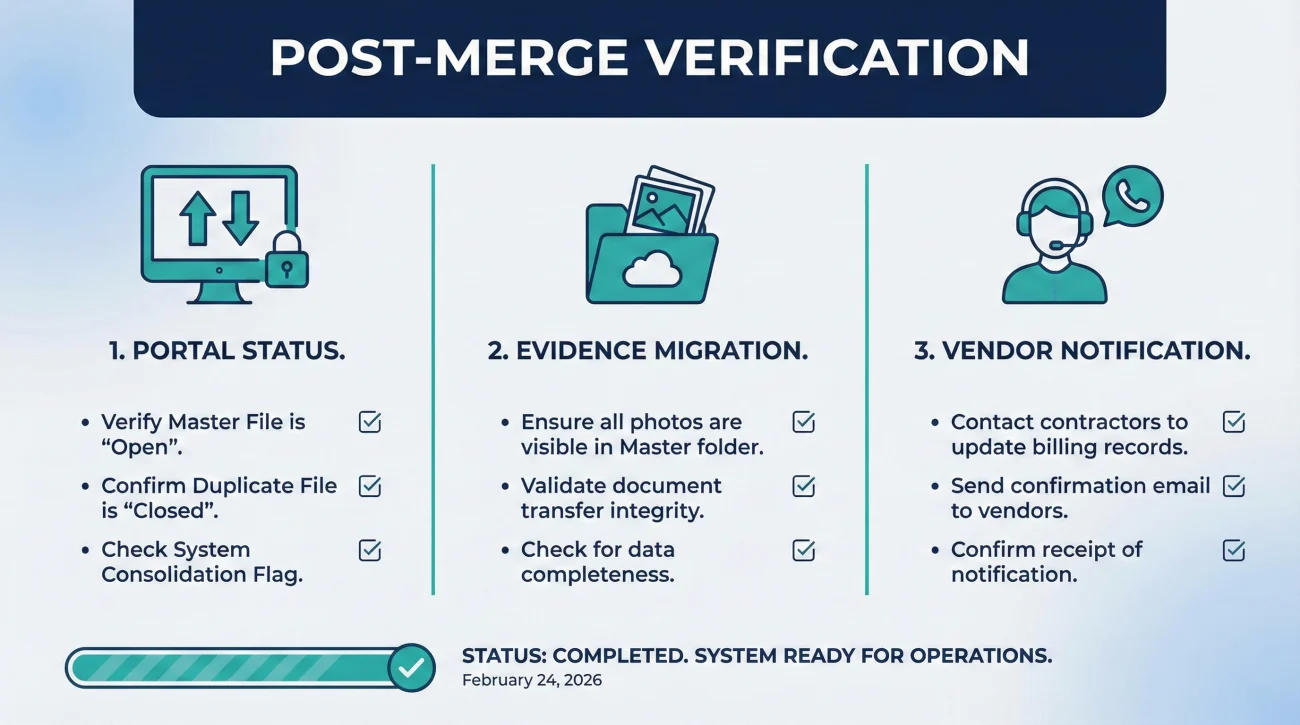
Never assume the consolidation was executed perfectly just because someone on the phone said “I took care of it.” The next day, you must perform a post-merge verification check.
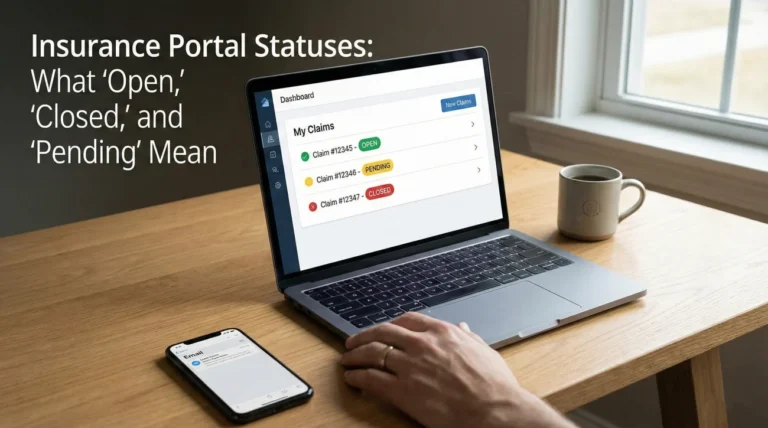
Log into your online portal. You should see the master claim listed as “Open” or “In Progress.” The duplicate claim should now be listed as “Closed.”
Next, click into the master file and navigate to the documents or evidence tab. Verify with your own eyes that any photos or forms you originally submitted are actually visible in this folder.
When Evidence Cannot Be Migrated
If the representative failed to move the data, or if you check the next day and the master folder is missing your prior uploads, do not wait for them to hunt down the lost files. Use this quick reset protocol:
- ✅ Re-upload everything: Submit the missing documents directly to the master file yourself immediately.
- ✅ Label it clearly: Add a written note stating, “Re-attaching evidence to the master file following consolidation.”
- ✅ Attach proof of timing: If you are worried about a deadline dispute, attach a screenshot of your original upload timestamp from the duplicate file.
- ✅ Ask for confirmation: Send a quick message requesting confirmation that the newly uploaded evidence is visible on their end.
Re-Routing Your Vendor Evidence
One of the most persistent issues after cleaning up a duplicate claim is vendor confusion. Plumbers, roofers, and mitigation teams often work fast. They might have grabbed the duplicate claim number on day one and saved it in their own billing software.
Three weeks later, they finish their work and automatically email their final invoice to the insurance company referencing the duplicate, closed claim number. The carrier’s intake system receives an invoice for a closed file and immediately routes it to a digital dead-end, completely bypassing your active desk adjuster.
To prevent this, you must control the communication loop with your vendors. Send a quick update to every contractor you are working with.
Do not just tell your vendor “I updated my claim.” Send them this exact “Master Claim Only” notice to copy and paste into their billing system:
Notice of Claim Number Consolidation
Please update your billing records immediately.
Claim #[Insert Duplicate Number] has been closed as a duplicate.
All invoices, estimates, and reports must exclusively reference the active Master Claim #[Insert Master Number].
Documents sent to the old number will not be processed.
Taking five minutes to send this update to your vendors will save you weeks of chasing down lost payments later.
What If They Already Closed the Wrong File?
Sometimes the insurance company’s audit scripts beat you to the punch, and you log in to find they already closed the file holding your evidence while keeping the blank one open. Do not panic. Use this mini playbook to fix the routing:
- 1️⃣ Request a transfer, not a reopening: Ask the adjuster on the active file to manually copy the evidence over from the closed file rather than trying to reopen a mess.
- 2️⃣ Verify the closure code: Ask them to confirm the old file was closed specifically as a “duplicate” or “entered in error,” so it does not look like a denial or withdrawal on your record.
- 3️⃣ Confirm the master status: Get written confirmation that the surviving file is fully active and nothing else is needed from you to proceed.
Integrating the Merge into Your Delay Log
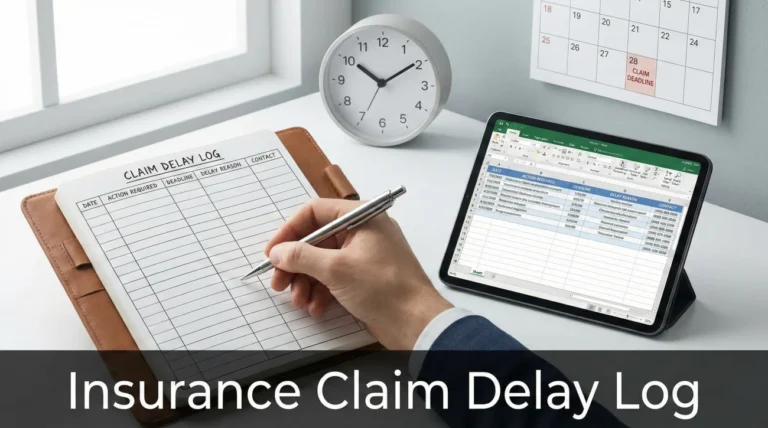
Anytime there is an administrative hiccup in your file, it is vital to log it. A duplicate claim number issue is exactly the kind of event that can silently eat up five to ten days of your timeline while files are migrated and adjusters get reassigned.
If you are actively tracking your claim’s progress using a dedicated system (and I strongly advise that you do), this consolidation event needs to be recorded. If you haven’t built a tracking habit yet, you can learn the exact mechanics of monitoring promises and holding the carrier accountable by reviewing our complete claim follow up system.
In your timeline log, add an entry on the date the duplicate was created, and another entry on the date the consolidation was confirmed. If the adjuster later claims you were late in submitting your initial photos, you can simply point to your log and remind them that the photos were submitted on day one to the duplicate file, and the delay was caused by their internal migration process, not your negligence.
Common Mistakes During Duplication Cleanup
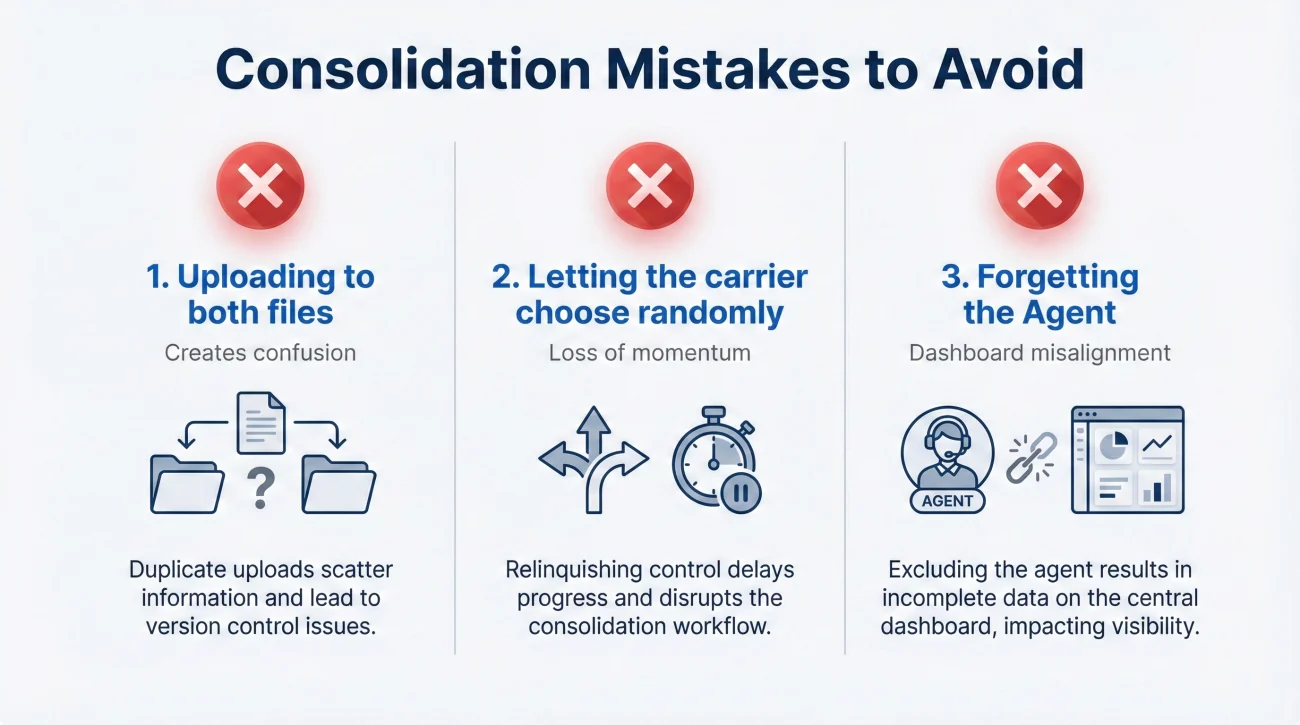
Fixing a duplicate file is a straightforward operational task, but people often complicate it by making a few predictable errors. Here is what you must avoid.
- ❌ Mistake: Uploading to both files to “be safe.” This is the worst thing you can do. Submitting evidence to two open files creates confusion, triggers multiple reviews by different departments, and often results in a slower response time.
- ❌ Mistake: Letting the carrier choose the master randomly. If they close the file where you already had an hour-long phone call with an adjuster, you might get assigned to a brand new person and have to start your narrative over from scratch. Always nominate the file with the most momentum.
- ❌ Mistake: Forgetting about the agent. If you used a local insurance agent to help file the claim, you must tell them which number survived the merge. Agents look at agency-level dashboards, and if they are monitoring the closed duplicate, they will wrongly assume your claim is finished.
Final Thoughts: Keeping Your File Clean
In the world of property claims, administrative hygiene is just as important as the physical evidence of your damage. A clean file moves quickly; a messy file gets audited, flagged, and delayed.
Duplicate claim numbers are a common nuisance, but they are entirely manageable if you take immediate operational control. By pausing submissions, explicitly nominating a master file, verifying the data transfer, and updating your vendors, you eliminate the invisible walls that block adjusters from seeing your proof.
Do not rely on the system to correct itself. Be the manager of your own paperwork, lock in the consolidation in writing, and reduce back-and-forth to keep your recovery on track.
❓ FAQ
❓ How do duplicate insurance claim numbers happen?
They usually occur when a loss is reported multiple times through different channels, such as a spouse calling it in while you submit it online, or a contractor calling the vendor line while you use the app.
🛑 Should I just ignore the second claim number?
No. Ignoring a duplicate claim number means your uploaded evidence might be split between two different files, preventing the adjuster from seeing the full picture and stalling your claim.
🗑️ Can I just delete the extra claim online myself?
In almost all carrier portals, policyholders do not have the administrative rights to delete or close a claim file. You must request a consolidation through a representative or your adjuster.
📞 Who do I call to merge my duplicate claims?
Call the general claims intake line or customer service number first to request the merge, and then immediately follow up with a written message to your assigned adjuster to document the request.
⏳ Will consolidating my claims reset my timeline?
It should not, as long as you explicitly ask them to migrate all existing notes and evidence into the surviving master file. Tracking this merge in your log helps prevent them from resetting deadlines.
📧 Which claim number should I put in my email subject line?
Once you identify the master file, you must exclusively use that single active claim number in every email subject line, portal message, and document upload going forward.
📁 What happens to the photos I uploaded to the wrong claim?
If you request a proper merge, the representative should digitally migrate those photos to the master file. Always verify this transfer yourself the next day, and re-upload them if they went missing.
⚠️ Can a duplicate claim cause a denial?
The duplication itself will not cause a denial, but if the duplicate is closed improperly, the system might record it as “withdrawn,” which can complicate your insurance history. Always request it be closed as an “entered in error” duplicate.
📝 Do I need to submit a new proof of loss after they merge?
Usually no. As long as your original paperwork is successfully transferred into the active master file, you do not need to fill out identical forms twice.
🔄 What if the adjuster keeps using the canceled claim number?
If an adjuster emails you referencing the closed number, reply politely but firmly: “Please note Claim B was closed as a duplicate. My active file is Claim A. I am attaching my response here to ensure it enters the correct file.”
⚠️ Disclaimer: PropertyClaimChecklist.com provides practical guidance, process checklists, and example follow-ups to help you organize a property claim and move it forward. It is not policy language, claim documentation, legal content, or a substitute for your insurer's instructions. Always rely on your carrier's requirements and your actual policy terms for what must be submitted and how decisions are made.