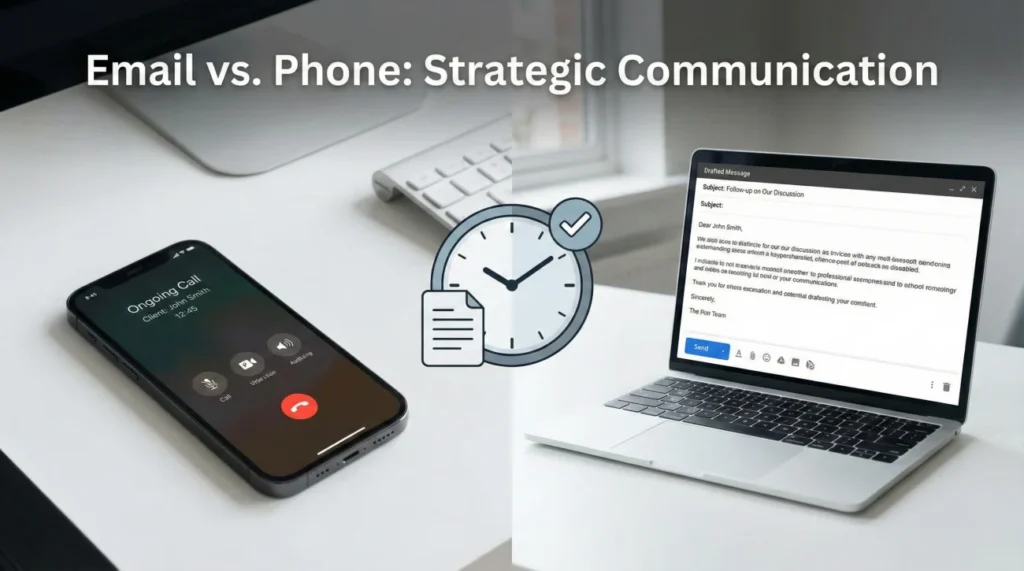
- The channel you choose for follow-up must match the specific stage of your claim.
- Phone calls are best for breaking operational stalls and gathering immediate context, but they create zero paper trail.
- Emails are essential for formalizing agreements, submitting documents, and creating a verifiable timeline.
- During the initial intake phase, rely on the phone for speed.
- During the inspection and estimate wait times, shift entirely to structured emails.
The Waiting Game Dilemma
If you are reading this, you are likely staring at your phone or refreshing your inbox, wondering why your property claim has gone completely quiet. You know you need to reach out, but you are caught in a very common dilemma. If you call the adjuster every day, you risk becoming an annoyance, and you have no written proof of what they promise you. If you send an email, it feels like dropping a letter into a black hole, hoping someone eventually reads it.
In my experience working within claims operations, I have seen thousands of files get stuck simply because the property owner was using the wrong communication tool at the wrong time. Adjusters handle massive caseloads. The way they interact with a phone call is fundamentally different from how they process an email in their queue. Understanding this operational reality is the key to getting your file moving again.
I want to walk you through a stage-by-stage guide on how to choose between email and the phone. I will show you exactly when to use each channel, why certain methods fail during specific phases of a claim, and how to combine them to create a follow-up system that actually works.
Key Point: There is no single “best” channel for an entire claim. The phone creates immediate friction to break a stall, while email creates the permanent tracks that keep the file moving forward.
Understanding the Adjuster’s Workspace
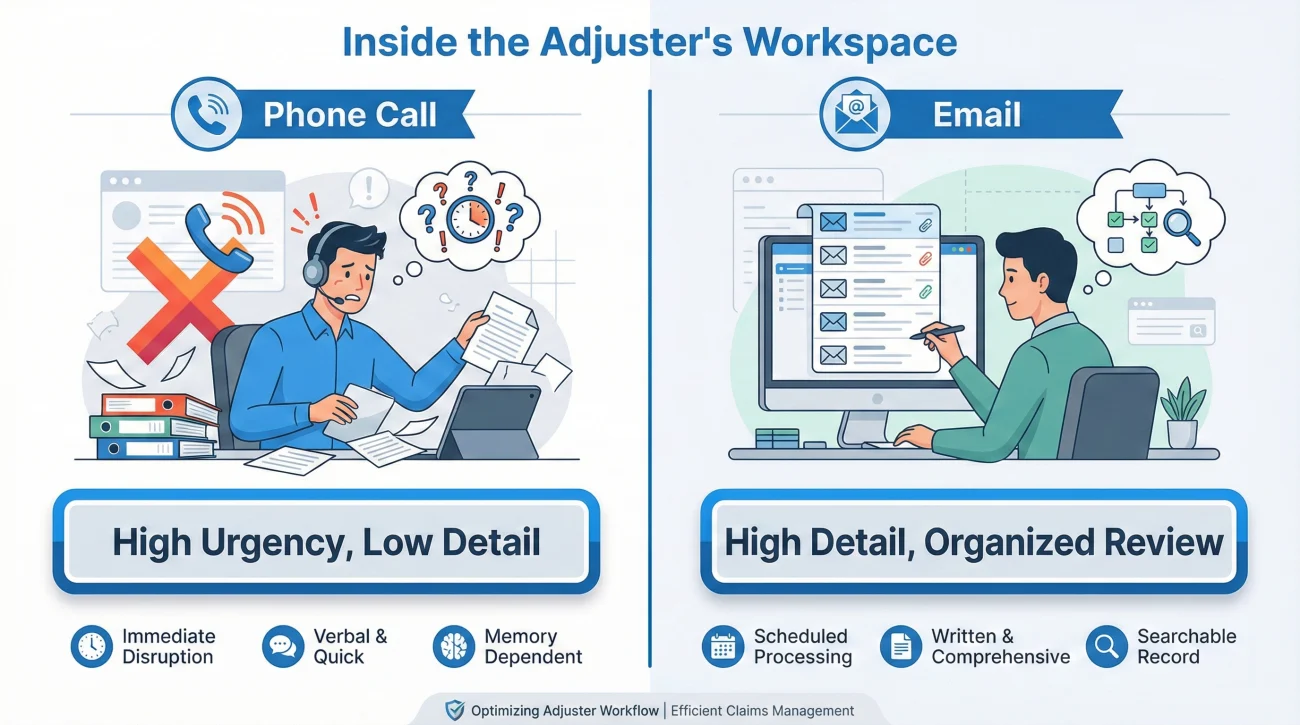
Before we break down the specific stages, we need to look at what happens on the other side of your communication. When you call an adjuster, you are usually interrupting them while they are actively working on someone else’s file. They have to minimize what they are doing, open your file, read the latest notes to remember who you are, and then answer your question. Because it is an interruption, they want to resolve the call as quickly as possible. This is great for getting a fast answer, but terrible for nuanced documentation.
Email, on the other hand, lives in a structured queue. Adjusters typically block out specific times of the day to clear their email backlogs. When they open your email, they are mentally prepared to read, review attachments, and update the system notes. However, if your email is disorganized, lacks a clear question, or does not include your claim number, they will skip it and move to the next, easier email in the queue.
I once saw a file stall for three weeks because the homeowner replied to an automated email thread without putting their claim number in the subject line. The adjuster’s routing software simply dumped the message into a generic unassigned folder. The homeowner thought they were being ignored, but operationally, they were invisible to the reviewer.
This dynamic dictates our strategy. We use the phone when we need to force their attention onto our file, and we use email when we need them to perform a complex task or make an official decision.
Stage 1: The Intake and Emergency Phase
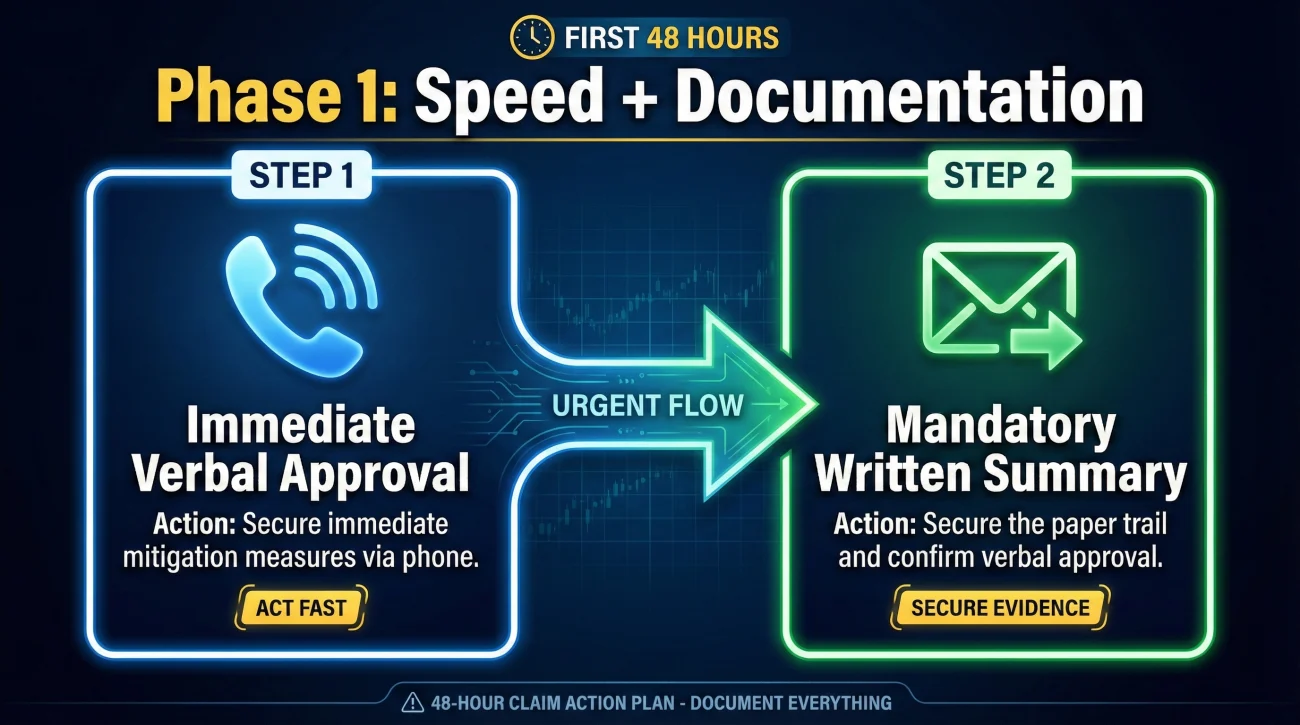
The first few days of a property claim are chaotic. You have active damage, you need immediate mitigation approval, and you need a claim number assigned. During this initial stage, speed is your primary objective.
Why the Phone Wins Here
You cannot wait 48 hours for an email reply when water is actively destroying your hardwood floors. You need to call the main intake line. Speaking to a human allows you to answer their triage questions in real-time, clarify the severity of the loss, and secure verbal permission to start emergency cleanup. The phone is the only channel that matches the urgency of this phase.
However, the operational trap here is that verbal permission is notoriously difficult to prove later. Intake representatives type brief summaries into the system. If they miss a detail about the specific limits of your emergency repairs, you could face friction weeks later when you submit the invoice.
The Mandatory Shift to Email
To protect yourself, you must immediately build a bridge from that phone call to an email record. The moment you hang up, open your email client. Write a brief, factual message to the adjuster or the general claims inbox summarizing exactly what was just approved on the phone. Do not ask for confirmation, just state the facts. By doing this, you capture the speed of the phone while securing the paper trail of an email.
Stage 2: The Inspection and Estimate Wait
Once the initial emergency is stabilized, the claim enters the most frustrating phase: the waiting game. You are waiting for the field adjuster to inspect the property, and then you are waiting for the desk adjuster to review the report and write the estimate.
Why Email is Mandatory Here
During this phase, calling your adjuster every other day is highly ineffective. If the desk adjuster is waiting for the field inspector’s report to be uploaded to the system, calling them will not speed up the inspector. The desk adjuster will simply look at their screen, see that the report is missing, and tell you they are still waiting. You have gained nothing, and you have added unnecessary friction to the relationship.
This is the stage where email becomes your primary tool. A well-spaced email often helps create a documented timeline of your patience and their delay. If the estimate takes four weeks instead of the promised two weeks, you want a clear trail of polite follow-up emails showing that you checked in regularly.
💡 Pro Tip: Keep your follow-up emails in this stage incredibly brief. A two-sentence email asking if the field report has been uploaded is much more likely to get a fast reply than a five-paragraph email complaining about the delay.
Stage 3: Reviews, Revisions, and Missing Items
Eventually, you will receive an estimate. Often, it will be missing items, or your contractor will need to submit a revised quote. This is where claims get highly technical, and it is also where the highest number of delays occur. Files get stuck in a “pending review” status while everyone waits for someone else to make a move.
The Hybrid Approach
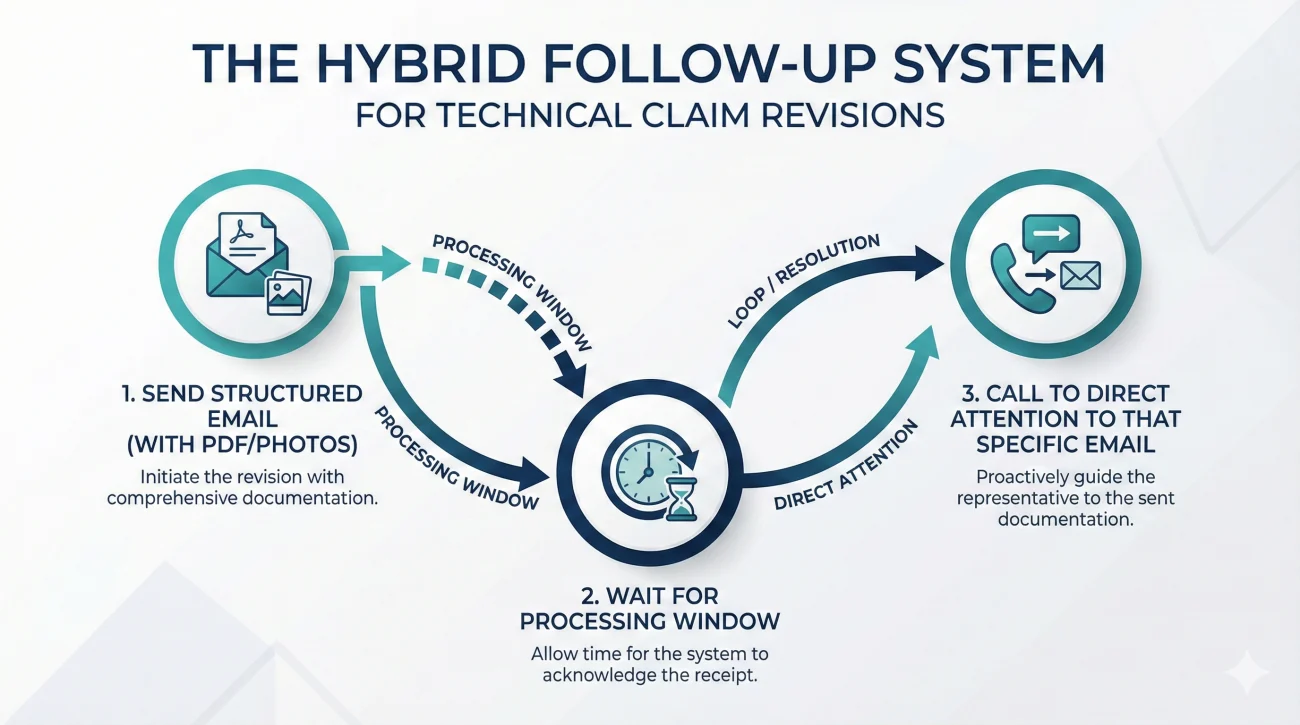
In this phase, relying strictly on email or strictly on the phone will fail. If you only email a massive, complex contractor quote, it will sit in a review queue for weeks. If you only call, the adjuster cannot visualize the numbers you are talking about.
You need to use a hybrid strategy. First, you send the structured email containing the PDF attachments, the photos, and a clear bulleted list of what you are requesting. You wait for a standard processing window. If you hear nothing, you pick up the phone.
When you call, you do not launch into a complex argument about drywall pricing. You use the call simply to direct their attention to the email you already sent. You say, “I am calling to review the contractor revision I emailed on Tuesday. Can you pull that up on your screen so we can walk through it together?” This forces the adjuster to open your email, moving your file out of the passive queue and into active review.
A Field Scenario: Breaking a Two-Week Silence
Let me share a very common pattern that illustrates how choosing the right channel breaks a stalled file. I frequently see property owners who submit a large batch of personal property receipts via the insurance portal. They wait a week, hear nothing, and then send a message through the portal asking for an update. Another week passes with silence.
The owner is frustrated because they feel they are communicating, but they are using a passive channel for a situation that requires active friction. The portal message just lands in another task queue.
The operational fix is to switch channels to break the pattern. In this scenario, the owner should pick up the phone, call the desk adjuster directly, and ask a very specific question: “I see my receipts have been sitting in the portal for two weeks. What is the specific missing item that is preventing this from being reviewed?”
This phone call accomplishes something an email cannot: it puts the adjuster on the spot. They have to look at the file right then and there. Often, they will discover that a routing error occurred, or they will admit they just have a backlog. By switching from a passive digital channel to an active vocal channel, the owner often forces the file back into motion.
Common Channel Mistakes to Avoid
In day-to-day operations, the way a message is delivered often determines how quickly it gets processed. Many delays are accidentally self-inflicted by property owners who misuse the communication tools available to them.
Leaving a frantic, three-minute voicemail demanding a callback because the contractor is waiting, without clearly stating your claim number or the specific question you need answered.
Leaving a crisp, 20-second voicemail stating your claim number, noting that you need approval for the mitigation invoice, and mentioning that you have also sent this request via email for their convenience.
Another frequent trap is the “wall of text” email. When an adjuster opens an email that is six paragraphs long, with no bullet points and no clear questions, their operational instinct is to close it and deal with it later when they have more time. “Later” often means next week. If you must use email, you have to format it for readability.
Integrating these channel strategies into your overall claim follow up system ensures that you are not just reaching out randomly, but building a consistent rhythm of accountability.
The Email Routing Checklist
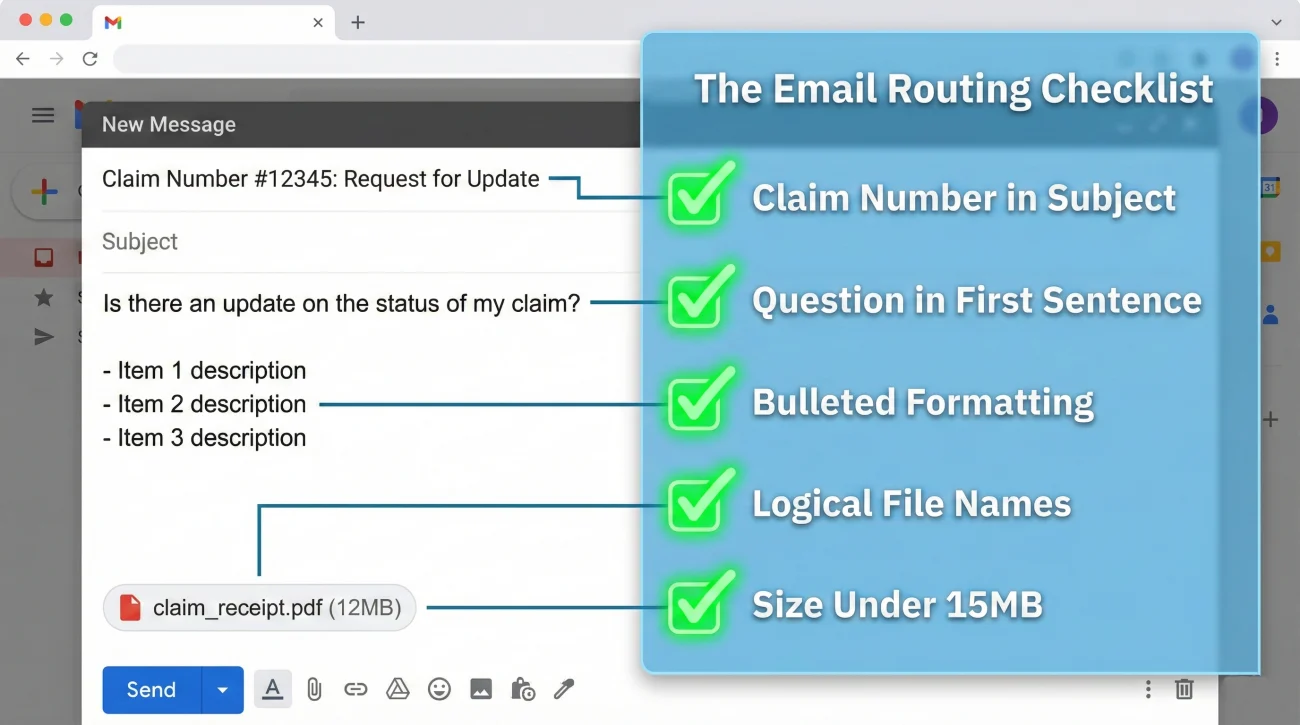
Writing a great email does not matter if it never reaches the right desk. To ensure your message survives the carrier’s automated routing software and lands in front of your adjuster, follow these operational rules for every single message:
- ✅ Claim number placement: Always put the claim number in the subject line, exactly as formatted by the carrier.
- ✅ The core question: Place your primary question or request in the very first sentence. Do not bury it at the bottom of the email.
- ✅ Clear formatting: Use bullet points for multiple questions or lists of attachments.
- ✅ File naming: Name your attachments logically (e.g., “Plumbing_Invoice_Oct12.pdf” instead of “IMG_8842.jpg”) so they can be filed instantly.
- ✅ Size limits: Keep the total email attachment size under 15MB to prevent it from silently bouncing back.
Batching Rules for Big Submissions
When you have dozens of photos, contractor estimates, and receipts to send, dumping them all into one massive email is a recipe for disaster. The file will likely bounce, or the reviewer will simply lose track of individual attachments.
Instead, use a batching strategy. If you need to send 20 documents, break them into three separate emails. Title the subject lines clearly: “Claim #12345 – Living Room Evidence (Part 1 of 3)”. Inside each email, include a short bulleted list stating exactly what is attached to that specific message. I highly recommend including a single master index or evidence log PDF in the first email, so the reviewer knows exactly how many total files they should be looking for.
When They Say “I Didn’t Receive It”
One of the most frustrating moments in a claim is being told an invoice was never received, especially when you know you sent it weeks ago. When this happens, do not argue. Treat it as a simple routing error and follow a strict three-step recovery process.
First, go to your “Sent” folder, find the original email with the attachment, and hit forward. Second, type a brief, neutral message at the top: “Hello, I am forwarding the original submission from [Date]. Please note the original timestamp below, and let me know if the attachment [Filename.pdf] is visible on your end.” Third, explicitly ask them to reply and confirm receipt this time. This proves you met your deadlines and gently holds the system accountable.
How to Transition Between Channels Smoothly
One of the most valuable skills in claim management is knowing how to pivot from a verbal conversation to a written record without sounding combative or overly legal. You want to maintain a cooperative relationship while protecting your file hygiene.
When you are on the phone and the adjuster verbally agrees to a timeline, or asks you to do something specific, you should not just hang up and hope they remember. You can guide the transition to email right there on the call.
I find it very effective to use a simple phrasing technique. Before ending the call, you might say something like: “Just so I can keep my own notes organized, I am going to shoot you a quick email summarizing these two next steps. That way we both have it handy.”
Then, when you write that email, you keep it entirely factual. You do not need to demand a response or ask them to confirm receipt. You simply write down the date of the call, the topic discussed, and the action items agreed upon. This polite, routine transition ensures the verbal promise becomes a tangible piece of evidence in your file.
The Quick Channel Decision Guide
While timelines and specific channel behaviors can vary by insurer and their specific portal setup, this baseline framework applies to most operations. Keep this decision guide handy before you reach for your phone or your keyboard.
| Claim Stage or Situation | Primary Channel | Operational Reason |
|---|---|---|
| Reporting new emergency damage | Phone | Requires immediate triage and verbal authorization for mitigation. |
| Submitting formal quotes or photos | Email / Portal | Documents must be attached directly to the permanent file history. |
| Waiting for the initial estimate | Creates a passive, documented timeline of their delay. | |
| File stalled over 14 days without an update | Phone | Forces the adjuster to open the file and explain the bottleneck. |
| Agreeing to a repair scope or payout | You must have a verifiable, permanent record of financial decisions. |
Final Checklist Before You Reach Out
Instead of relying on generalized follow-up habits, use this quick operational checklist every single time you are about to contact your adjuster. It ensures you are using the right tool for the right job, eliminating unforced errors before they happen.
- ✅ Am I trying to break an active stall (use the phone) or document a fact (use email)?
- ✅ Is my claim number explicitly stated in the subject line or ready to read over the phone?
- ✅ Do I know the exact, single question I need answered before I initiate contact?
- ✅ If I am calling, do I have a pen ready to log the adjuster’s name, the date, and their promised deadline?
- ✅ If I am emailing, are my attachments clearly named and summarized in bullet points?
❓ FAQ
📱 Is it better to call or email my insurance adjuster?
It depends entirely on the situation. Call when you need an immediate answer to unblock a stalled process, but always email when you are submitting documents, agreeing to timelines, or establishing facts for the file.
📧 What do I do if my adjuster ignores my emails?
If two structured, polite emails go unanswered after several days, switch channels. Call their direct line, reference the specific date of the email, and ask if they need you to resend it or clarify any attachments.
🗣️ Should I leave a voicemail if they don’t answer?
Yes, but keep it very brief. State your claim number, the specific reason you are calling, and let them know you will also follow up with an email so they have the details in writing.
⏱️ How long should I wait for an email reply before calling?
A 48-hour processing window is a common baseline in many operations for non-emergency emails. However, if your home is actively taking on water, do not wait; call immediately.
🤷 Can I text my insurance adjuster instead?
Texting is only useful for coordinating arrival times with a field inspector. You should never use text messages to negotiate estimates or submit photos, as SMS records are rarely integrated properly into the official claim file.
📝 Why does the desk adjuster want everything in writing?
Adjusters are audited internally. They need a clear paper trail to justify every dollar they approve. Providing information clearly in writing helps them approve your requests faster because the proof is already documented.
😠 What if the adjuster promises something on the phone but doesn’t do it?
This is why verbal promises are dangerous. If they miss a verbal deadline, call them back, remind them of the specific conversation, and immediately follow up with an email summarizing the new promised date.
📤 What if my email with attachments bounces back?
This usually means your files exceed the carrier’s size limit. Break the files into smaller batches, or upload the heavy files directly to the portal, followed by a plain text email notifying the adjuster of the upload.
👀 Should I use email read receipts when sending documents?
Read receipts are often blocked by corporate email servers and can come across as overly aggressive. Instead, simply end your email by politely asking them to reply to confirm the attachments are visible on their end.
👻 The portal says my upload was successful, but the adjuster cannot see it. What happened?
Portals often have separate routing queues. A file might upload successfully to the server, but a system glitch can prevent it from attaching to your specific claim number. Always follow up a portal upload with an email to verify visibility.
⚠️ Disclaimer: PropertyClaimChecklist.com provides practical guidance, process checklists, and example follow-ups to help you organize a property claim and move it forward. It is not policy language, claim documentation, legal content, or a substitute for your insurer's instructions. Always rely on your carrier's requirements and your actual policy terms for what must be submitted and how decisions are made.