- A “closed” status often means an automated system paused your file due to inactivity or missing paperwork, not a final denial.
- Before panicking, audit your claim file to check for unreturned vendor reports, pending estimates, or missed correspondence from the adjuster.
- Do not call the hotline to complain; instead, send a polite, trackable email asking for a written list of missing items needed to resume the review.
- To keep the file active, implement a structured follow-up cadence so the adjuster’s internal “diary system” never expires without an update.
The Panic of a Suddenly Closed Claim
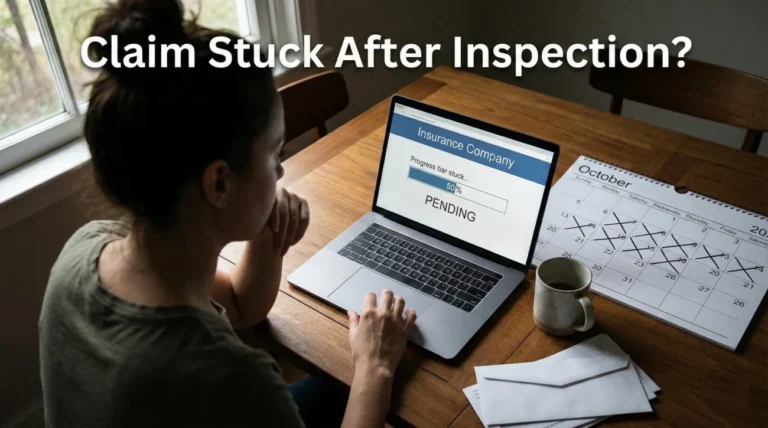
Logging into your portal and seeing the word “Closed” next to your active property damage claim is an incredibly stressful moment. I know this because, in my years managing claim operations and reviewing file handling procedures, I’ve seen this pattern repeatedly when homeowners realize their file was shut down without a phone call or a warning letter. The immediate assumption is always the worst: the claim is denied, the money is gone, and the battle is over.
But from an operational standpoint behind the desk, that is rarely the whole story. Insurance systems are highly automated. Adjusters handle hundreds of files at once, and they rely on computerized “diary” systems to remind them when to check on a claim. If a specific amount of time passes without a new document uploaded, a status update, or a logged phone call, the software often automatically moves the file from “Active” to “Closed” or “Pending Inactive” to clear up the adjuster’s dashboard.
I always tell homeowners that “closed” does not automatically mean “denied.” In many cases, it simply means the system stopped waiting for something it thought you were going to send. In this guide, I will walk you through exactly how to diagnose why your claim stalled out, the operational checks you need to run, and the precise steps to safely reopen the conversation and get your file moving again.
What “Closed” Actually Means in the Insurer’s System
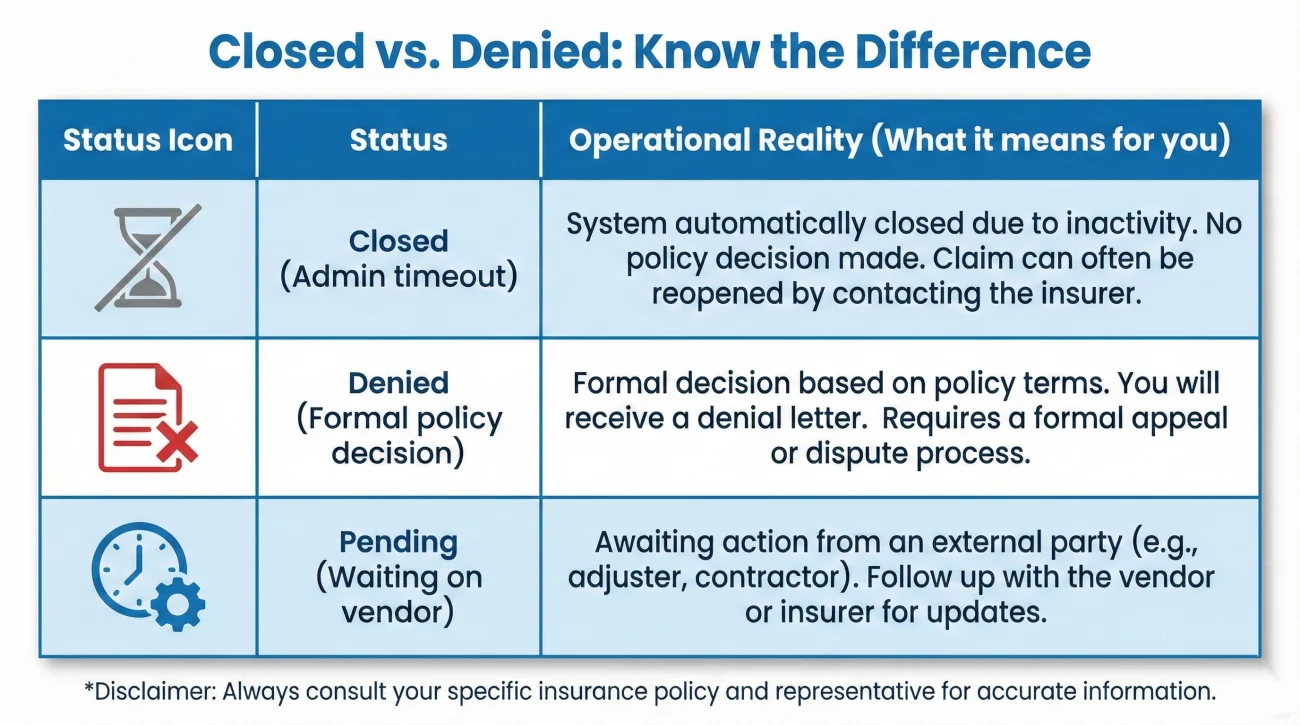
To fix the problem, you have to understand how the filing system treats your data. When an adjuster opens a claim, the clock starts ticking. Management tracks how many days a claim stays open because older files are harder to manage and look bad on internal reports. That pressure is why admin-closures happen even when nobody is trying to deny you. Because of this, claims are categorized tightly.
If an adjuster asks you for a copy of a plumbing invoice, they will set an internal follow-up timer for 15 or 30 days. If day 31 arrives and that invoice is not in the system, the adjuster might close the file administratively. They are not ruling against your damage; they are simply closing the task because the required input never arrived.
💡 Pro Tip: A file closed for “inactivity” can often be reopened the moment you provide the missing information. The key is identifying exactly what the system is waiting for.
In day-to-day claims ops, the fastest wins usually come from simply asking the right operational question rather than arguing about the merits of the damage. If you assume it is a denial, you might start writing angry letters. If you assume it is a missing piece of paper, you ask for a checklist, provide the paper, and the file usually reopens.
| What You See | What The Adjuster Often Sees | Operational Reality |
|---|---|---|
| Status: Closed | Status: Admin-Closed / Inactive | System timeout due to 30+ days of no logged activity or missing documents. |
| Status: Denied | Status: Denied – Policy Exclusion | A formal decision was made based on the policy. Requires a formal reconsideration request. |
| Status: Pending/Closed | Status: Awaiting Vendor Review | The desk adjuster closed their portion while a third-party engineer finishes a report. |
The 5 Operational Checks Before You Call
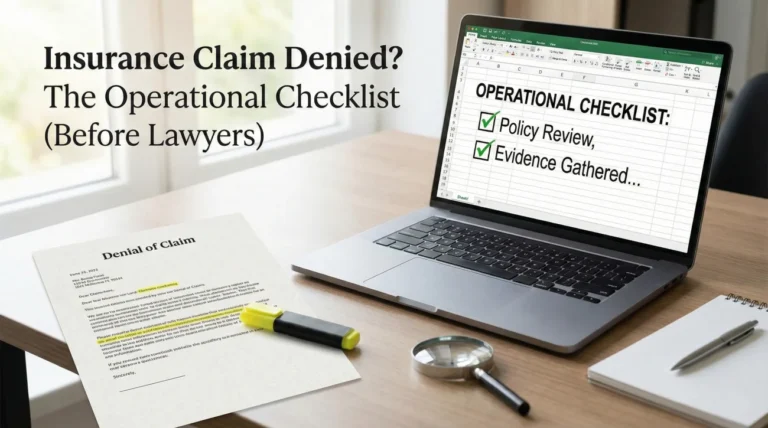
Before you pick up the phone or send an email, you need to audit your own file. When I review stalled or unexpectedly closed claims, I notice a common pattern: there is usually a communication gap that happened two to three weeks prior. Doing this quick audit ensures you are prepared to ask the right questions.
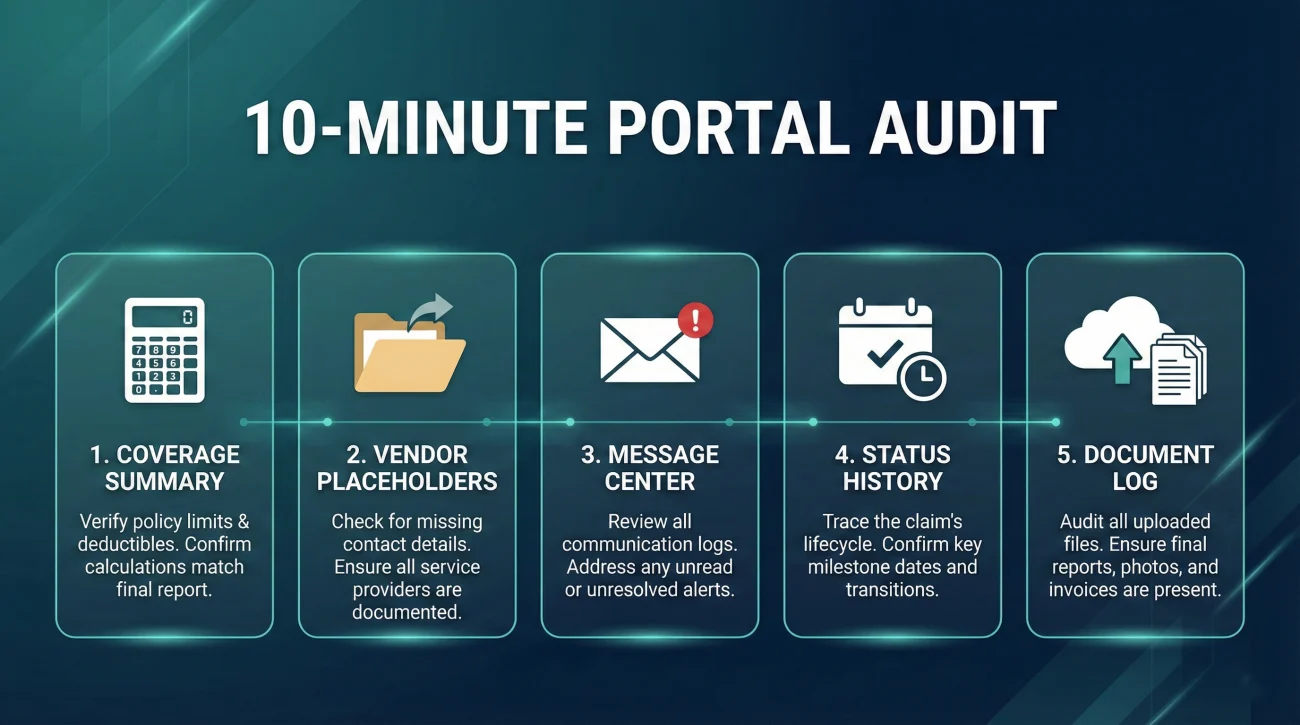
A 10-Minute Portal Audit Checklist
Log into your claim portal and look for these five key indicators before contacting anyone:
- 🔍 Estimate / Coverage Summary: Look for lines showing gross loss minus your deductible.
- 🔍 Vendor Report Placeholders: See if there is an empty folder waiting for an engineer or mitigation report.
- 🔍 Message Center: Look for any unread automated alerts.
- 🔍 Status History: Check exactly what day the status changed.
- 🔍 Document Upload Log: Verify if your last upload shows as “received” or “pending.”
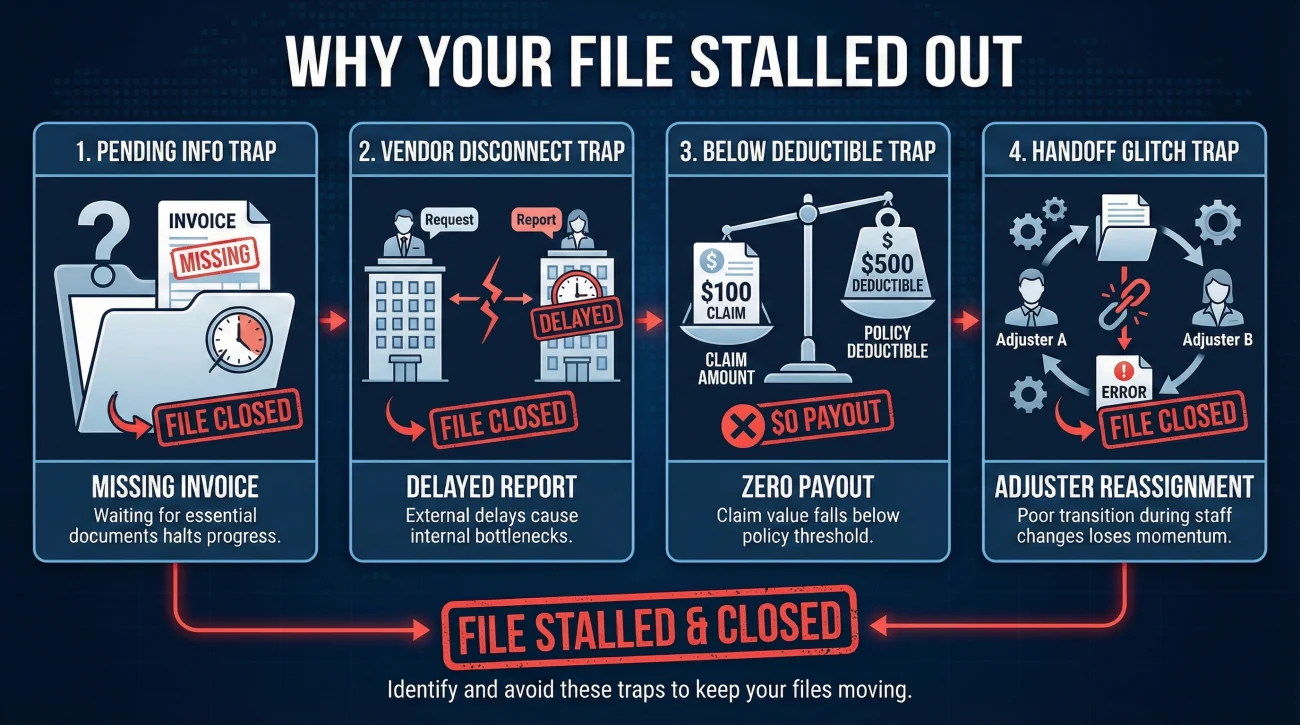
Check 1: The “Pending Information” Trap
Go back through your emails, portal messages, and physical mail for the last 45 days. Look for any correspondence where the adjuster said something like, “Please send us…” or “We will need a copy of…” Did you send it? More importantly, did you get a confirmation that they received it? Commonly, a homeowner emails a large PDF, it gets caught in the insurer’s spam filter, and 30 days later, the claim closes due to non-receipt.
Check 2: The Third-Party Vendor Disconnect
Did the insurance company send an independent adjuster, a water mitigation team, or an engineer to your house? Often, the primary desk adjuster cannot move forward until that third-party vendor submits their final report. If the vendor is running behind, the desk adjuster’s timeline might expire, triggering an automated closure. Check your notes to see if you are waiting on a report from someone other than your main adjuster.
Check 3: The Deductible Misunderstanding
This is a classic operational bottleneck. If the adjuster estimates your damage at $1,500, but your policy deductible is $2,000, the payout is zero. Many systems will automatically close the claim as “Closed – Below Deductible.” You may not have realized the estimate came in lower than your deductible threshold. Log into your portal and look for the estimate or coverage summary lines. If the “net payment” or “net claim” shows as $0.00 after the deductible is applied, that is your answer.
If you find your claim was closed below the deductible, ask the adjuster these specific questions:
- 💬 What was the total estimate amount?
- 💬 How was my deductible applied?
- 💬 Were any specific line items or damages excluded?
- 💬 What is the process to submit a supplemental estimate from my contractor for review?
Check 4: The Handoff Glitch
Turnover is high in claims departments. It is incredibly common for a file to be reassigned from Adjuster A to Adjuster B. During this handoff, if Adjuster B does not properly accept the digital file or update the diary date, the system might close it based on Adjuster A’s old timeline. Check your recent communications to see if a new name has suddenly appeared on your claim.
Check 5: The Unanswered Estimate
Did you send an estimate from your contractor, and then hear nothing back? Sometimes, a contractor’s estimate is so completely different from the adjuster’s expectations that the adjuster sends it to a “review desk.” If the review desk finds missing line items or lacks photos, they might kick it back, and the claim stalls out and closes. You need to verify if the last thing you sent was actually accepted for review.
Field Note: A Typical Breakdown in Communication
Let me share a realistic mini-scenario of how this plays out, based on a pattern I see frequently. A homeowner experiences a kitchen leak. They file the claim, the adjuster comes out, and the homeowner sends over a contractor’s repair estimate via email. Two weeks go by. The homeowner assumes the adjuster is reviewing it. Four weeks go by. The homeowner logs into the portal and sees the claim is closed.
What actually happened? The homeowner sent the estimate with a blank subject line, or perhaps replied to a “Do Not Reply” automated email address. The estimate never made it into the specific digital folder for that claim. The adjuster’s internal reminder cycle ticked down 30 days waiting for the estimate. When the timer hit zero, the software generated an automated closure notice.
If the homeowner calls the 800-number and yells at the customer service representative about a denied claim, they waste hours getting nowhere. But if the homeowner understands the process, they simply email the adjuster with the claim number, attach the estimate again, and ask to confirm receipt. The file reopens the same day.
How to Reopen the Conversation (Without Sounding Defensive)
When you discover your claim is closed, your goal is to trigger an operational reset. You do not need to argue, and you do not need to write a legal brief. You just need to ask the specific questions that force the adjuster to look at the file, identify the missing link, and update the status code.
Communication hygiene is critical here. Always keep your tone calm, factual, and strictly focused on process. Here is how you structure your request.
[Note the status change] + [State your readiness to cooperate] + [Request a written checklist of required items]
Script 1: The Clarification Request
Use this script if you suddenly see the claim is closed but you have received no formal letter explaining why. Send this via email so you have a timestamped record.
Hello [Adjuster Name],
I logged into the portal today and noticed my claim status is listed as closed. I have not received any recent correspondence indicating a final decision or missing documents.
Could you please review the file and provide a written list of any pending documents, reports, or information you need from me to reopen and continue the review process?
I am ready to provide whatever is needed. Please confirm receipt of this email.
Thank you,
[Your Name]
This keeps it process-only and makes it easy for the adjuster to act. It assumes there is an administrative hurdle and explicitly asks for a clear next step.
Script 2: The “Resend and Reset” Approach
Use this script if you suspect they closed the file because they did not receive a document you previously sent.
Hello [Adjuster Name],
I see my claim has been marked as closed. I suspect this may be due to missing information. On [Date], I sent the attached [Name of Document]. I wanted to ensure this made it into my file.
I have attached it again here for your convenience. Can you please confirm that you have received this document and let me know if there are any other specific items required to reactivate my claim?
Best regards,
[Your Name]
Organizing Your Proof to Prevent Future Closures
Once you get the claim reopened, your primary objective is to make sure it never gets administratively closed again. This requires a shift in how you manage your paperwork and communication.
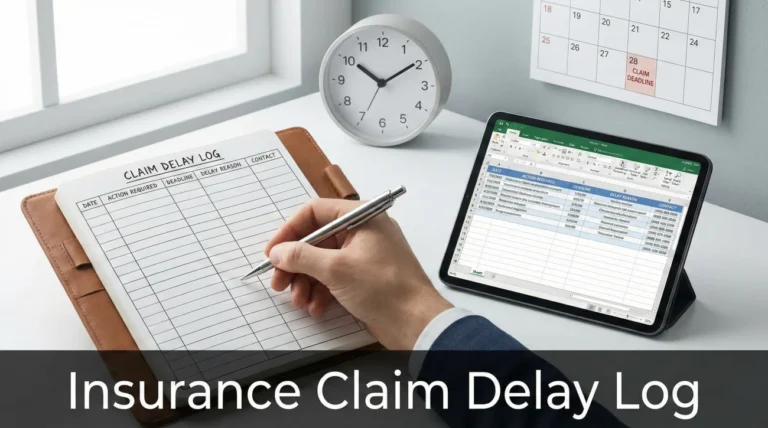
A scattered approach to document management is where files go missing and timelines slip. You need a centralized system to track every promise, every date, and every document sent. This is why I heavily emphasize building a structured timeline log.
Key Point: Every time you submit a document, you must secure a written confirmation from the adjuster that it was received and placed into your digital file. Silence is not confirmation.
A Follow-Up Cadence That Does Not Annoy
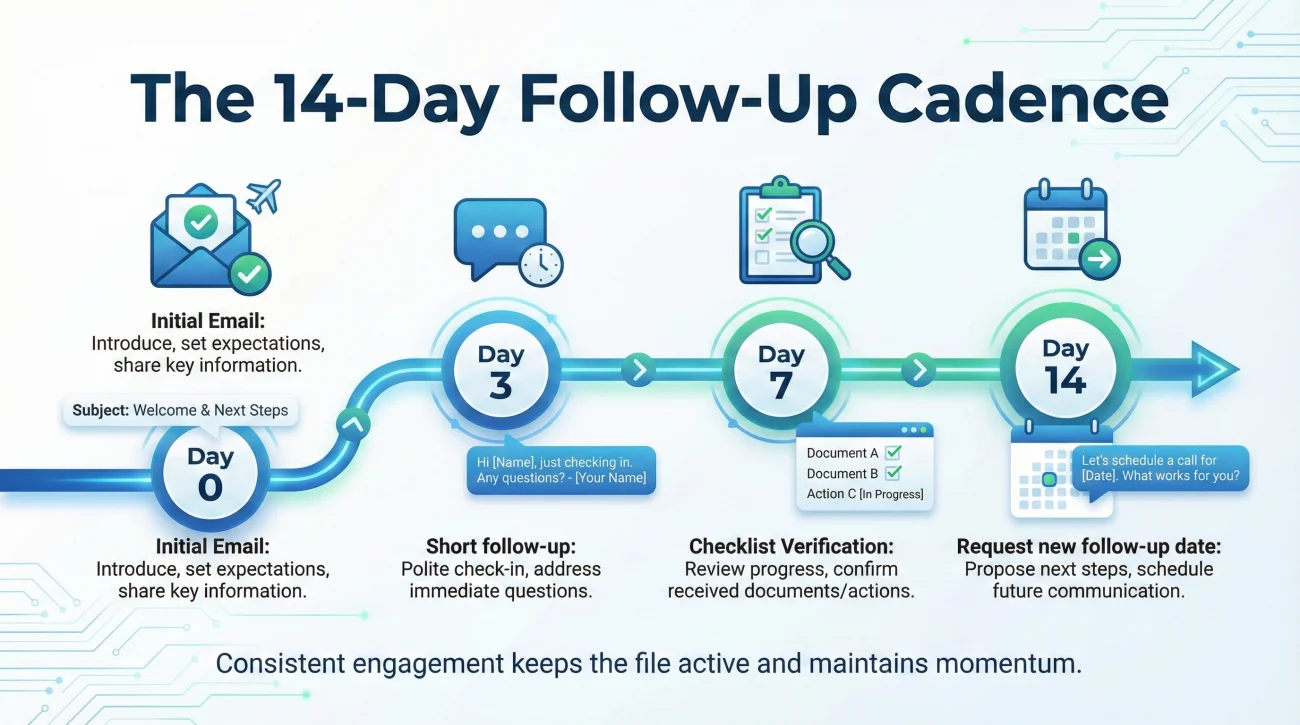
To stay on top of the internal follow-up timer without overwhelming the adjuster, use a structured 14-day cycle:
- 📅 Day 0: Send your initial email.
- 📅 Day 3: Send a short follow-up if there is no reply.
- 📅 Day 7: Confirm the requested checklist is still current.
- 📅 Day 14: Request the next step and ask for their new follow-up date.
If you want to understand exactly how to build a repeatable routine for tracking communications, you should review the complete claim follow-up system. Implementing a proper cadence is one of the most reliable ways to keep a file active, because it forces the adjuster to reset their internal timer every time you touch base.
Common Mistakes When Reopening a File
When panic sets in, homeowners often make tactical errors that actually delay the reopening process further. Avoid these common missteps.
- ❌ Calling the main 1-800 hotline to vent: The frontline customer service reps answering the main hotline usually cannot reopen a file. They can only read the notes on the screen. Always email your specific assigned adjuster directly to create a paper trail.
- ❌ Sending an unorganized “document dump”: If the file closed because of missing information, do not respond by forwarding 40 separate photos and 5 unmarked PDFs in one email. Label everything clearly (e.g., “Address_Plumber_Invoice_Date.pdf”).
- ❌ Failing to ask for next steps: If you just say “reopen my claim,” the adjuster might reopen it, look at it, and close it again a week later if they still don’t know what you want them to do. Always ask for the next action item in writing.
- ❌ Assuming an automated letter is a final denial: Many systems auto-generate a generic “Claim Closed” letter. Do not assume this is a thoroughly researched denial unless the letter explicitly cites specific policy language explaining why the damage is excluded.
⚠️ Warning: Never let a closed status linger. The longer a claim stays dormant, the harder it is to pull it back into an active workflow. If you see it closed, take action that same week.
Final Thoughts on Keeping Your Claim Active
An unexpectedly closed insurance claim is a frustrating roadblock, but it is a roadblock you can usually navigate with calm, structured communication. Remember that the claims process is largely managed by software timers and administrative rules. By understanding that a closed status is often just a symptom of a missing document or a lapsed timeline, you take the emotion out of the equation.
Audit your records, find the communication gap, and use the provided scripts to gently force an operational reset. Keep your emails clear, demand written lists of missing requirements, and always secure confirmations of receipt. If you control the flow of information and maintain a steady follow-up cadence, your claim will stay open until a proper resolution is reached.
❓ FAQ
🚪 Why did my insurance claim status change to closed without warning?
In many cases, automated systems close claims after 30 to 60 days of inactivity. If the adjuster was waiting on a document or a vendor report and the system timer expired, it will automatically shut the file down to clear their active dashboard.
📝 What do I do if my insurance claim is closed but not paid?
Immediately send a written email to your assigned adjuster. Note that the claim shows as closed, state that your repairs or reviews are not finished, and ask for a specific list of items they need from you to reopen the file.
⚖️ Does a closed claim mean my insurance denied it completely?
Not always. “Closed” often just means administrative inactivity. A formal denial usually requires a specific letter citing policy language. If you haven’t received a denial letter, the file is likely just paused.
🗣️ What should I say to the adjuster to reopen my claim?
Keep it simple and factual. Say: “I noticed my claim status is closed, but we have not reached a resolution. Could you please confirm what pending documents or information you need from me to reactivate the review process?”
⏱️ How long do I have to reopen a closed insurance claim?
Policy deadlines and state deadlines vary significantly. You generally have a window to reopen a claim, but do not guess. Always ask your adjuster in writing what the specific reopen window is for your file. It is always best to request a reopen immediately after noticing it to avoid losing continuity.
🕵️♂️ Can an insurance company close a claim without telling me?
Yes, automated systems often close claims silently if internal deadlines pass. While they should send a status letter, these can be delayed or lost in the mail, which is why monitoring your digital portal is essential.
📂 What documents do I need to send to reopen my claim?
It depends entirely on why it was closed. You must ask the adjuster for a written checklist. Commonly, they are waiting for a contractor’s estimate, a signed proof of loss, or a receipt for emergency repairs.
🧾 Can I still add receipts if my property claim is closed?
Yes. If you incur new expenses related to the same covered loss (like a newly discovered supplemental damage or temporary housing receipts), you can submit them to your adjuster and request the file be reopened to process the new costs.
🔍 How do I find out why my home insurance claim was closed?
The fastest way is to email the desk adjuster directly. Do not rely on the customer service hotline, as frontline reps usually do not have the operational details. Ask the adjuster directly for the specific reason the file status changed.
📊 Will a closed claim still show up on my insurance record?
Yes. Once a claim is filed, it is recorded in industry databases (like CLUE) regardless of whether it was paid, denied, or closed for inactivity. Reopening it simply updates the status of that existing record.
⚠️ Disclaimer: PropertyClaimChecklist.com provides practical guidance, process checklists, and example follow-ups to help you organize a property claim and move it forward. It is not policy language, claim documentation, legal content, or a substitute for your insurer's instructions. Always rely on your carrier's requirements and your actual policy terms for what must be submitted and how decisions are made.