- An insurance estimate is not just numbers; the text notes and assumptions often dictate why your payout is lower than expected.
- Common hidden assumptions include guessing the quality of materials, assuming items are salvageable, or leaving out dimensions entirely.
- Do not argue about the final dollar amount first. Instead, systematically address the incorrect assumptions by asking clarification questions and providing physical proof.
The Fine Print That Limits Your Payout
When an insurance estimate comes back lower than expected, most people immediately look at the bottom line. They stare at the final dollar amount, feel a wave of frustration, and start wondering how they are supposed to rebuild. In my time working within claims operations, I have learned that looking at the total payout first is often the wrong approach. The real story, and the reason the number tends to stay low, almost always hides in the text notes.
These insurance estimate notes and assumptions are small blocks of text attached to the document. They explain what the desk adjuster or field inspector believed to be true when they wrote the numbers. The challenge is that these beliefs are often based on quick visual inspections, limited data, or standard software defaults rather than the ground truth of your property.
If you try to dispute the final price tag without addressing these underlying assumptions, you may find the process stalled. In my experience, one of the most effective ways to get a claim moving again is to read those notes carefully, identify where the adjuster made a wrong assumption, and present clear documentation to correct the record. This guide will walk you through how to find these notes, interpret what they mean, and calmly ask the right clarification questions to get your scope of work corrected.
The 15-Minute Estimate Notes Triage
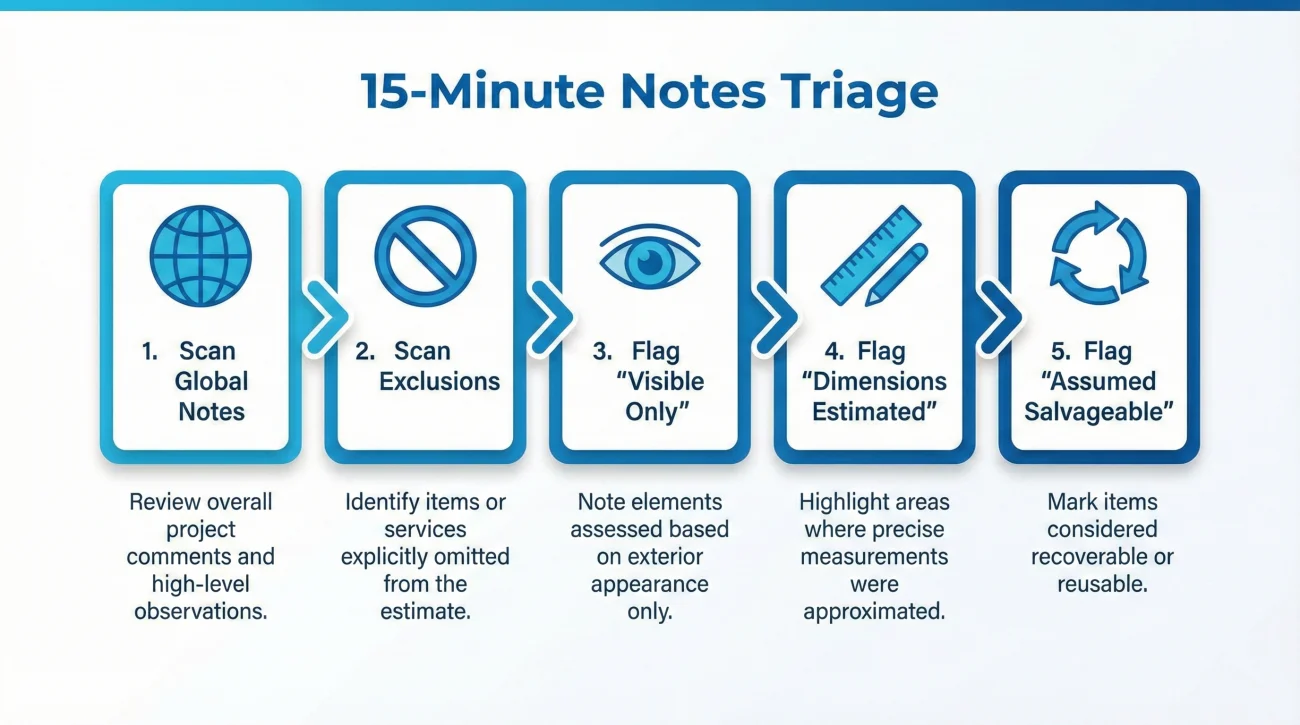
Before you dive into every single line item, I recommend a high-level “triage” of the document. This helps you identify the biggest hurdles quickly so you don’t get lost in minor details. In many files I review, five minutes of focused scanning can reveal 80% of the scope issues.
- 🔍 Step 1: Scan Global Notes – Look for broad statements in the header that limit the entire file.
- 🔍 Step 2: Scan the Exclusions – Find the dedicated “Exclusions” page to see what was left out on purpose.
- 🔍 Step 3: Flag “Visible Only” – Note any language that assumes no hidden damage exists behind walls or floors.
- 🔍 Step 4: Flag “Dimensions Estimated” – Check if the software is guessing room sizes rather than using actual measurements.
- 🔍 Step 5: Flag “Assumed Salvageable” – Identify any items the adjuster thinks can be saved but your contractor says must be replaced.
By identifying these five red flags first, you create a roadmap for your entire response. You aren’t just looking for errors; you are prioritizing the assumptions that have the largest impact on your ability to complete the repairs.
Where the Real Scope Hides: Locating the Notes
Insurance estimates are usually generated using standard industry software. Because these documents are highly structured, the notes do not just appear randomly. They are placed in specific sections, and missing even one of these sections can mean overlooking a significant limitation on your claim.
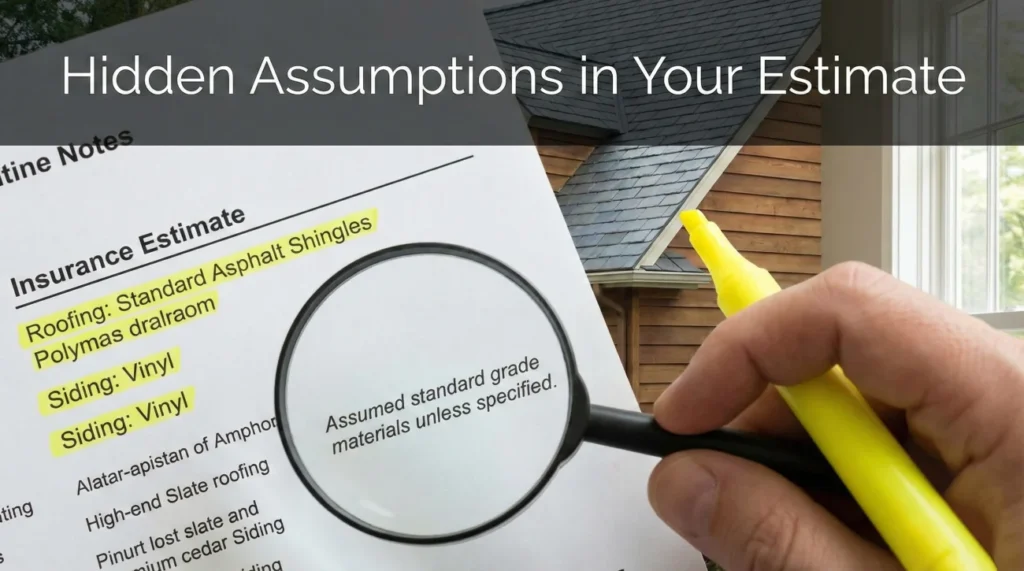
Operationally, I always advise reading an estimate with a highlighter in hand. You want to scan past the numbers and look for blocks of text in three main areas.
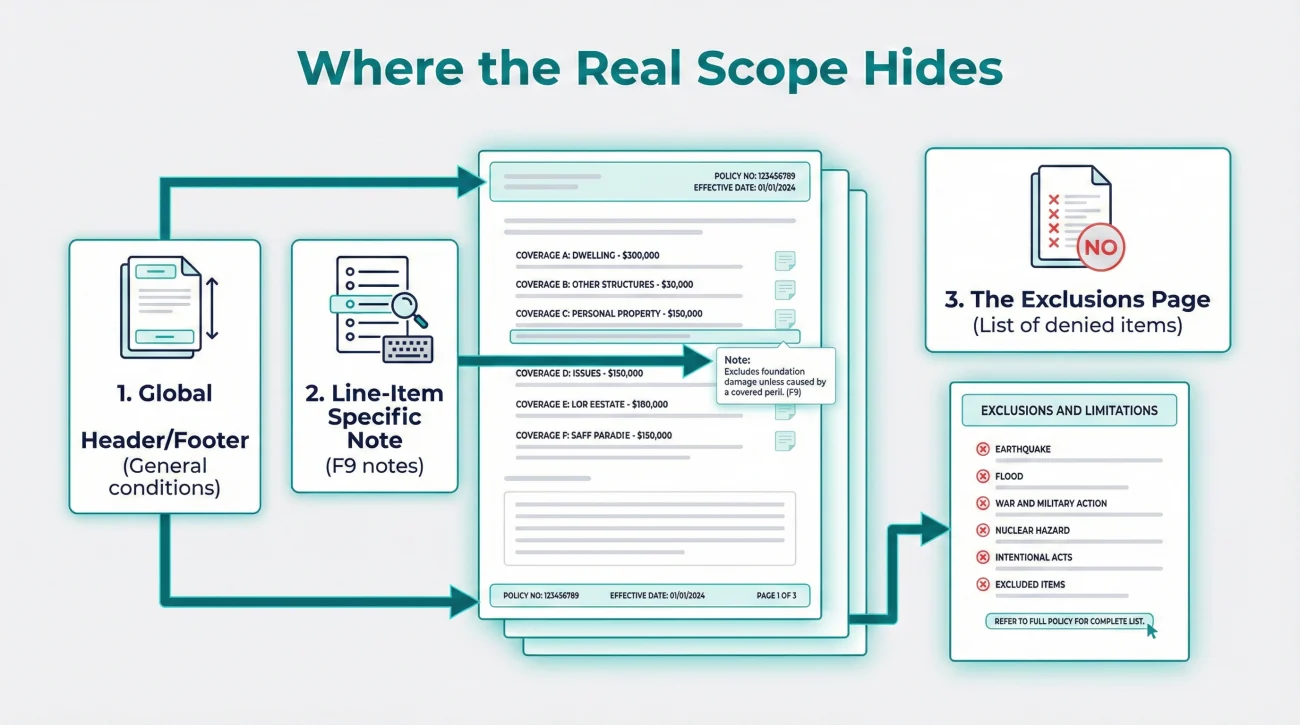
Global Header and Footer Notes
At the very beginning or the very end of your estimate, there is usually a “General Conditions” or “Summary” text block. These notes apply to the entire document. Often, they contain broad assumptions like “Estimate based on visible damage only” or “No code upgrades included.” These statements are critical because they set the boundary for the entire payout. If the adjuster assumed there is no hidden damage, the payout naturally stops at the surface level.
Line-Item Specific Notes (The F9 Notes)
As you read through the room-by-room breakdown, you will see individual line items for things like drywall, paint, or flooring. Right below these items, there is often a tiny line of italicized text. In the industry, these are sometimes referred to as F9 notes. This is where the specific, granular assumptions live. You might see a line for baseboards followed by a note saying, “Assumed standard grade MDF, unable to verify material due to water damage.”
Key Point: Line-item notes often contain the justification for why a cheaper material was selected or why a specific repair method was chosen over a full replacement.
The Exclusions Page
Many estimates include a dedicated page toward the back listing items specifically excluded from the pricing. While not technically an “assumption,” this page functions the same way. It tells you exactly what the adjuster decided was not part of the scope. Finding an item here gives you a direct target to ask questions about.
The “Red-Flag” Assumptions You Need to Watch For
Once you know where to look, you need to know what to look for. Not all notes are bad; some are just basic operational facts. However, there are specific categories of assumptions that often result in a reduced scope. I call these the red-flag assumptions.
| Assumption Type | Common Phrasing You Might See | The Impact |
|---|---|---|
| Material Quality | “Assumed average grade,” “Standard quality applied.” | The software defaults to cheaper materials. If you had custom items, this creates a substantial gap. |
| Salvageability | “Cabinets to be detached and reset,” “Flooring assumed salvageable.” | It assumes a damaged item can be reused, which is often physically impossible once water or fire is involved. |
| Hidden Damage | “Estimate reflects visible damage only,” “No structural damage assumed.” | It creates a hard stop at the surface, ignoring potential mold or framing rot behind the walls. |
| Measurements | “Dimensions estimated,” “Square footage approximated.” | Incorrect room sizes cause every related line item (paint, flooring, drywall) to be under-calculated. |
In many cases, the adjuster is not intentionally trying to underpay the claim. They simply have a heavy workload and rely on standard software templates to move files along. It becomes your responsibility to catch these template assumptions and provide the reality check.
Real-World Scenarios: When Assumptions Derailed the Scope
To make this practical, let me share two common patterns I see frequently when reviewing claim documentation. These show how assumptions turn into major gaps if left unchallenged.
Case 1: The “Detach and Reset” Trap
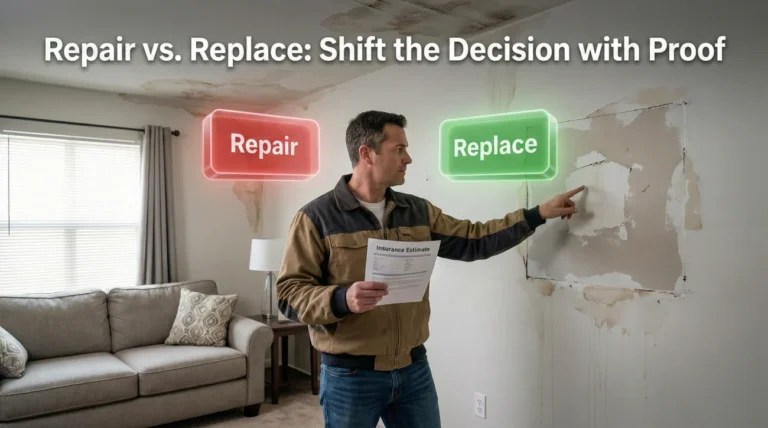
I recently saw a kitchen fire file where the adjuster included a line item for the upper cabinets with the note: “Upper cabinets assumed salvageable. Detach and reset to accommodate drywall repair.” The problem? These were twenty-year-old custom wood cabinets that were glued and nailed to the wall. They were impossible to remove without shattering the frames.
The homeowner argued, “Your price for cabinets is too low!” The file stalled because the adjuster said the price per unit was correct for a repair.
The homeowner addressed the assumption. They sent a contractor note explaining the glue/nail construction, proving the “salvageable” assumption was physically impossible.
Case 2: The “Estimated Dimensions” Ripple Effect
In another file, an adjuster used a “visual estimate” for a large master suite, assuming a standard rectangular room. They missed a 4-foot deep walk-in closet and a small offset for a built-in vanity. By marking the room as “dimensions estimated,” they missed approximately 45 square feet of flooring and 110 square feet of painting.
I watched as the homeowner frustratedly tried to explain that the “check was too small.” In reality, the check was small because the room was “smaller” in the adjuster’s software. Providing a simple floor plan corrected the assumption and automatically updated twelve different line items.
Converting Assumptions into Clarification Questions
While every carrier and policy is different, the principle that “assumptions must be replaced by facts” remains stable across the industry. Once you identify an incorrect note, your next step is to bring it to the adjuster’s attention using calm, structured questions.
If you are gathering these questions and preparing a broader response, our low estimate documentation response playbook outlines exactly how to bundle your proof. Here are practical ways to turn those red-flag assumptions into neutral questions:
- 📄 Material Quality: “I noticed the line-item note for the flooring assumes ‘standard grade.’ Can you clarify what documentation you need from me to update this to ‘custom grade’ to match the original oak?”
- ✅ Salvageability: “The notes indicate the vanity is ‘assumed salvageable.’ If my contractor attempts to detach it and it breaks, what is the specific process to get the replacement approved?”
- 📄 Hidden Damage: “The summary notes state the estimate covers ‘visible damage only.’ Since water sat for two days, what is the protocol for documenting framing damage once we open the walls?”
- ✅ Measurements: “I see a note stating ‘dimensions estimated.’ I have attached a floor plan with exact measurements; can we get the line items updated to reflect these?”
Minimum Proof Map: What to Attach for Each Assumption
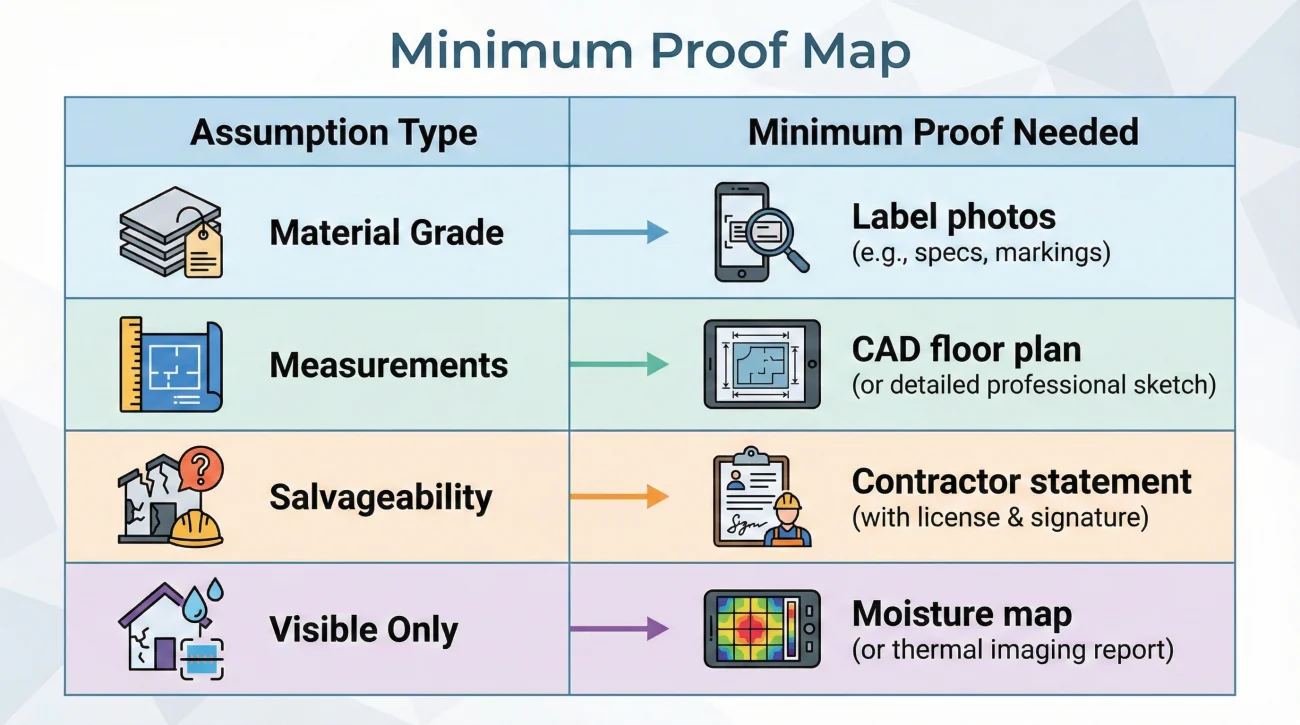
To successfully replace an assumption with a fact, you must provide the “minimum proof” that a desk adjuster needs to justify a change in their system. I often see people send 50 photos when 3 specific ones would have done the job.
| Assumption Type | The Minimum Proof Needed |
|---|---|
| Material Grade | Close-up photo of labels/branding, original receipts, or a sample of the material for inspection. |
| Measurements | A simple floor plan with wall lengths, or a CAD drawing from a professional measurement service. |
| Salvageability | A brief statement from a licensed contractor explaining why removal will cause destruction (e.g., “glued and screwed”). |
| Visible Only | Moisture map readings, “behind the wall” photos taken during demo, or an industrial hygienist’s report. |
The One-Page Clarification Packet
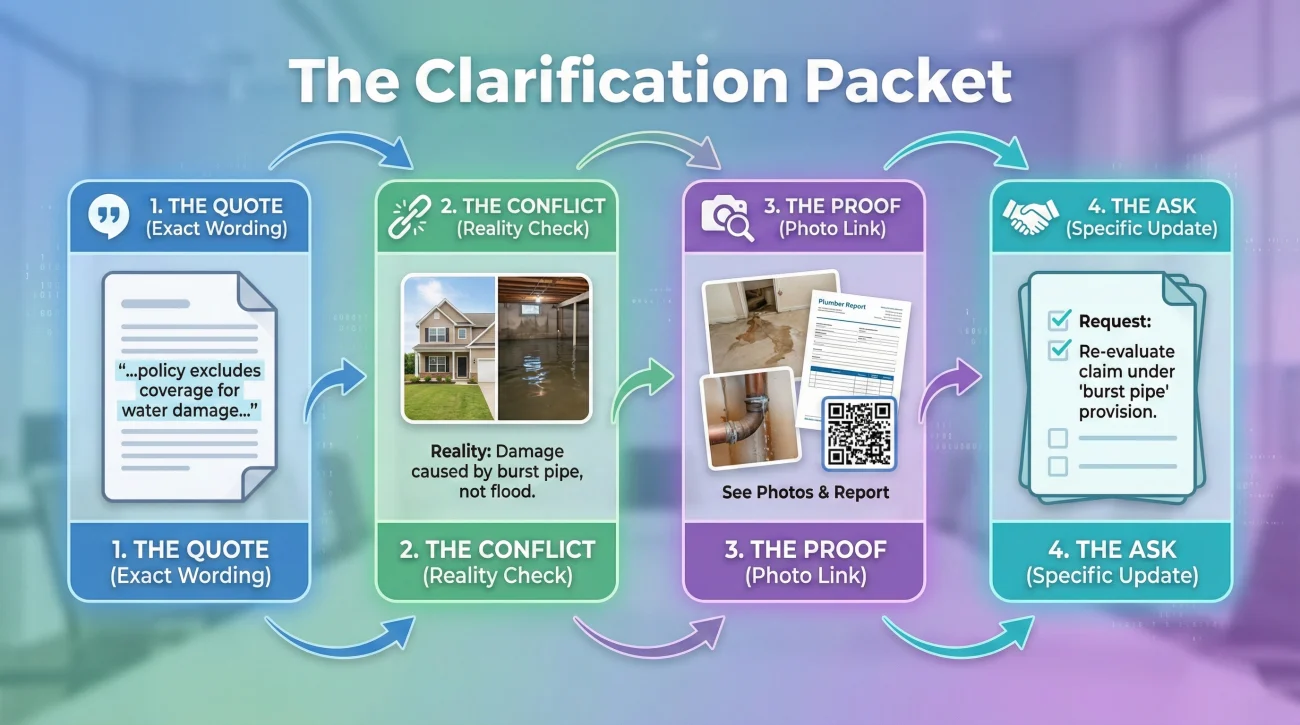
In my operations experience, the most successful claims are the ones that make the adjuster’s job easy. Instead of sending a long, angry email, I suggest creating a single “Clarification Packet” page that summarizes your findings.
A good packet should include four specific components for every issue:
- The Quote: Copy the exact wording of the note/assumption from their estimate.
- The Conflict: Explain in one sentence why it conflicts with the physical reality of your property.
- The Proof: List the specific attachment (e.g., “See Photo 4”) that provides the fact.
- The Ask: State the question you want answered or the specific update you are requesting.
Common Mistakes When Reading Estimate Notes
Through tracking many files, I have noticed that people often make the same few mistakes. Avoiding these errors will save you significant time.
<strong⚠️ Warning: The most common mistake is simply ignoring the text completely. Many people assume the software is perfect and only focus on the final dollar amount, leaving substantial gaps unaddressed.
Another common mistake is treating an assumption as a final verdict. Just because an adjuster wrote “assumed standard grade” does not mean you are permanently locked into it. It simply means that is all the proof they had at the time. An assumption is a placeholder waiting for a fact to replace it.
Final: Your Next Steps for Estimate Notes
Navigating an insurance claim is fundamentally an exercise in documentation and alignment. Use this checklist to handle the notes on your estimate systematically:
- ✅ Highlight every text note in the header, footer, and line items.
- ✅ Compare assumptions to your physical reality (grade, room size, salvageability).
- ✅ Gather the “Minimum Proof” for every incorrect assumption you found.
- ✅ Draft neutral clarification questions based on your evidence.
- ✅ Create a one-page summary linking the assumptions to your proof.
- ✅ Send your packet and request a written confirmation of receipt and an ETA for review.
❓ FAQ
🎙️ Why does my insurance estimate say assumed standard grade?
Estimating software defaults to average materials unless the adjuster manually enters a higher grade. If they could not confirm the exact quality during the inspection, the system automatically prints the standard grade assumption.
🔍 What do the notes on an insurance estimate actually mean?
Notes are text blocks that explain the reasoning behind the numbers. They outline what the adjuster guessed, what they excluded, and the specific limitations of the visible inspection.
📎 What if the adjuster says the note is “standard wording”?
Even if it is “standard wording,” it still creates a functional limit on your payout. If the standard wording says “visible damage only” but you have hidden rot, the standard wording is incorrect for your specific file and needs to be updated with facts.
🔁 What if the line item exists but the note forces a cheaper method?
This is common with “repair vs replace” decisions. You must provide a contractor’s statement or manufacturer’s guidelines showing why the cheaper method (like a patch) is not technically or structurally sound for your situation.
📄 What if the exclusions page lists something you know is required?
If a required item is excluded, ask for the specific reason in writing. Often, items are excluded because the adjuster believes they fall under a different coverage or a code upgrade that hasn’t been “triggered” yet by a city inspector.
🛠️ Why are some of my line items zeroed out with notes?
Items may show a zero dollar amount if the adjuster believes that scope of work is not necessary, or if they assume another trade will handle it. The accompanying note usually explains their reasoning.
🗣️ How do I reply to adjuster assumptions gracefully?
Reply in writing by pointing out the specific note and asking a clarification question. For example, ask what documentation they need to see in order to upgrade the assumption to match the actual materials.
📏 The adjuster left out dimensions in the notes, what do I do?
If dimensions are noted as “estimated” or missing, provide a clear floor plan or contractor measurement sheet. Ask them in writing to update the line items based on your confirmed measurements.
♻️ What does assumed salvageable mean on my claim?
It means the desk adjuster believes the item (like a cabinet) can be safely removed, stored, and reinstalled later without breaking or losing its structural integrity.
⏳ Does correcting these notes delay the entire claim payment?
Correcting scope gaps takes time, but it is necessary for an accurate payout. Often, the undisputed portion of the claim can be paid out while you work on resolving the incorrect assumptions.
⚠️ Disclaimer: PropertyClaimChecklist.com provides practical guidance, process checklists, and example follow-ups to help you organize a property claim and move it forward. It is not policy language, claim documentation, legal content, or a substitute for your insurer's instructions. Always rely on your carrier's requirements and your actual policy terms for what must be submitted and how decisions are made.