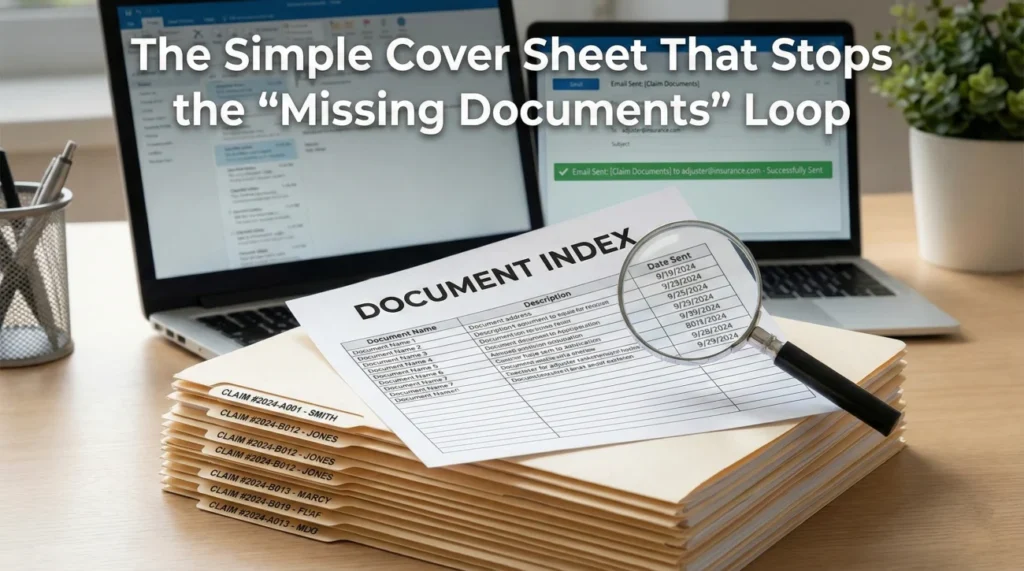
- An insurance claim document index is a simple, one-page cover sheet that logs every file you submit, creating a clear, verifiable paper trail.
- Adjusters handle hundreds of files. When you organize your paperwork with an index, you prevent attachments from getting lost in their internal queues.
- Use a consistent naming convention and track the exact dates of submission to help create a chronological record of your compliance.
- Whenever you add new paperwork to your file, update the version number of your index and attach it to your communication to reduce rework.
The Simple Cover Sheet That Reduces the “Missing Documents” Loop
You spend hours gathering receipts, organizing contractor estimates, and writing a polite email to your adjuster. You double-check the attachments, hit send, and wait. Two weeks later, you get a generic reply stating that your file is on hold because they are still waiting for your proof of purchase and repair quotes.
If you have ever been in this situation, you know the immediate frustration it causes. You sent those exact files fourteen days ago. Why are they asking for them again?
In my experience handling claim operations, I have seen months of delays triggered simply by misfiled attachments. Documents rarely get “lost” on purpose. Instead, they get swallowed by a chaotic internal process. When you email a batch of PDFs and JPEG images, the receiving system often strips them out, renames them into generic file strings like “scan_00451.pdf”, and drops them into an overwhelming digital bucket. The desk adjuster looking at your file simply cannot tell what is what without opening every single attachment.
This is where an insurance claim document index changes the dynamic entirely. By creating a single, organized list that maps out everything you have sent, you take control of the narrative. You stop being a disorganized file and start operating with clarity.
Key Point: An index removes the guesswork. When you tell the adjuster exactly what they are looking at and when it was sent, you reduce ambiguity when someone tells you a document is missing.
Today, I want to walk you through how to build this index. We will look at the essential columns you need, how to update it properly, and how it helps clarify the record when files inevitably get misplaced.
What Happens After You Hit Send
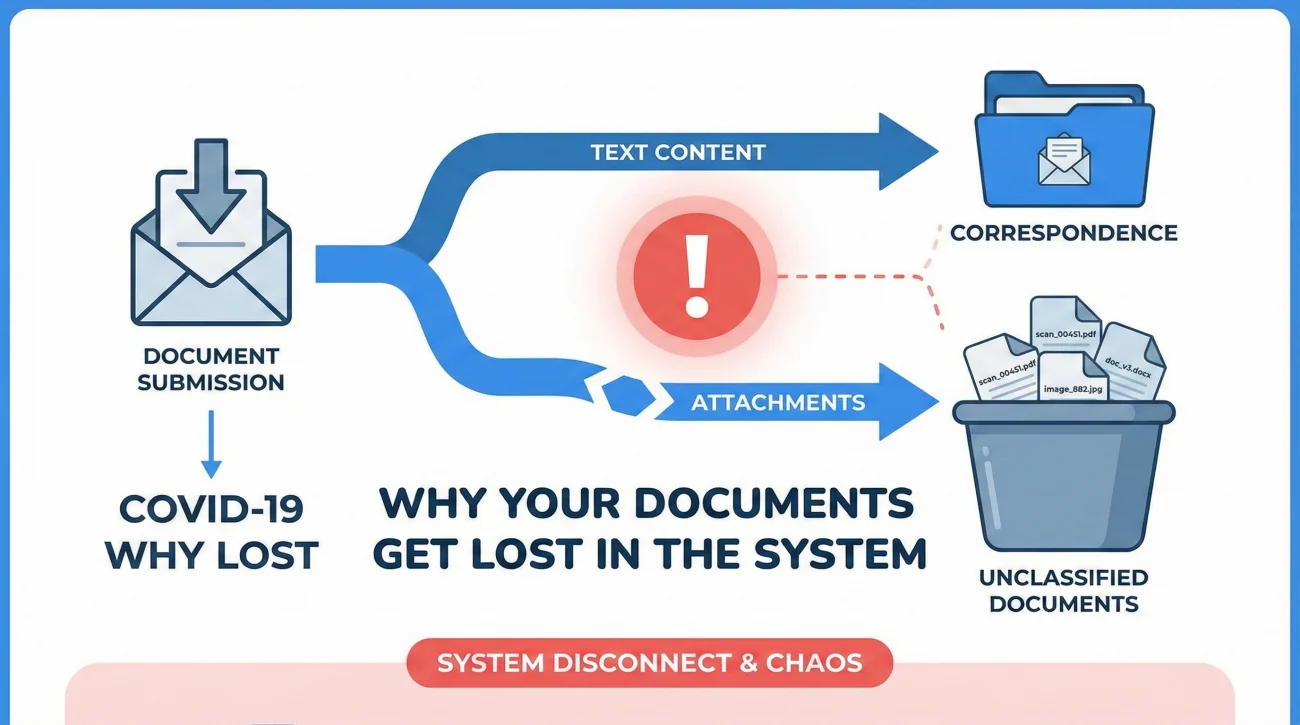
To understand why a document index is necessary, it helps to know what happens to your email after it leaves your outbox. When you submit a file, it rarely goes straight to the adjuster’s computer screen.
Usually, emails and portal uploads enter an ingestion queue. A triage team or an automated sorting system receives the data first. Their job is to classify the documents and assign them to the correct claim number. During this triage phase, email bodies are often separated from their attachments. A beautifully written email explaining your repair costs might end up in a “Correspondence” folder, while your actual estimate gets dumped into an “Unclassified Documents” folder.
⚠️ Warning: Never assume that the narrative you put in your email body stays attached to the PDF files you send. Once documents are uploaded into a corporate system, they often stand completely alone.
If the adjuster is overworked, they might open the unclassified folder, see fifty vaguely named attachments, and decide to review it later. Weeks pass, and the system automatically generates a letter asking you to resubmit your paperwork.
How a Document Index Reduces Rework
An insurance claim document index acts as a reference key for your entire file. It is a single sheet of paper, saved as a clean PDF, that sits at the very top of your submission.
When the adjuster opens the index, they instantly know what is included in the batch, what dates those items represent, and what the filenames are. If a file is genuinely misclassified in their system, the index helps them identify exactly which piece of the puzzle to search for, rather than asking you to blindly resend everything.
- ✅ It proves you are organizing and tracking your submissions.
- ✅ It provides a quick reference guide for an adjuster trying to locate a specific file.
- ✅ It creates a historical timeline of what was provided.
- ✅ It significantly reduces the chance of a file stalling due to generic paperwork errors.
The Structure of a Clean Document Index
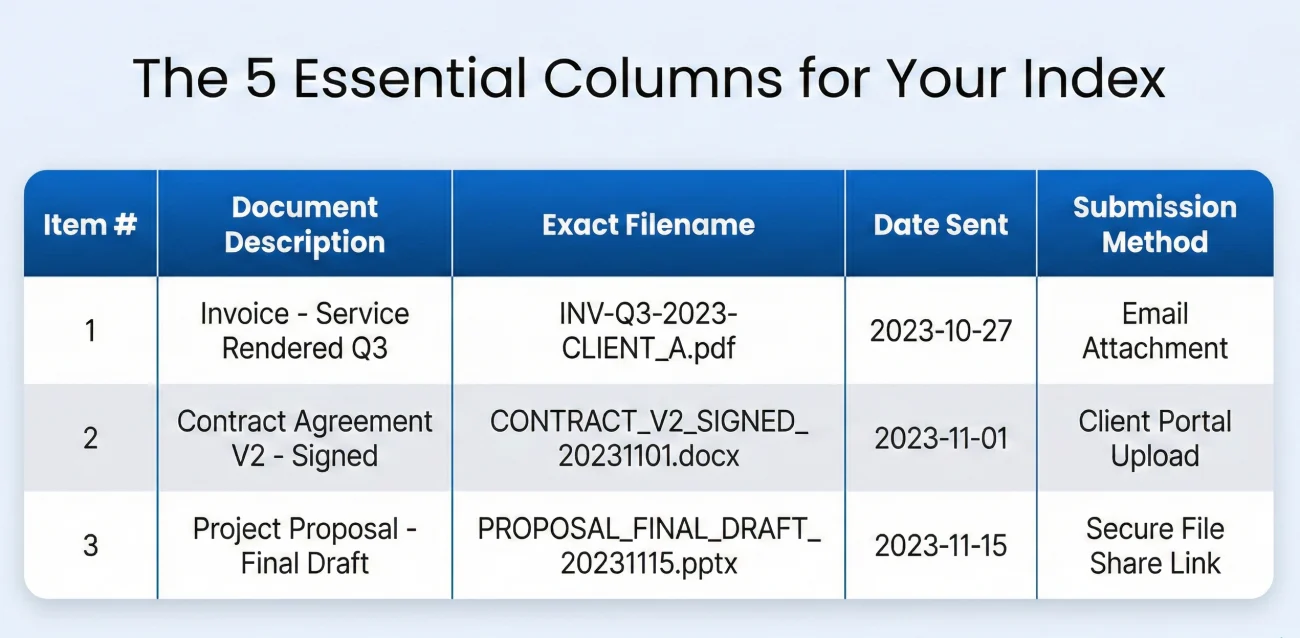
A good index does not need to be complicated. In fact, if it gets too complex, it defeats the purpose. The goal is clarity. You want a clean, scannable list that anyone can understand in under ten seconds.
The Five Essential Columns
Your index should ideally be formatted as a simple table. Here are the five columns that make up a resilient document tracking system:
| Item # | Document Title & Description | Exact Filename | Date Sent | Submission Method |
|---|---|---|---|---|
| 001 | Plumbing Repair Invoice – Smith Plumbing | 01_Smith_Plumbing_Invoice_20231015.pdf | Oct 18, 2023 | Email to Adjuster |
| 002 | Kitchen Floor Damage Photos (Set of 5) | 02_Kitchen_Floor_Damage_Photos.pdf | Oct 18, 2023 | Portal Upload |
| 003 | Contractor Repair Estimate – Elite Builders | 03_EliteBuilders_Kitchen_Estimate.pdf | Oct 25, 2023 | Email to Adjuster |
Let us break down why each of these columns is necessary:
Item Number: Keep a running count. This allows you to reference documents quickly in future phone calls. “Hi, I am calling about Item 003 on my document index.”
Document Title & Description: This is the plain English explanation of what the document is. Be specific. “Plumbing Invoice” is okay, but “Plumbing Repair Invoice – Smith Plumbing” is much better.
Exact Filename: This is arguably the most important column. If their system scrambled your files, telling them the exact filename allows them to run a quick search in their database.
Date Sent: This establishes your timeline and helps document exactly when the information entered their system.
Submission Method: Did you upload it to their online portal, send it via email, or mail a physical copy? This helps the adjuster know where to look.
💡 Pro Tip: If you are unsure how to name your files properly before listing them on the index, you should establish a clear naming convention first. It is the foundation of a clean submission.
A Quick Case Study: The Difference an Index Makes
Consider a standard water damage claim handled without an index. The homeowner emails three contractor bids and forty photos over two weeks. When the adjuster reviews the file on day fifteen, they notice the mitigation invoice is missing from the main folder. They send an email asking the homeowner to “please provide all mitigation receipts.” The homeowner, frustrated, searches their outbox, finds the email from two weeks ago, and resends a massive batch of files. The cycle of confusion continues.
Now consider the same claim with an index. The homeowner emails the documents, always attaching their updated PDF index. On day fifteen, the adjuster cannot find the mitigation invoice. They check the index and see it was submitted on day four. Instead of a generic request, they realize their triage team misfiled it. They search their internal system for the exact filename listed on the index, locate the invoice, and move the claim forward. The back-and-forth is entirely eliminated.
The Update Protocol: Version Control for Your Claim
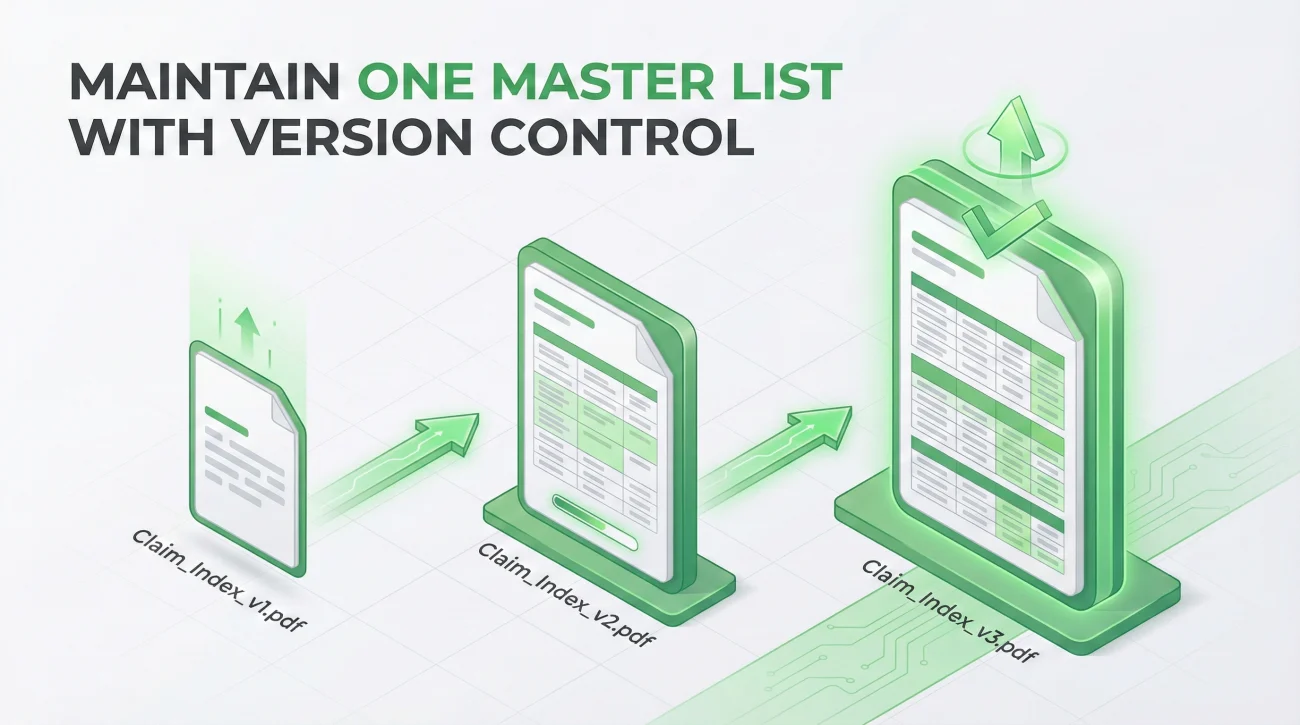
A property claim is a living process. Over the weeks or months of the process, you will receive new estimates, updated receipts, and additional requests from the insurer.
This means your document index will need to grow. The biggest mistake people make here is creating multiple, separate indexes. If you send “Index A” in week one, and “Index B” in week three featuring only the new files, you are asking the adjuster to cross-reference multiple cover sheets. That leads to confusion.
Maintain One Master List
Instead of creating fragmented lists, you must maintain one master document. Every time you have a new file to submit, you add it to the bottom of the master list.
To ensure everyone knows they are looking at the most current overview, you use version control in your document title and filename.
Saving the index simply as “Claim_Documents.pdf” every time, leaving the adjuster guessing if this is the old list or the new list.
Naming the file “Claim_Document_Index_v1.pdf” on the first send, and updating it to “Claim_Document_Index_v2.pdf” on the next submission.
A Simple Update Routine
When you receive new paperwork, try to follow a simple three-step principle to keep your records clean:
- Save and Name: Save the new document to your computer with a clear, descriptive filename.
- Log and Version: Open your master index, add the new item as a row at the bottom, and save the index as a new PDF version (e.g., v3 to v4).
- Bundle the Submission: When communicating with the adjuster, always provide the new document alongside the newly updated master index.
Three Reasons Duplicate Files Slow Down Claims
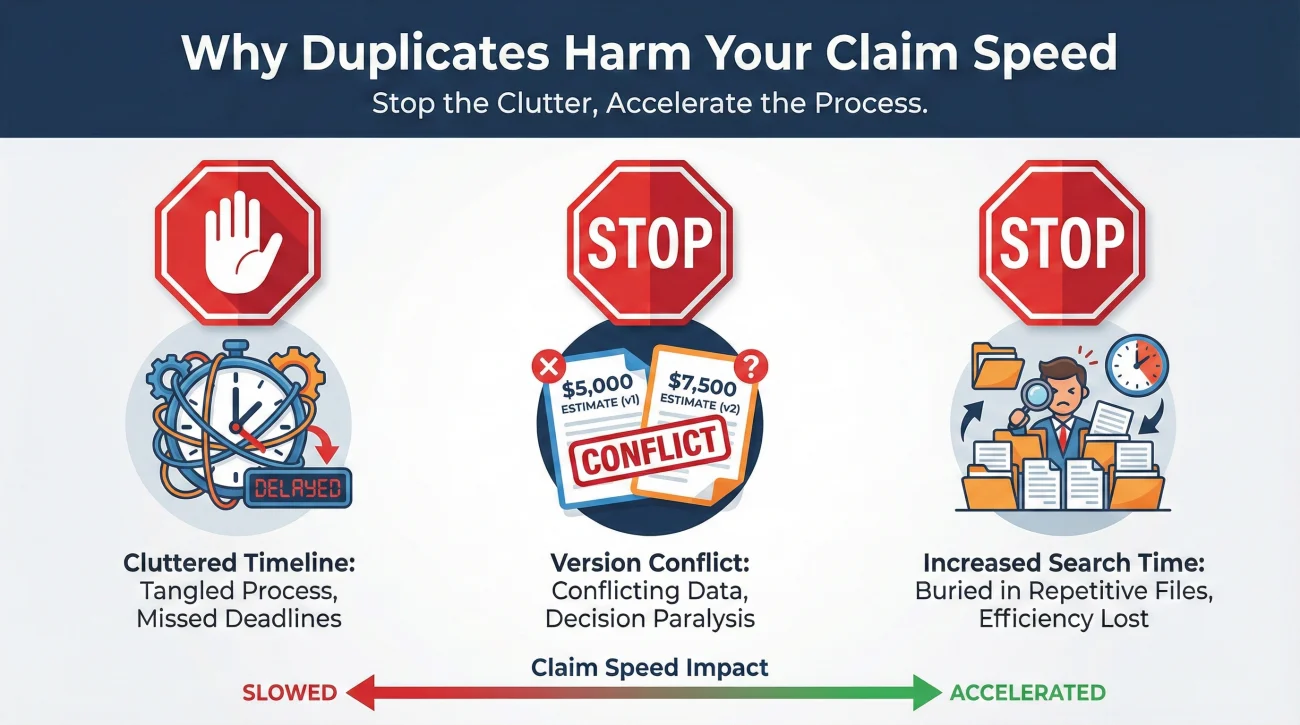
When an adjuster asks for a missing file, the natural instinct is to simply attach it to an email and send it again. However, in claims operations, duplicate uploads actually harm the clarity of your file. Here is why you want to avoid resending documents without a clear reference:
First, duplicates clutter the timeline. If the same invoice is uploaded on October 1st, October 15th, and November 2nd, an auditor reviewing the file later will struggle to determine when the expense was actually incurred or initially reported.
Second, duplicates increase the risk of version conflicts. If a contractor updates an estimate but you resend an older version by mistake during a “missing document” request, the insurer now has two conflicting scopes of work. This almost always triggers a manual review delay.
Third, duplicates increase search time. Every time you upload a batch of previously sent files, the ingestion team creates new data entries. The adjuster now has to sift through twenty attachments instead of five just to find the one new piece of information they actually needed.
How to Respond to Repeated Document Requests
Even with a perfect index, you may still receive an automated letter stating that a specific document is missing. Often, this happens because a different department triggers the letter without reading the adjuster’s notes.
When this happens, you should address it promptly without unraveling your organization. Do not just blindly resend the file without context.
The Reference-First Protocol
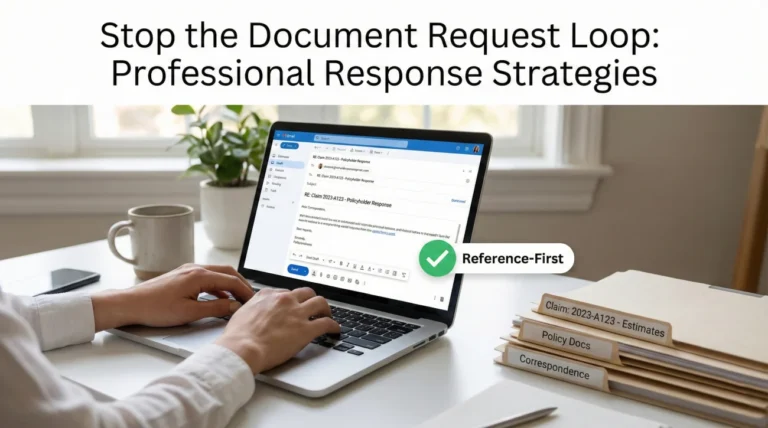
Your response should politely point back to the index and the original submission date. If you choose to attach the file again as a courtesy, you must clearly label it as a secondary submission.
Subject: Re: Missing Document Request – Claim #112233
Hello,
I received your letter dated November 5th requesting the mitigation invoice.
Please note that this document was originally submitted on October 20th. It is listed as Item 005 on the attached Document Index (v3).
To ensure there are no further delays in your system, I have attached another copy of the exact file (05_Mitigation_Invoice.pdf) to this email.
Could you please reply to confirm that this file has been successfully located and placed in my active folder?
Thank you.
This script is neutral and professional. It shows cooperation while creating a clear record that the delay is likely an internal sorting issue, not a failure to submit on your end.
Adjuster Turnover: When the Index Saves Time
Claims often stall when the original desk adjuster leaves the company, goes on leave, or is reassigned. Suddenly, you have a new adjuster named Sarah taking over your file.
Sarah is stepping into the middle of a complex situation. She opens your file and sees random attachments and a messy history. Her first instinct, driven by the need to get oriented quickly, is often to ask you to “please provide all current estimates and photos.”
❌ Note: Without an index, you are forced to dig through your own records and send a massive, redundant email.
With an updated document index, you handle this handoff seamlessly. You reply with your master cover sheet.
Subject: Re: Claim #778899 – Introduction / Document Index Attached
Hello Sarah,
Thank you for the introduction. I look forward to working with you.
To help you get oriented with the file history, I have attached my master Document Index (v4). This sheet lists every file, photo, and estimate I have submitted to date, along with the exact filenames and the dates they were provided.
Please let me know if you have trouble locating any of these specific files in your system based on the index. I am happy to resend individual items if your portal did not retain them during the transition.
Best regards,
[Your Name]
This approach establishes immediate mutual respect. It shows you are organized and makes it much easier for them to locate the files in their system.
Tying the Index to Your Communication Logs
An index is a list of what you sent, but it is most powerful when it is connected to a broader system of proof. If you are building a complete property claim documents checklist system, your index should sit right next to your communication log.
When you have a phone call with your adjuster, you should be referencing the item numbers from your index. It changes the dynamic of the conversation.
“Did you get my receipts?”
“I am looking at my index, items 004 through 007. I sent those on October 12th. Can you confirm you can open those files?”
When you log that phone call in your notes, you write: “Spoke with Adjuster. Confirmed receipt of Index Items 004-007. Stated review will be done by Friday.” This level of specificity reduces misunderstandings about what paperwork is pending.
Common Indexing Mistakes to Avoid
Creating this list is a simple mechanical task, but there are a few common pitfalls that can undermine its effectiveness.
Mistake 1: Not Saving as PDF.
If you send an Excel or Word file, the formatting might break when the adjuster opens it. Worse, it could be accidentally edited. Always export your final index to PDF before sending.
Mistake 2: Changing Filenames After Indexing.
If you list a file as Estimate_Final.pdf on your index, but you actually attach a file named Estimate_Updated_Version.pdf, you break the system. The index must match the attachments exactly.
Mistake 3: Forgetting to Update the Version Number.
If you send “Index.pdf” five different times with different contents, no one will know which one is current. Always use v1, v2, v3 in the file name of the index itself.
Understanding the Limits of Organization
While a document index is a highly effective operational tool, it is important to recognize what it cannot do. An index creates clarity, but it does not guarantee speed. Sometimes, claim delays have nothing to do with missing documents.
If an adjuster is waiting for managerial authority to approve a large payout, or if they are waiting on an engineering report from a third-party vendor, your file will remain on hold regardless of how beautifully your index is formatted. In those scenarios, your index serves a different purpose: it simply proves that the delay is not due to any inaction on your part. It keeps your side of the street clean so you can focus on following up on the actual bottlenecks.
Final Thoughts on Document Control
Managing an insurance claim is often an exercise in administrative endurance. By creating and maintaining a simple document index, you build a framework that protects your file from getting mismanaged in a chaotic corporate workflow. It makes the adjuster’s job easier, and most importantly, it maintains a clear history of your compliance throughout the life of the claim.
❓ FAQ
📄 What exactly is an insurance claim document index?
It is a one-page summary sheet that lists every single document, photo, and estimate you have submitted to the insurance company, acting as a clear reference key for your claim file.
🔄 How do I update my claim document list?
When you have new files to send, add new rows to the bottom of your master list. Save the updated list with a new version number (like v2 or v3) so everyone knows it is the most current overview.
🔍 Why does the insurance company keep asking for documents I already sent?
Often, attachments are stripped from emails or renamed by internal sorting software. An index helps them locate exactly what you sent without forcing you to blindly resubmit everything.
📝 Do I need special software to create a claim cover sheet?
No. Any basic spreadsheet or word processing program works perfectly. Just remember to use clear columns and always export the final document as a PDF before you email it.
✉️ What should I say when submitting an updated document index?
Keep it brief and polite. State that you have attached new files for review, and note that you have also attached an updated Document Index (e.g., v3) that reflects the entire history of your submissions.
📁 How do I list large batches of photos on my index?
Instead of listing 50 individual image files, compile the photos into a single PDF document if possible. Then, you only need to log one line item on your index, such as “Kitchen Damage Photos (1 PDF, 50 images).”
🛑 What happens if my adjuster changes in the middle of a claim?
A new adjuster will need to review your entire file. Supplying your latest master document index allows them to see the full timeline immediately, reducing the chance they ask you to start over.
✅ How do I prove the insurer received my documents?
Your index lists the date sent. To document receipt, ask the adjuster to reply and confirm they can open the specific files listed on your index, creating a written confirmation loop.
🏷️ What if the insurance portal automatically renames my files?
This is common. If the portal assigns random numbers to your uploads, your index serves as the crucial translation key that links their generic system number back to your original, descriptive filename.
👥 How does an index help when multiple adjusters or vendors are involved?
When multiple parties review a file (desk adjuster, field examiner, mitigation vendor), the index ensures everyone is looking at the same version history, preventing miscommunications about what was already submitted.
⚠️ Disclaimer: PropertyClaimChecklist.com provides practical guidance, process checklists, and example follow-ups to help you organize a property claim and move it forward. It is not policy language, claim documentation, legal content, or a substitute for your insurer's instructions. Always rely on your carrier's requirements and your actual policy terms for what must be submitted and how decisions are made.